EasyManua.ls Logo

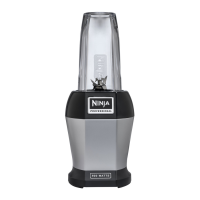
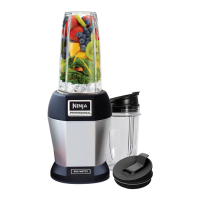
Ninja BL481 - User Manual

Ninja BL481
40 pages
Print Icon
To Next Page IconTo Next Page
Loading...
User Manual of Product 1:
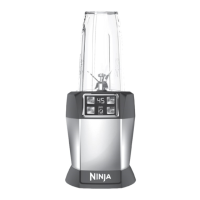
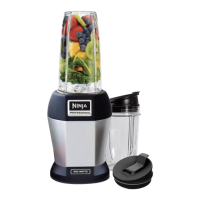
Ninja BL481C Nutri-Ninja Auto-iQ Technology Blender, 1000W
(Canadian Version),Silver
User Manual of Product 2:
NINJA AF101C, Air Fryer, 3.8L Less Oil Electric Air Frying,
Equipped with Crisper Plate + Multi-Layer Rack + Non Stick
Basket, Programmable Control Panel, Black, 1550W,
(Canadian Version)

Questions and Answers

  • M
    Mark LewisJul 28, 2025
    How to turn on Ninja BL481 Blender?
    • L
      lisawhiteJul 28, 2025
      To ensure your Ninja blender turns on, first, verify that the unit is properly plugged into a working power outlet. If it's plugged in, make sure that the cup is correctly inserted and rotated clockwise into the base until you hear a 'click'. This should activate the display and power on the unit.
  • J
    John CooperAug 2, 2025
    How to remove Ninja BL481 Blender from counter?
    • A
      Angel MedinaAug 2, 2025
      To make it easier to remove the Ninja blender from the counter for storage, tip the unit forward from the back. This will help disengage the suction feet.
  • D
    David WilliamsAug 6, 2025
    How to assemble Ninja blender lid?
    • J
      James PattersonAug 6, 2025
      To properly assemble the lid or Pro Extractor Blades Assembly on your Ninja blender, place the cup on a level surface. Then, position the lid or blade assembly on top of the cup, aligning the threads so it sits flat. Twist it clockwise until you achieve a tight seal and the lid/blades are evenly aligned with the cup.
  • D
    Dr. Sabrina WilsonAug 10, 2025
    Why doesn't my Ninja blender mix well?
    • J
      Jeffrey MoonAug 10, 2025
      If your Ninja blender isn't mixing well and food gets stuck, try the following: 1. Use the AUTO-iQ™ programs for best results; the pulses and pauses help the food settle towards the blade. 2. Add some liquid to help the mixture blend more easily. 3. When filling the cups, layer ingredients in this order: fresh items, powders/nuts, liquids, and finally frozen items or ice.
  • M
    marioweberAug 14, 2025
    Why does my Ninja BL481 move on the counter?
    • A
      alexismitchellAug 14, 2025
      To prevent the Ninja blender from moving on the counter during blending, ensure that both the surface of your counter and the feet of the blender unit are clean and dry.
  • J
    Janice PerkinsAug 18, 2025
    What to do if Ninja BL481 doesn't turn off?
    • T
      timothyliAug 18, 2025
      To turn off the Ninja blender, remove the cup from the base by rotating it counter-clockwise and lifting it out. This should turn off the display. If that doesn't work, unplug the power cord from the outlet.
  • T
    Thomas ThomasAug 23, 2025
    Why is food not evenly chopped in my Ninja BL481 Blender?
    • D
      Diane PerezAug 23, 2025
      To improve the evenness of chopping with your Ninja blender: * Ensure all ingredients are as dry as possible. * Cut ingredients into even sizes. * Reduce the amount of food in the cup. * Use very short pulses by quickly pressing the 'PULSE' button.

Summary

Nutri Ninja Owners Guide

Nutri Ninja Safety Precautions

Electrical and General Safety

Covers polarized plugs, extension cords, water contact, and basic operational safety.

Operational Safety Guidelines

Warnings on utensils, hot liquids, blade handling, and child supervision.

Appliance Usage and Maintenance Safety

Safe Appliance Operation and Handling

Covers unattended use, microwave safety, cord care, and surface placement.

Advanced Usage & Precautions

Warnings on hot surfaces, accessories, lid use, temperature changes, and overheating.

Nutri Ninja Technical Specifications

Nutri Ninja Components and Features

Product Components Overview

Identifies all parts of the Nutri Ninja blender system.

Auto-IQ User Interface

Explains the functions of the control panel buttons and Auto-IQ™ programs.

Nutri Ninja Initial Setup

Nutri Ninja Usage Guide

Assembly, Use, and Removal

Step-by-step guide for assembling, operating, and disassembling the unit.

Nutri Ninja Suggested Uses

Nutri Ninja Care and Maintenance

Cleaning and Storage Instructions

Guidelines for cleaning parts and storing the appliance properly.

Motor Thermostat Reset

Procedure to reset the motor thermostat if the appliance overheats.

Nutri Ninja Troubleshooting

Nutri Ninja Warranty and Registration

Ninja Air Fryer Owners Guide

Ninja Air Fryer Safety Precautions

General Appliance Safety

Covers extension cords, polarized plugs, choking hazards, and proper assembly.

Operation and Handling Safety

Warnings on hot surfaces, liquids, unattended use, and cleaning products.

Ninja Air Fryer Components and Controls

Parts and Accessories Identification

Identifies all physical parts of the air fryer unit.

Control Panel and Function Buttons

Explains the function buttons and operating controls of the air fryer.

Ninja Air Fryer Initial Setup

Ninja Air Fryer Usage Guide

Air Fry Function Guide

Step-by-step instructions for using the Air Fry cooking function.

Roast and Reheat Functions

Guides for operating the Roast and Reheat cooking functions.

Dehydrate Function Guide

Instructions for using the Dehydrate cooking function and capacity tips.

Ninja Air Fryer Cleaning and Maintenance

Cleaning Procedures

Steps for cleaning the main unit, basket, and accessories.

Helpful Tips for Usage

Provides tips for better results, temperature adjustments, and food preparation.

Ninja Air Fryer Troubleshooting

Ninja Air Fryer Warranty Information

Ninja BL481 Specifications

General IconGeneral
BrandNinja
ModelBL481
CategoryBlender
LanguageEnglish

Related product manuals