EasyManua.ls Logo

Ninja Foodi SMART - User Manual

Ninja Foodi SMART
2 pages
Print Icon
To Next Page IconTo Next Page
Loading...
More flavor. Less smoke.
FOR LESS SMOKE, WE RECOMMEND USING OILS WITH A HIGH SMOKE POINT—LIKE
CANOLA, COCONUT, AVOCADO, VEGETABLE, OR GRAPESEED OIL—INSTEAD OF OLIVE OIL.
If you choose to cook ingredients at a higher temperature than recommended or
when using olive oil, it may result in more smoke and food having a burnt, acrid flavor.
Also, to help prevent grease from building up and causing smoke, clean the splatter shield after every use.
Please make sure to read the enclosed Ninja® Owner’s Guide prior to using your unit.
QUICK START GUIDE
How to place the thermometer
FOOD TYPE PLACEMENT CORRECT INCORRECT
Steaks
Pork chops
Lamb chops
Chicken breasts
Burgers
Tenderloins
Fish fillets
Insert thermometer horizontally into the center of the
thickest part of the meat.
Make sure the tip of the thermometer is inserted straight
into the center of the meat, not angled toward the
bottom or top of it.
Make sure the thermometer is close to (but not
touching) the bone and away from any fat or gristle.
NOTE: The thickest part of the fillet may not be the
center. It is important that the end of the thermometer
hits the thickest part so desired results are achieved.
Insert thermometer horizontally into the thickest part
of the breast, parallel to, but not touching, the bone.
Make sure the tip reaches the center of the thickest
part of the breast and doesn’t go all the way through
the breast into the cavity.
Whole chicken
DO NOT use the thermometer with frozen protein
or for cuts of meat 1 inch thick or thinner.
DG551_QSG_Mv10© 2020 SharkNinja Operating LLC.
New York Strip Steaks
4 steaks (10–12 oz. each, 1
1
/2 in. thick)
Pat dry. Rub with canola oil and season.
HI, preset to BEEF
and set doneness
Frozen: MED, 18–26 mins
When cooking frozen protein,
flip 2 or 3 times while cooking.
80% Lean Burgers
6 patties, 1-inch thick
(up to 7 oz. each)
HI, preset to BEEF
and set doneness
Frozen: MED, 10–12 mins
Salmon
6 fillets (5–6 oz. each)
Pat dry. Rub with canola oil and season.
MAX, preset to FISH
and set doneness
Frozen: MAX, 12–15 mins
Sausages
9 sausages (3–4 oz. each)
Whole
LO, preset to PORK
and set doneness
Frozen: LO, 10–14 mins
Fresh Corn on the Cob
(6 ears)
Brush lightly with canola oil.
Season with salt and pepper.
MAX, cook 10–12 mins
Fresh Asparagus
(2 bunches)
Toss with canola oil.
Season with salt and pepper.
MAX, cook 5–7 mins
Spread evenly on grill grate. Do not flip.
Frozen Boneless Pork Chops
6 chops (8 oz. each)
Pat dry. Rub with canola oil and season.
MED, 22–26 mins
When cooking frozen protein,
it is recommended to not use
the thermometer.
Frozen Pork Tenderloin
2 whole tenderloins (1 lb. each)
Pat dry. Rub with canola oil and season.
MED, 22–28 mins
When cooking frozen protein,
it is recommended to not use
the thermometer.
Bacon
8 strips, thick cut
LO, 7–9 mins
Bone-In Barbecue
Chicken Thighs
6 thighs (7–9 oz. each)
LO, preset to CHICKEN
For best results when using
the Grill function, flip meats.
Boneless Marinated
Chicken Breast
6 breasts (7–9 oz. each)
MED, preset to CHICKEN
or set to LO if using a thick sauce
When using the grill function,
for best results flip meats.
Boneless Chicken Breasts
6 breasts (7–9 oz. each)
HI, preset to CHICKEN
Frozen: MED, 20–25 mins
When cooking frozen protein,
flip 2 or 3 times while cooking.
MAX (up to 510°F)
Best for veggies,
fruit, fresh/frozen
seafood, and pizza.
HI (500°F)
Best for steaks,
chicken, and burgers.
MED (450°F)
Best for frozen meats
and marinated ingredients.
LO (400°F)
Best for bacon and
sausages, and when using
thicker barbecue sauces.
For more charts and individual cook times, refer to the Inspiration Guide.
Preheat for better results
For best grilling results, preheat the
Foodi Smart XL Grill before adding
food. It will take approximately
10 minutes. Adding food before
preheating is complete may lead
to overcooking and smoke.
APROX
10
MINS
How to turn off Preheat
We do not recommend skipping preheating,
as it will impact cooking results. However, if you
would like to skip it, after selecting a function
and pressing the START/STOP button (when the
unit is then in preheat mode), press the
skip button
to cancel preheating.
Turn for Instructions on cooking with the thermometers
SMART
XL GRILLXL GRILL
A
POWER:To turn the unit on and o, press the POWER button.
B
COOKING FUNCTIONS: Air Crisp, Roast, Grill, Bake, Broil,
Dehydrate.
C
LEFT arrows: Use the up and down arrows to the left of the
display to adjust the cook temperature or doneness when using
the thermometer.
D
RIGHT arrows: Use the up and down arrows to the right of the
display to adjust the cook time or food type when using the
thermometer.
E
START/STOP button: Press to start cooking, or press
while the unit is cooking to stop the current cook function.
F
: Press skip button after pressing START/STOP to skip
preheat.
G
THERMOMETER: Press to activate and program thermometer on
left side of unit.
H
MANUAL setting: Switches the display screen so you can
manually set the internal doneness when using the thermometer.
I
PRESET setting: When thermometer is inserted in a protein, this
allows you to use the arrows to the right of the display to select
the protein type.
E
I
B
H
A
Get to know the control panel
C D
GF
Question and Answer IconNeed help?

Do you have a question about the Ninja Foodi SMART and is the answer not in the manual?

Summary

Get to Know the Control Panel

Control Panel Overview

Explains the functions of the POWER, COOKING, arrow, START/STOP, SKIP, and THERMOMETER buttons.

Thermometer Placement Guide

Details how to correctly place the thermometer in food for accurate cooking results.

Preheat for Better Results

Understanding Preheat and Skipping

Advises on the importance of preheating for optimal results and how to cancel the preheat stage.

Ninja Beef Doneness Guide

Food Removal and Resting Process

Guides on safely removing food with the thermometer and the importance of the resting period.

Carry-Over Cooking Explained

Explains how food continues to cook after removal from the heat source.

Summary

Get to Know the Control Panel

Control Panel Overview

Explains the functions of the POWER, COOKING, arrow, START/STOP, SKIP, and THERMOMETER buttons.

Thermometer Placement Guide

Details how to correctly place the thermometer in food for accurate cooking results.

Preheat for Better Results

Understanding Preheat and Skipping

Advises on the importance of preheating for optimal results and how to cancel the preheat stage.

Ninja Beef Doneness Guide

Food Removal and Resting Process

Guides on safely removing food with the thermometer and the importance of the resting period.

Carry-Over Cooking Explained

Explains how food continues to cook after removal from the heat source.

Overview

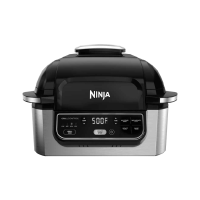
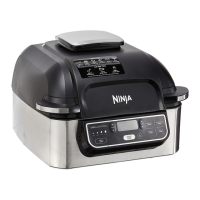
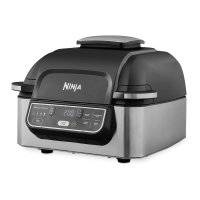
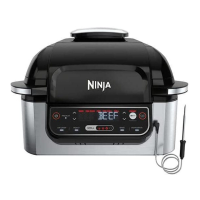
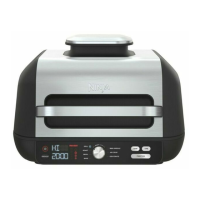
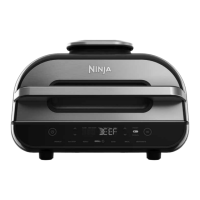
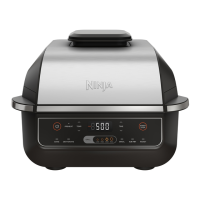
The Ninja Foodi Smart XL Grill is a versatile indoor grilling and cooking appliance designed to provide a range of cooking functions with smart thermometer technology for precise results.

Function Description:

The device offers multiple cooking functions, including:

  • Grill: Ideal for achieving authentic grill marks and flavors on various meats and vegetables.
  • Air Crisp: For crispy results with less oil, perfect for fries, chicken wings, and other fried favorites.
  • Roast: Suitable for cooking larger cuts of meat or vegetables evenly.
  • Bake: Allows for baking items like pizzas, desserts, or casseroles.
  • Broil: Provides high-heat cooking from above, great for browning or finishing dishes.
  • Dehydrate: For making dried fruits, jerky, and other dehydrated snacks.

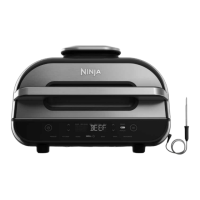
A key feature is the Foodi Smart Thermometer, which continuously monitors the internal temperature of food throughout the cooking process. This eliminates the need for traditional instant-read thermometers and helps ensure food is cooked to the desired doneness. The thermometer can be programmed for specific protein types and doneness levels, or it can be used in manual mode to set a target internal temperature.

Usage Features:

The control panel is intuitive, featuring:

  • POWER button: To turn the unit on and off.
  • Cooking Function buttons: Dedicated buttons for each cooking mode (Air Crisp, Roast, Grill, Bake, Broil, Dehydrate).
  • Arrows (Left and Right): Used to adjust cook temperature or doneness (left arrows) and cook time or food type (right arrows).
  • START/STOP button: To initiate or halt the cooking process.
  • SKIP button: Allows users to bypass the preheat phase, though this is not recommended for optimal cooking results.
  • THERMOMETER button: Activates and programs the smart thermometer.
  • MANUAL setting: For manually setting internal doneness.
  • PRESET setting: For selecting protein types when the thermometer is inserted.

Preheating: The device emphasizes preheating for best grilling results, typically taking approximately 10 minutes. Adding food before preheating is complete may lead to overcooking and smoke.

Thermometer Placement: Proper thermometer placement is crucial for accurate readings. It should be inserted horizontally into the center of the thickest part of the meat, avoiding bones, fat, or gristle. For whole chicken, it should go into the thickest part of the breast, parallel to the bone, without going all the way through into the cavity. The thermometer is not recommended for frozen protein or cuts of meat 1 inch thick or thinner.

Cooking Process with Thermometer:

  1. Set Up: Remove the storage compartment, unwind the cord, and plug in the thermometer.
  2. Select Cook Function: Choose the desired cooking function.
  3. Program Thermometer: Press the THERMOMETER button, then use the arrows to select the protein type and desired doneness (or use manual setting).
  4. Place Thermometer: Insert the thermometer into the food according to the placement guide.
  5. Add Food: Once the unit preheats and "ADD FOOD" appears, place the food with the thermometer into the unit and close the hood.
  6. Track Progress: The display shows a progress bar and flashes to indicate doneness progression. For Roast and Grill functions, the unit may beep and display "FLIP," which is optional.
  7. Carry-Over Cook & Rest: When the food reaches the desired doneness, the unit will beep and display "GET FOOD." Transfer the meat to a plate with the thermometer still inserted and allow it to rest for 3-5 minutes. This carry-over cooking is essential to prevent overcooking, as food continues to cook after being removed from the heat source. Skipping this step may result in a rarer level of doneness.

Oil Recommendations: For less smoke, it is recommended to use oils with a high smoke point, such as canola, coconut, avocado, vegetable, or grapeseed oil, instead of olive oil. Using olive oil or cooking at higher temperatures than recommended may lead to more smoke and a burnt, acrid flavor.

Maintenance Features:

Cleaning: To help prevent grease buildup and smoke, it is important to clean the splatter shield after every use. The manual provides further instructions on cleaning the unit.

Storage: The device includes a storage compartment on the left side for the thermometer and its cord, ensuring convenient and organized storage.

Ninja Foodi SMART Specifications

General IconGeneral
Smart Cook SystemYes
Power1760 watts
Smart ThermometerYes
Smoke Control TechnologyYes
Cooking FunctionsGrill, Air Fry, Roast, Bake, Broil, Dehydrate
Temperature Range105°F–500°F
Product TypeIndoor Grill

Videos

How to Easily Replace Your Lost Ninja Foodi Smart XL Grill Plate

Related product manuals