ENGLISH
41 42ninjakitchen.eu
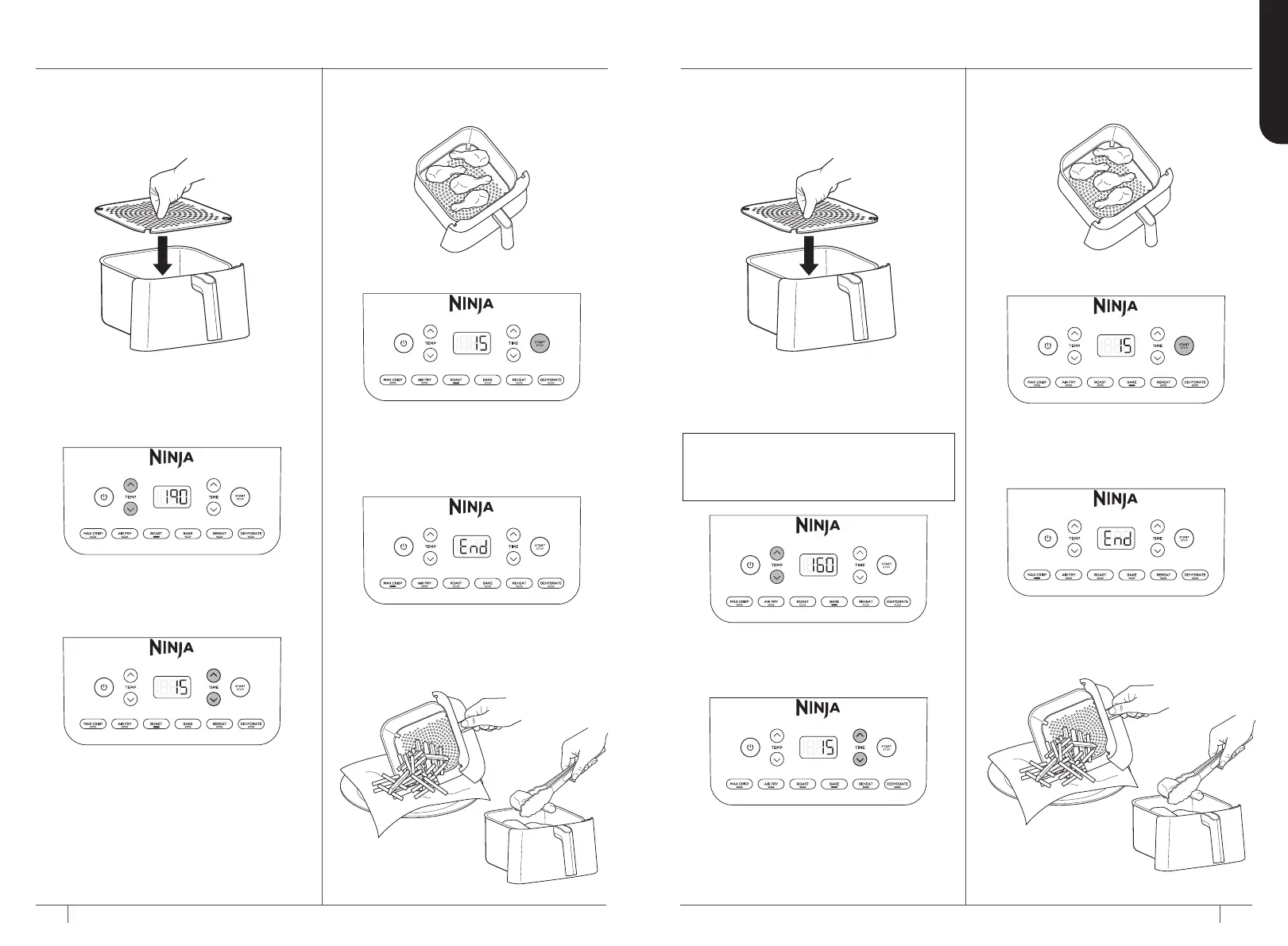
4 Add ingredients to the drawer.
Insert the drawer in the unit.
5 Press START/STOP to begin cooking.
6 When cooking is complete, the unit
will beep and END will appear on the
control panel display.
7 Remove ingredients by tipping
them out or by using oven gloves
or silicone-tipped tongs/utensils.
USING THE COOKING FUNCTIONS – CONT
ROAST
1 Ensure the crisper plate is inserted
into the lower position in the drawer, if
needed.
2 Press the ROAST button. The default
temperature setting will display. Press
the TEMP up and down arrow buttons
to set your desired temperature.
3 Press the TIME up and down arrow
buttons to set your desired cook time.
4 Add ingredients to the drawer.
Insert the drawer in the unit.
5 Press START/STOP to begin cooking.
6 When cooking is complete, the unit
will beep and END will appear on the
control panel display.
7 Remove ingredients by tipping
them out or by using oven gloves
or silicone-tipped tongs/utensils.
BAKE
1 Ensure the crisper plate is in place
if needed. If using a baking dish,
the crisper plate is not needed.
2 Press the BAKE button. The default
temperature setting will display. Press
the TEMP up and down arrow buttons
to set your desired temperature.
3 Press the TIME up and down arrow
buttons to set your desired cook time.
NOTE: To convert recipes from your
conventional oven, reduce the temperature
of the Air Fryer by 10°C. Check food
frequently to avoid overcooking.


 To Next Page
 Loading...