ENGLISH
43 44ninjakitchen.eu
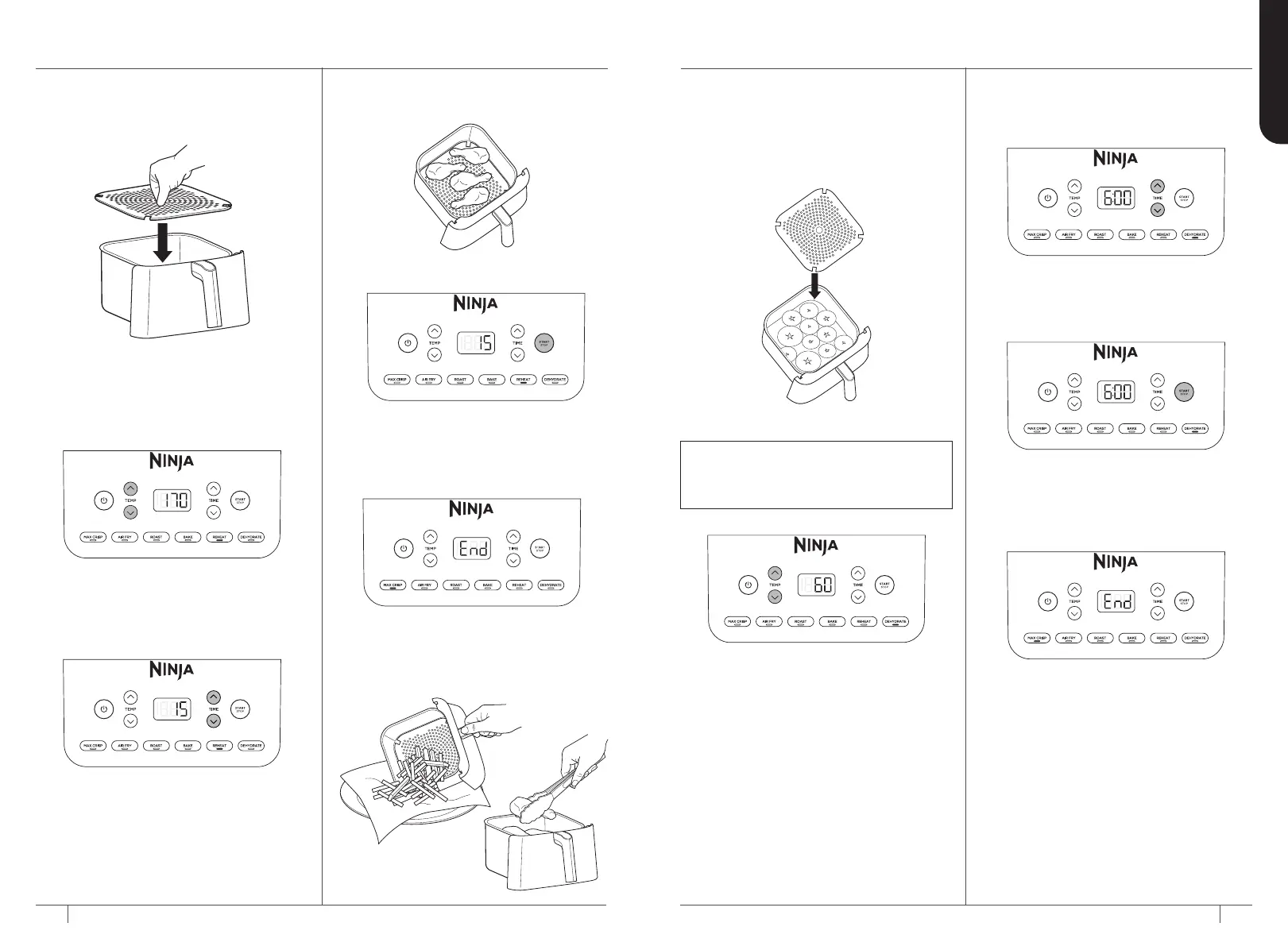
REHEAT
1 Ensure the crisper plate is in the
drawer.
2 Press the REHEAT button. The default
temperature setting will display. Press
the TEMP up and down arrow buttons
to set your desired temperature.
3 Press the TIME up and down arrow
buttons to set the reheating time.
4 Add ingredients to the drawer. Insert
the drawer in the unit.
5 Press START/STOP to begin reheating.
6 When reheating is complete, the unit
will beep and END will appear on the
control panel display.
7 Remove ingredients by tipping
them out or by using oven gloves
or silicone-tipped tongs/utensils.
DEHYDRATE
1 Place your first layer of ingredients in
the bottom of the drawer. Then install
the crisper plate inside the drawer and
set a second layer of ingredients on the
crisper plate.
2 Insert the drawer in the unit.
3 Press the DEHYDRATE button.
The default temperature will
display. Use the TEMP up and
down arrow buttons to set your
desired temperature.
NOTE: You can increase your dehydrating
capacity with the mid-level rack. If the
rack is not included with your model, it is
available for purchase at ninjakitchen.eu.
4 Press the TIME up and down
arrow buttons to set your desired
dehydrating time.
5 Press START/STOP to start
dehydrating.
6 When dehydrating is complete,
the unit will beep and END will
appear on the control panel display.
USING THE COOKING FUNCTIONS – CONT


 To Next Page
 Loading...