9
1-877-646-5288
Oven:
Variable temperatures from 250°F to 425°F make this an
ideal oven for roasting meats and vegetables and for baking.
The programmable timer can be set in 5 minute intervals for
up to 6 hours.
Using the Oven mode for Roasting:
1 Place the food on the roasting/steaming rack and lower
into the cooking pot. Cover with the lid.
2 Plug the unit into the electrical outlet.
3 Turn the Function Dial to Oven. The Power light will
illuminate.
4 The Display Screen will show “350”. Turn the Adjustment
Dial to set the temperature. The temperature will adjust in
25° increments up to 425°F. Press the Time/Oven Temp
button once and then turn the Adjustment Dial to set the
cooking time. The time is pre-set at “1:00” hour and will
increase in 5 minute increments up to a total of 6 hours.
5 The timer will begin counting down after 3 seconds.
The time and temperature can be adjusted during the
cooking cycle. Press the Time/Oven Temp button and
then turn the Adjustment Dial to change the time or the
temperature.
6 Once cooking is complete, the unit will beep 3 times
and the time will blink for 2 minutes. At the end of the 2
minutes, the power will shut off.
TIP: For best results, remove foods immediately after the
cook time is complete to avoid overcooking.
IMPORTANT: Use caution when handling hot foods.
7 When you have finished using the unit, turn the Function
Dial to “Off”, unplug the unit and allow it to cool
completely before handling.
Using the Different Functions - cont.
Stovetop:
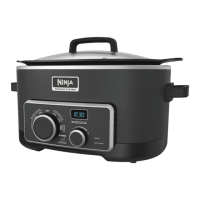
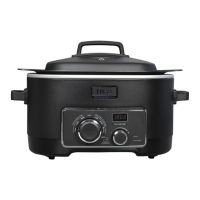
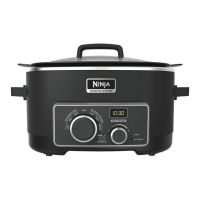
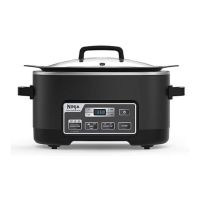
The Ninja 4-in-1 Cooking System lets you sear, brown, or
sauté using the stovetop setting.
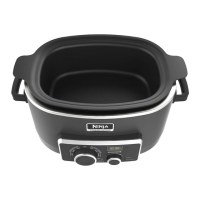
1 Place the cooking pot inside the housing.
2 Plug the unit into the electrical outlet.
3 Place the food that you wish to cook inside the pot in an
even layer for best results.
4 Set the Function Dial to the desired Stovetop mode to get
the appliance heated. The LED Display will show “On”
and the Power light will turn on.
5 When you have finished using the unit, turn the Function
Dial to “Off” and then unplug the unit and allow it to cool
completely before handling.
NOTE: The appliance will not function if the cooking pot
is not inside the main housing.
TIP:When you want to sear meats, set the Stovetop to
“High”.
To sauté vegetables, set the Stovetop to“High”.
Auto Shut Off for Stovetop:
As a safety feature we have designed the unit to turn
off automatically based on the setting that has been
selected.
Stovetop High: Auto shut-off after 1 hour of use.
Stovetop Low: Auto shut off after 4 hours of us
e.
WARNING: Place the vent hole on the lid facing away from you.
WARNING: Use oven mitts when moving the unit, opening the lid, and when inserting or removing food.




 To Next Page