Warning
Using the machine without the cover can cause fire and burns.
2. Connecting to the Nintendo 64
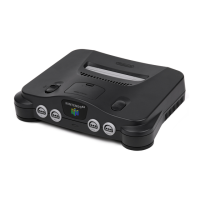
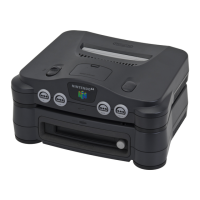
1) Remove the 50PIN expansion connector cover from the base of the Nintendo 64 main unit, and
attach the 64DD.
[[image text]]
Nintendo 64 main unit base
50PIN expansion connector cover
Usage request
Please keep the 50PIN expansion connector over out of the reach of young children.
[[page 16]]
2) Push gently on the fixing screws on the base of the 64DD while turning them in the “LOCK”
direction to firmly attach to the Nintendo 64.
[[image text]]
Clockwise
Attach firmly
Caution
Please attach the Nintendo 64 and the 64DD together firmly with the fixing screws. If they are not
fixed firmly, when the Nintendo 64 is picked up the 64DD may slip and fall, causing it to break.
*When detaching, turn the fixing screws in the “RELEASE” direction, and check that the fixing screws
are fully out of the Nintendo 64 before removing.
3. Connecting the controllers
Please connect the 3PIN plug of the dedicated controller to the controller connector on the front of
the Nintendo 64 main unit.
*For the plug insert position, please refer to the instruction manuals for each game.
[[page 17]]
4. Connecting to the television
Please use the optional cable or the RF modulator and RF switch to connect up to the television.
*Regarding the optional cable and RF switch, please refer to the Nintendo 64 instruction manual.


 To Next Page