[[page 32]]
8 HOW TO SET THE DATE AND TIME
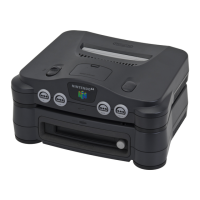
The 64DD is equipped with a clock function. If the date and time are incorrect, or if an error message
is being displayed, please set it up following this operation procedure.
[Action of each part] [[clockwise from top left]]
Cross key
Up and down: Set the date and time
Right and left: Move the cursor
Start button
Select the date and time
B button
Delete
A button
Select the date and time
3D stick
Up and down: Set the date and time
Right and left: Move the cursor
*The C button unit, L trigger button, R trigger button, and Z trigger button are not used.
[Operation procedure]
Before setting the date and time, remove the cassette from the Nintendo 64 and the disc from the
64DD.
1. Turn on the Nintendo 64 power switch.
2. When the initial screen or the error display screen (no. 48) is displayed, hold down the A button
for more than 1 second.
[[left picture caption]] Initial screen
[[right picture caption]] Error display screen
3. Check that the date/time settings screen is displayed, as shown on the right.
[[picture caption]] Date/time settings screen
4. Set the date/time using the cross key or the 3D stick.
*The date can be set at anywhere between January 1st
1996 to December 31st 2095.


 To Next Page