Nintendo GameCube Console Memory Battery Replacement Guide Page 4 of 10
Step One
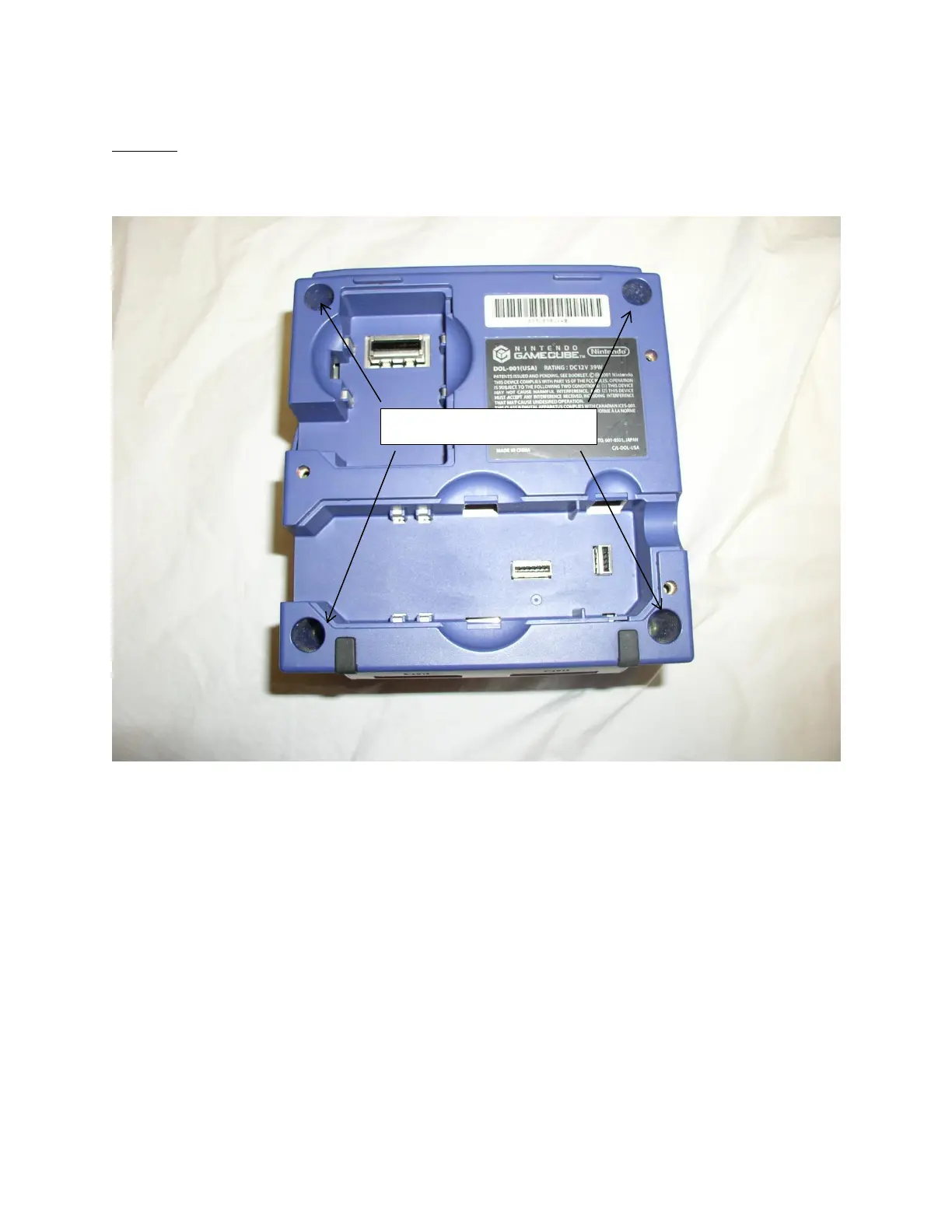
First please flip your Nintendo GameCube system over and locate the four 4.5mm security screw bits
that are holding the casing together as seen in picture one below.
Picture One: Bottom side of the Nintendo GameCube system
Once the screws have been removed please separate the two halves of the Nintendo GameCube system
and proceed to step two.
4.5mm security screw bits









 To Next Page