Nintendo GameCube Console Memory Battery Replacement Guide Page 5 of 10
Step Two
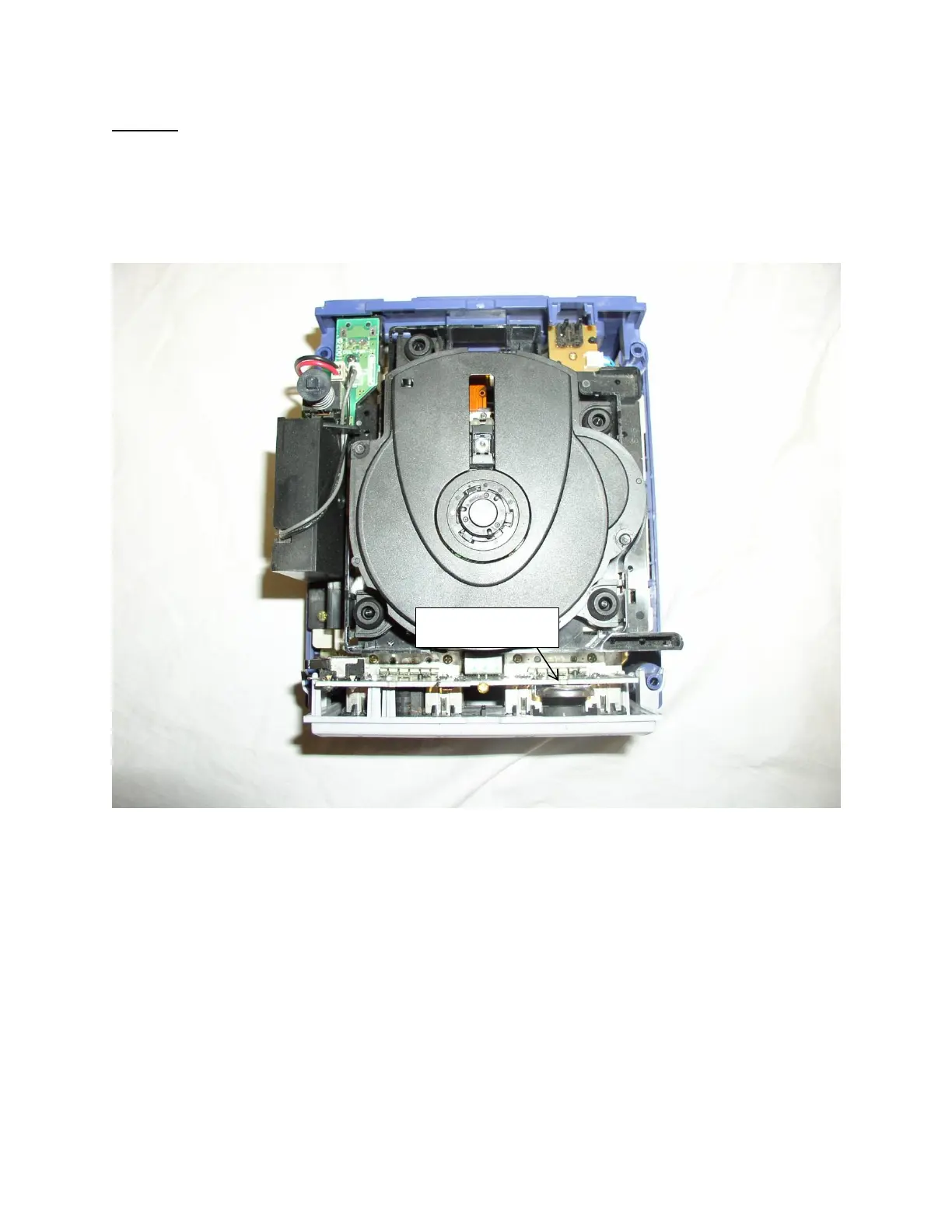
Now that the system it should look like picture two below. You might notice that there is a great deal of
dust in the system at this time. Since you are already here now is a great opportunity to use some duster
spray to clean out the dust. Excessive dust in your system can lead to overheating because it impairs
ventilation.
Picture Two: Inside of the Nintendo GameCube system
In picture two above the CR2032 coin cell battery is indicated in picture two above. Simply take the
controller port assembly and lift it out of the system. The controller port is attached by a small ribbon
cable to the rest of the system. Simply pull it upwards to release it.
Once the controller port has been separated from the rest of the system please proceed to step three.



 To Next Page
 Loading...