Nintendo GameCube Console Memory Battery Replacement Guide Page 6 of 10
Step Three
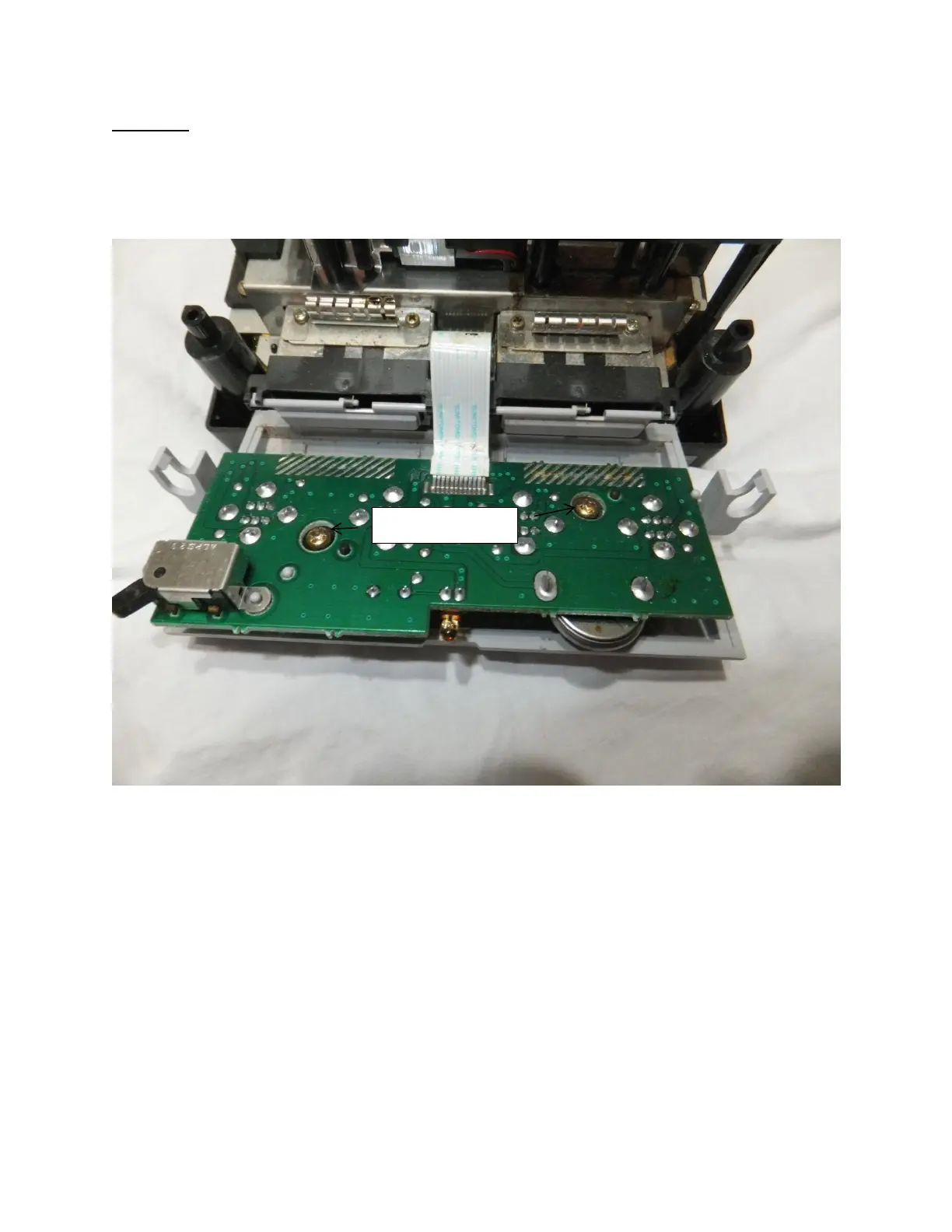
Now that the controller port has been detached you will notice two Philips screws on the controller port
circuit board as noted in picture three below. Please unscrew them to release the plastic faceplate from
the circuit board.
Picture Three: Controller port circuit board Philips head screws
Once the screws are removed please remove the plastic faceplate and proceed to step four.







 To Next Page