Nintendo GameCube Console Memory Battery Replacement Guide Page 8 of 10
Step Five
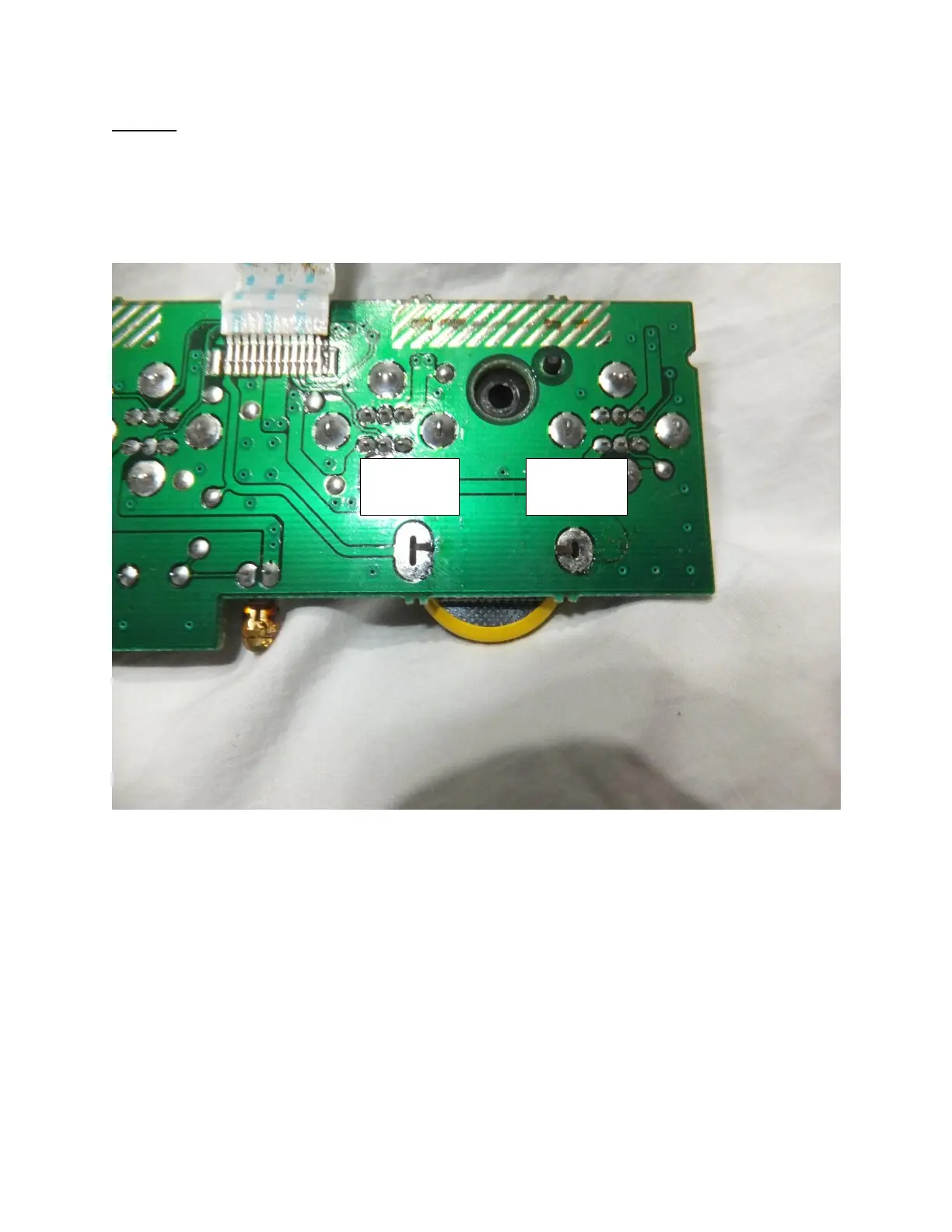
We recommend that you insert the tabs into the holes and then bend the tabs as seen in picture five
below. This will not only keep the battery in place, although will make the solder joint stronger. Please
make sure that you are inserting the positive battery terminal into the positive terminal on the circuit
board and vice versa. The board is marked below and in picture four previously.
Picture Five: Bending the pins on the CR2032 battery
Now that the battery is ready to solder on using your skills learned earlier please solder on the battery
and proceed to step six.








 To Next Page