Need Help?
877.716.8550
starlight.org/gaming/support
funcenter@noa.nintendo.com 26
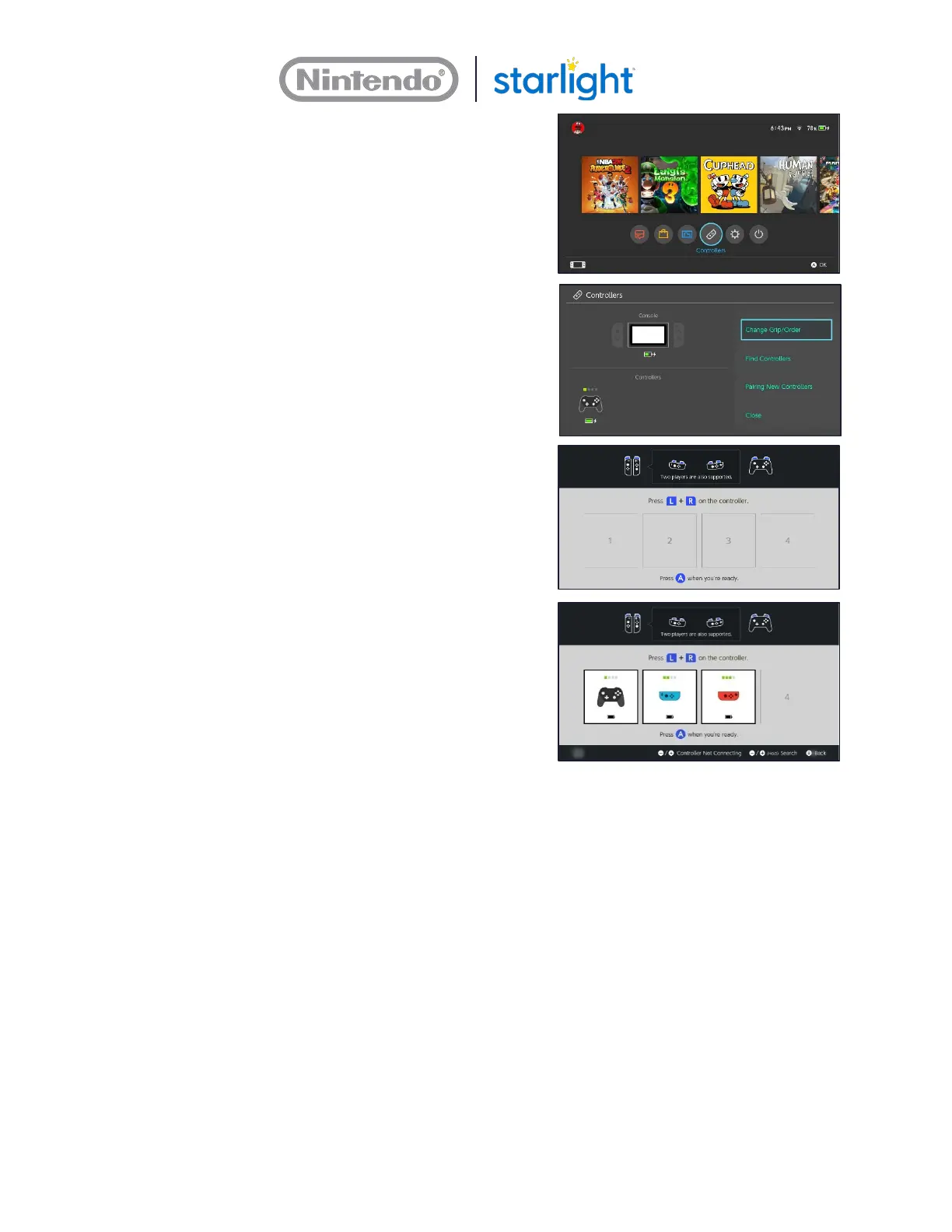
3. From the Home Menu, use the Pro
Controller select the Controllers menu.
4. Select Change Grip/Order.
5. Use an extended paper clip to press and
hold the SYNC button on the Joy-Con
controller until the lights flash on the
controller.
• The SYNC Button is inside the little
hole on the rail that holds the Joy-Con
controller
6. The controller is synced when there are
solid lights on the controller and a Joy-
Con controller image appears in one of
the boxes on the TV.
7. Simultaneously press the SL Button and
SR Button on the Joy-Con controller to
confirm the use of the Joy-Con controller.










 To Next Page