Chapter 4 Nasal measurements with NIOX
®
Panel
002346-02 NIOX VERO
®
Nasal User Manual English 13
6. The NIOX
®
Panel application opens and it is possible to perform Nasal
NO measurements.
4.3 Perform Nasal measurements with NIOX
®
Panel
Note: The buttons, symbols and views are similar on NIOX
®
Panel and on
NIOX VERO
®
.
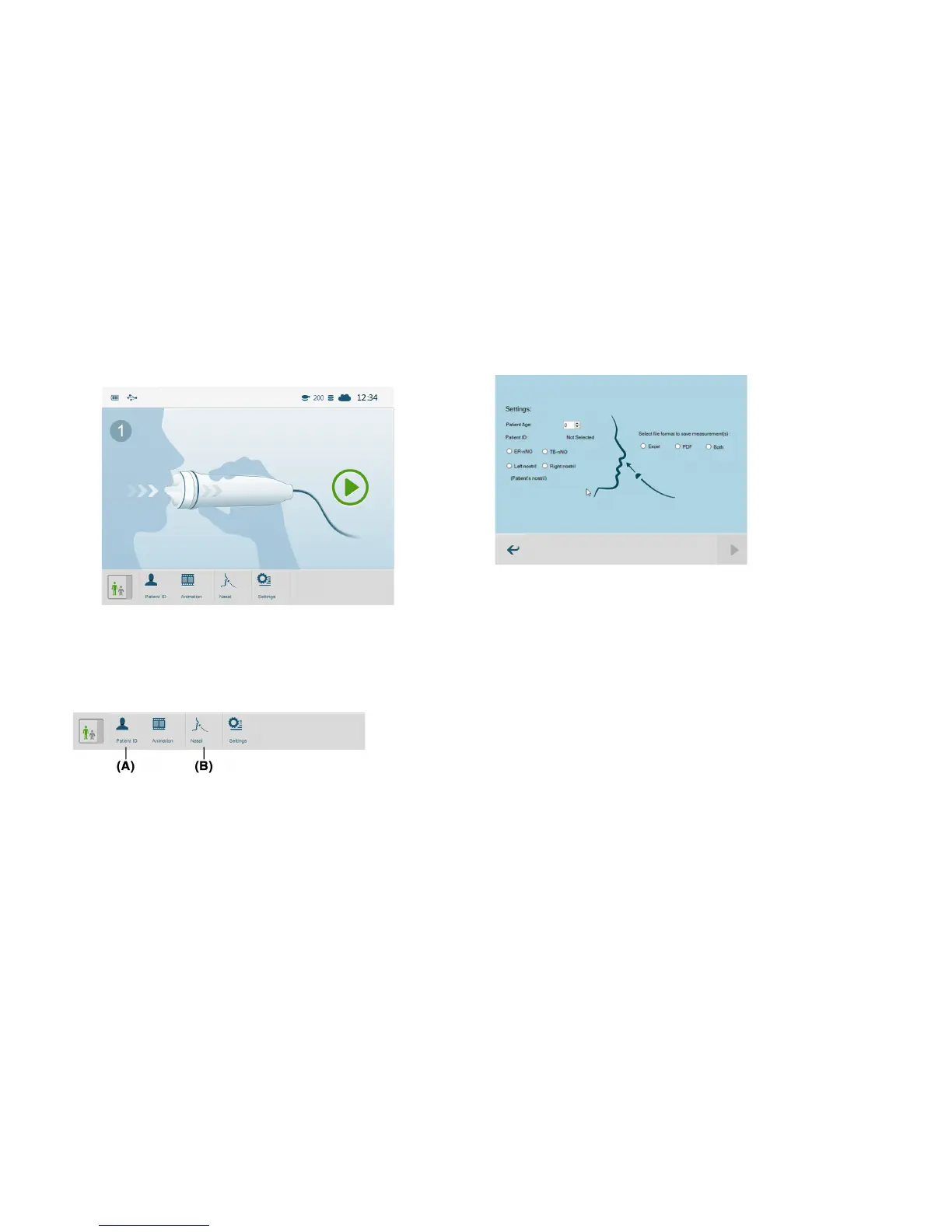
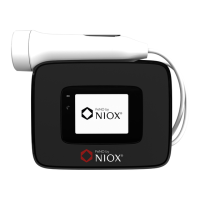
1. To enter patient ID, select patient id button. (A)
2. Select Nasal button. (B)
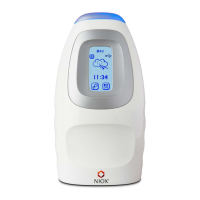
3. Select which expiration method to use, ER-nNO (see section 4.3.1) or TB-
nNO (see section 4.3.2) and which nostril, left or right, patient age is
optional.
4. Select which file format to save measurement curve, .xlsx, pdf or both. If
the pdf file is chosen, an excel file is saved in the NIOX Nasal
Measurements folder on the computers Desktop.


 To Next Page