NS REC
Recording
The NiteSite R-camera module has the capability to capture all of
your favourite moments simply at the push of a button. Before
powering the camera module, place the micro SD card into the slot
on the back of the camera module. Ensure the micro SD card is fully
inserted as failure to do so will prevent recording to the micro SD
card. Power the camera module via the button on the back of the
camera module. The red light appears steady on the back of the
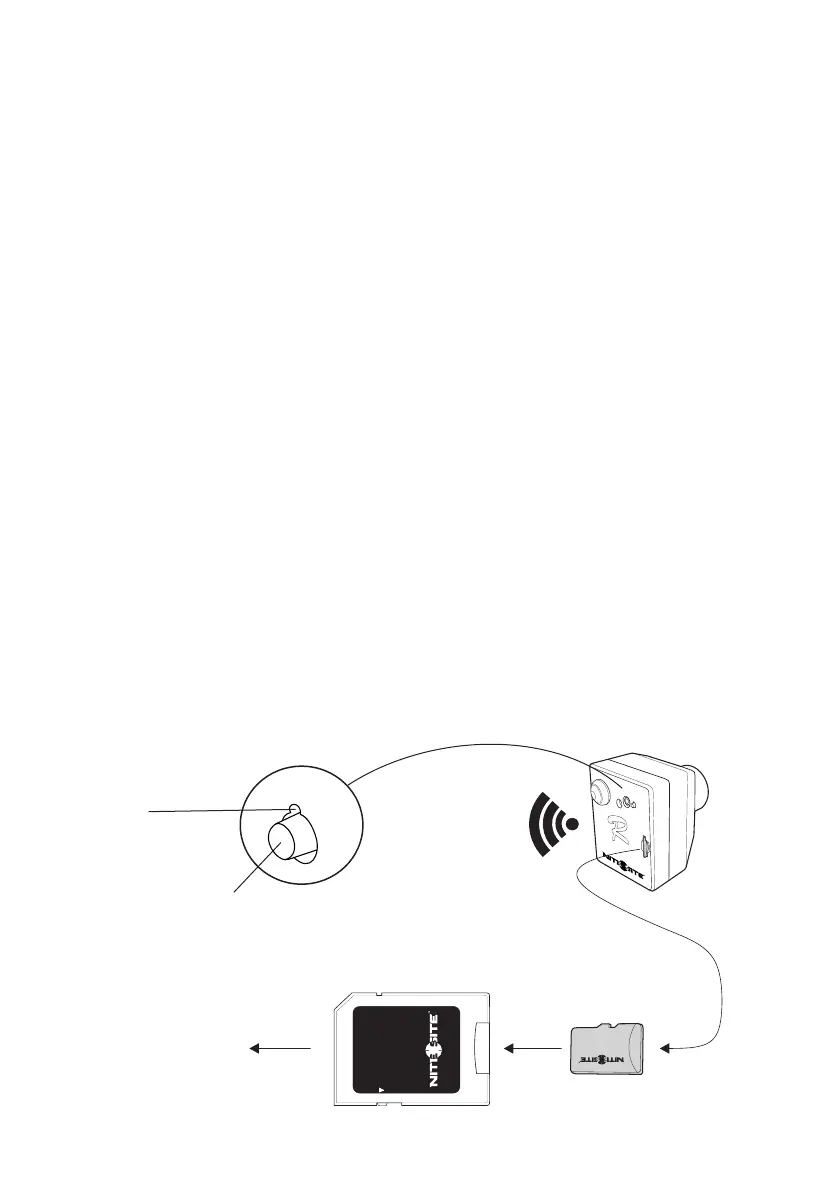
camera unit. The camera is now ready to record. The record button
is situated above the SD card slot next to the NS socket on the back
of the camera module (REC). To start recording press the record
button once, the LED record indicator light begins to flash. To stop
recording press the record button again, the LED record indicator
LED no longer flashes but remains in the standby on mode.
Turning off the camera module with the on /off button when
the record indicator LED is flashing will delete the file that is
recording. Always use the record button to stop recording before
switching off the camera module. To view the files that have been
captured remove the micro SD card and connect to your PC, laptop
or tablet using the micro SD card adaptor. The R-camera module
comes with a 4 gigabyte (4GB) micro SD card this will capture up to
two hours and twenty minutes of continuous video recording at 640
x 480 resolution. It is possible to record for longer periods with
larger capacity micro SD cards.
REC
Record button
press once to start recording
press again to stop recording
Record
indicator
LED
4 GB
microSD
microSDHC
microSDXC
Laptop
PC or other
Page 2
Lock
ADAPTER
2Hr 20min
of recording
640x480 Res:


 To Next Page
 Loading...