NITEPL YER
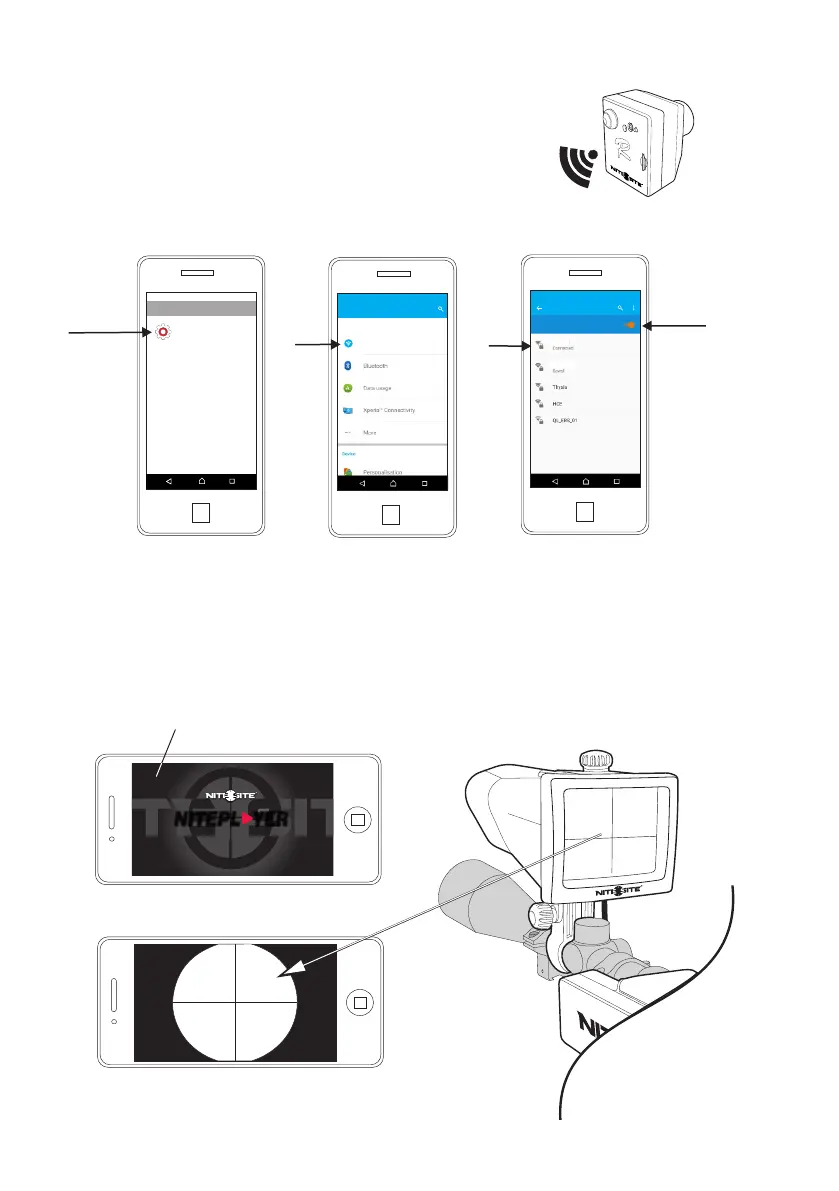
The live image represent what is on the
LCD screen & illuminator module
NitePlayer Use.
Once the NitePlayer app downloaded and selected, the default screen will take
a few seconds to synchronize before the live image appears.
NitePlayer default screen
Page 5
NS REC
Settings
Settings
Wi-Fi
Wi-Fi
NiteSite
NiteSite
menu
select
Google
Wi-Fi
Wi-Fi
Settings
Wireless & networks
On
other
1
2
Check NiteSite
is on & connected
3
With the camera switched on follow the three
simple steps below
R-Camera Wi-Fi Set up Android
Android platform set up



 To Next Page