18 19
3.4 Riding Operations Instructions
3.4.1 Before Riding
• Chooseasuitablevenueforriding.
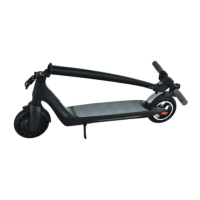
• Unfoldtheelectricscooteraccordingtotheinstructions.
• Adjusttheheightofthehandlebartubeaccordingto
yourheight.
3.4.2 Riding
• Pressthepowerbuttontoturnonthepower.Thespeed
issetbydefaulttogearlevel1.
• Forsafetypurposes,Joyorelectricscooterhasasafe
startdesignwhichmeansthemotorcanstartonly
whenthespeedofthevehicleisabove0.Itprevents
motorstartwhentheaccelerationhandleispressedby
mistake.Tostarttheridingoperations,putonefooton
thestandingboardandtheotherfootonthegroundand
kickscootitlikeaclassickickscooter.Whenthescooter
isinmotionanditsspeedisabove0,smoothlyusethe
accelerationhandletostartthemotor.Oncethemotor
starts,puttheotherfootonthestandingboardand
continueriding.
• Whenriding,adjustthegearlevelfrom1to3,uselights
andhornaccordingtotheroadconditionsandaccording
tothesituation.
• Beawareofthecruisecontrolfunction.Cruisecontrol
functionisactivatedwhentheaccelerationhandleis
pressedwiththesamepressurefor3seconds.
• Beawareofthepossibilityofunpredictablesudden
obstaclesonyourwayandcontrolthespeedlevel.
3.4.3 Braking
• Usetherearbrakeshandleforbrakingundernormal
circumstances.Usefrontbrakehandleforbrakingin
emergencysituations.
• Thegreaterpressureyouput,thegreaterbrakingforce
willbeapplied.Beawarethathardbrakingmayresultin
anaccidentduetoslippingofthewheels,lossofbalance
andfallofthevehicle.Hardbrakingmightalsocause
damagetothetyre.



 To Next Page