
 Need help?
Do you have a question about the Nivona CafeRomatica and is the answer not in the manual?
Explains the meaning of Caution, Note, and Tip symbols for user guidance.
Covers proper machine usage, placement, power, cable handling, and immersion warnings.
Defines age restrictions and supervision requirements for children and impaired users.
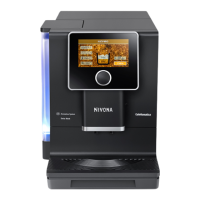
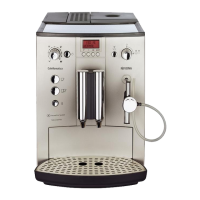
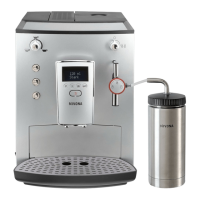
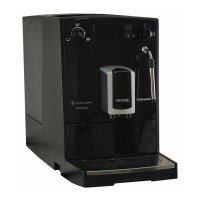
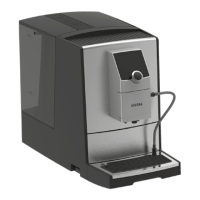
Identifies and labels all external parts and components of the coffee machine.
Details how to use the rotary dial for navigation, selection, and confirmation.
Explains the various symbols displayed on the machine for user interaction.
Guides through machine preparation, language, filter settings, and water hardness.
Instructions for correctly filling the water tank and coffee bean holder.
Steps to select, draw, and customize speciality coffees via the recipe menu.
Explains 2-cup function, Cappuccino-Connaisseur, and flavour profiles for customization.
How to set, name, and store up to 5 personalized coffee beverages.
Instructions for using the machine's ground coffee preparation option.
Covers adjustable parameters like Live Programming, Times, Bluetooth, and Language settings.
Provides step-by-step instructions to adjust the coffee grind size for optimal extraction.
Details the Aroma Balance System and its three distinct flavour profiles.
Instructions for connecting and operating the machine via the NIVONA App.
Guidance on rinsing the frother and performing regular hand cleaning of the machine.
Steps for cleaning the frother, rinsing the system, and descaling the machine.
Instructions for removing, cleaning, and replacing the brewing unit and water filter.
How to check the machine's maintenance status and understand system alerts.
A guide to identify and resolve common machine problems using causes and remedies.
Information on warranty, customer service, and preparing the machine for shipment.
Recommendations for packaging the machine and its proper disposal.
Key technical specifications and features of the coffee machine.
This document serves as a user manual for the NIVONA CafeRomatica 7'.. series fully automatic coffee machine, guiding users through its operation, maintenance, and various features to ensure a satisfying coffee experience.
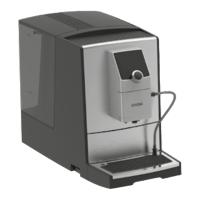
The NIVONA CafeRomatica 7'.. is a fully automatic coffee machine designed for home use, offering a wide range of specialty coffees from freshly ground beans. It features an integrated coffee grinder, a frother for milk-based beverages, and a water tank. The machine is capable of preparing up to five individually customized specialty coffees, which can be named and stored. It also supports a 2-cup function for simultaneous preparation of two beverages. A key feature is the Aroma Balance System, which allows users to choose from three flavor profiles (DYNAMIC, CONSTANT, INTENSE) to alter the brewing process and extraction, thereby influencing the taste of the coffee from the same beans. The machine can also prepare ground coffee using a dedicated shaft. For enhanced control and convenience, the NIVONA CafeRomatica 7'.. is equipped with a Bluetooth interface, allowing it to be controlled and operated via the NIVONA App on a smartphone or tablet.
The machine's primary interface is a rotary dial, which facilitates navigation, selection, changing settings, and confirmation. A short press on the dial starts or confirms a function, while a long press accesses the recipe menu for specialty coffees or returns to the main menu from the recipe or settings menus. The display provides clear instructions and messages, including process progress and action prompts.
Initial setup involves connecting the machine to power, attaching the milk tube, and turning it on. The machine then guides the user through an "Initial Start menu" to set the language and filter preferences. Users can choose to operate with or without a CLARIS fresh water filter. If no filter is used, the water hardness must be manually entered based on a provided test strip. The water tank should be filled with fresh, cold, non-carbonated water, and the coffee bean holder with roasted, untreated coffee beans free of foreign objects or sugar. The system then undergoes an initial rinse.
To prepare specialty coffees, users select their desired beverage from the "SPECIALITY COFFEES" menu. For milk-based drinks, a milk-filled container must be connected to the milk tube. After preparation, the machine prompts the user to rinse the frother, a crucial step for hygiene and maintaining performance. The recipe menu allows for individual adjustment of parameters like bean strength, temperature, flavor profile, and quantity for coffee, milk froth, water, or milk. The "Cappuccino-Connaisseur" feature enables users to specify whether milk or coffee is dispensed first. The "MY COFFEE" function allows for the creation and storage of personalized coffee recipes. Ground coffee can also be prepared by adding a level measuring spoon of ground coffee into the dedicated shaft.
General settings, accessible via the "SETTINGS" menu, include "LIVE PROGRAMMING" for adjusting recipes during brewing, "TIMES" for setting an automatic switch-off, "WATER HARDNESS" (if no filter is used), "STATISTICS" for tracking usage and maintenance, "FILTER" settings, and "LANGUAGE" selection. "FACTORY SETTINGS" allow for resetting recipes, settings, and Bluetooth connections. The machine also features an "ECO mode" with a screensaver that activates after a period of inactivity. Grind fineness can be adjusted via a regulator located behind the service door, but only while the grinder is running.
Regular cleaning and maintenance are essential for the machine's longevity and performance, and these programs are accessible through the "MAINTENANCE" menu or directly via display messages. It is crucial not to interrupt any running maintenance program.
Key maintenance tasks include:
The manual also includes a troubleshooting section to help users resolve common issues, such as no hot water, insufficient milk froth, coffee coming out dropwise, or error messages. For more complex problems or errors that cannot be resolved, users are advised to contact their specialist retailer or NIVONA customer service. When sending the machine for repair, it must first be "evaporated out" to remove all water from the system, and ideally packed in its original packaging.
 General
| Pump Pressure | 15 bar |
|---|---|
| Water Tank | Removable |
| Bean Container Capacity | 250 g |
| Display | Digital |
| Milk Frothing | Yes |
| Adjustable Coffee Strength | Yes |
| Color | Black, Silver |
| Programmable | Yes |
| Brewing Options | Espresso, Coffee, Cappuccino, Latte Macchiato |
| Cleaning | Automatic cleaning program |

 To Next Page