16 17
NIX QC: MANUAL
Proper Care & Cleaning
To prevent dust buildup and other damage, always store the Nix QC in the
provided Industrial Carrying Case.
Dust can be removed by gently wiping the device with the provided
microber cloth. To thoroughly clean the Nix QC body, lens, or LEDs, spray
the provided cleaning solution onto the cloth and gently wipe down the
device. Never spray the device directly.
If your reference tile requires cleaning, wipe it with a dry microber
cloth (provided). Never use any cleaning solution on the tile. Use only
the provided cloth, as other materials may be dyed and can stain the
reference tile.
Remember: Only use the cleaning solution provided. Avoid other solvents or
cleaning products that may degrade the lenses over time.
Proper Scanning Technique
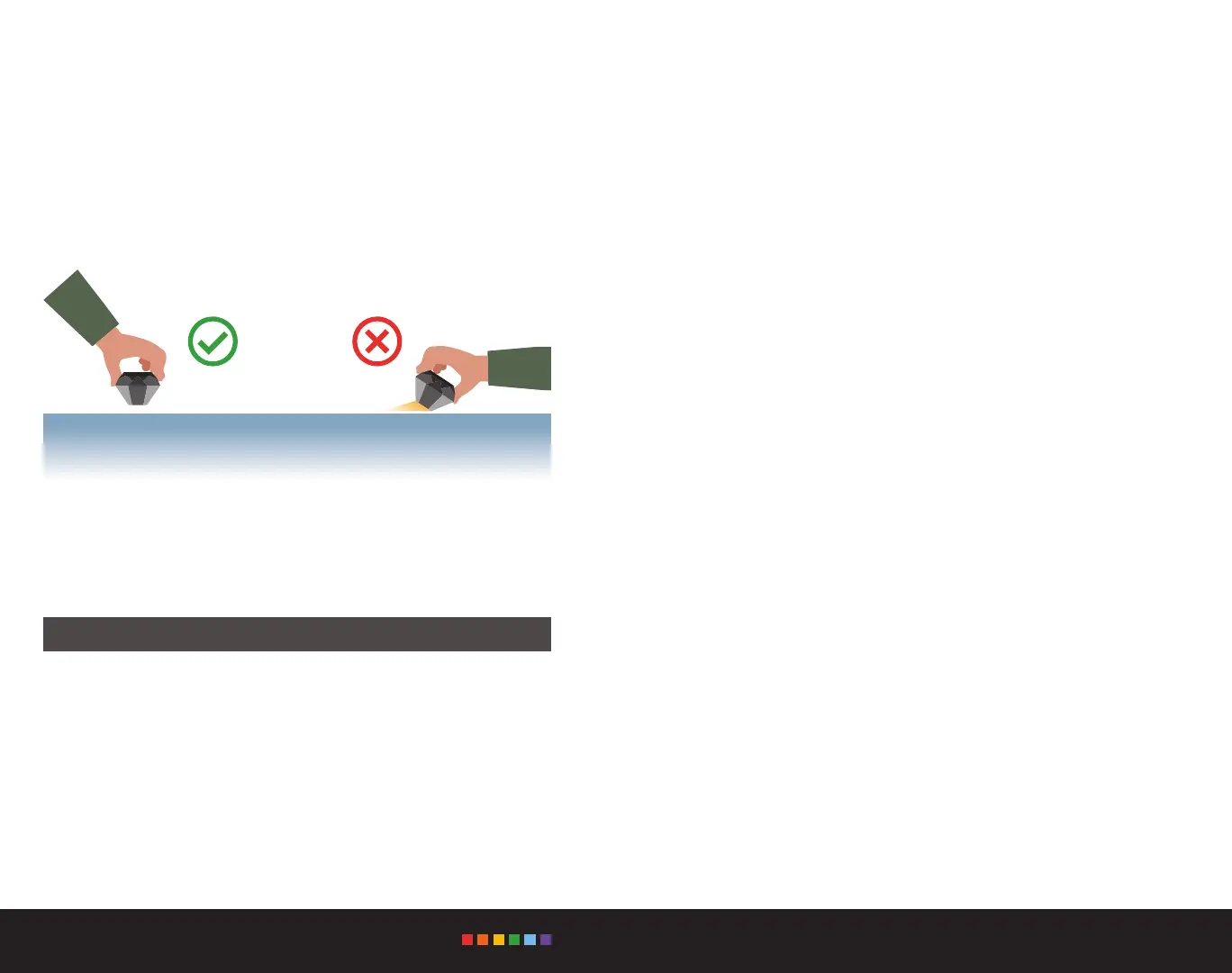
Place your Nix QC at on any solid, opaque surface and start scanning
(for information on scanning other surfaces and materials, see below).
Remember to keep the device ush with the surface to block out all
ambient light for the most accurate results.
If you are using the Nix QC on liquids, powders, gels, or textured and soft
surfaces, please check the link below for information on special adapters,
scanning techniques, and custom solutions.
www.nixsensor.com/nix-adapters


 To Next Page