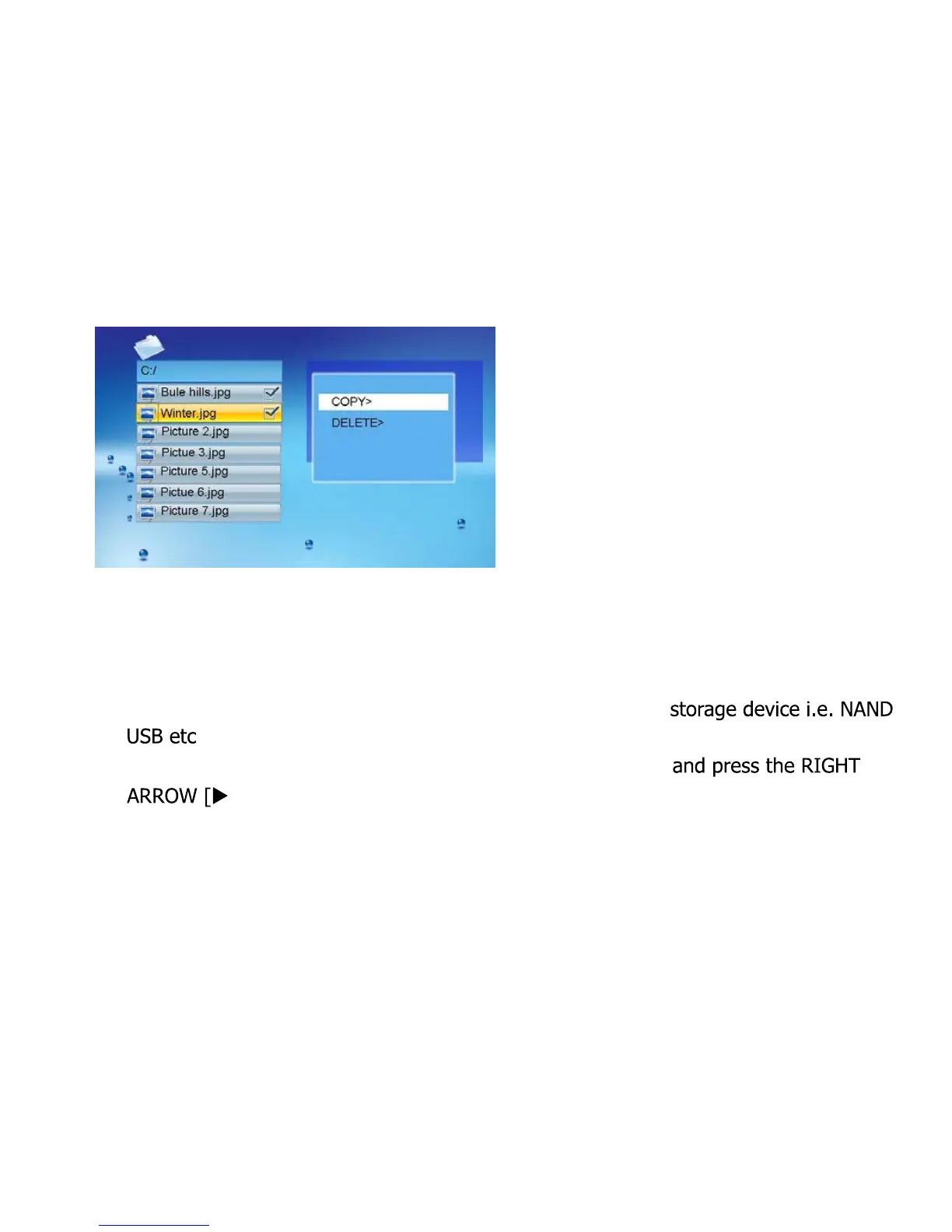
Now press the [ENTER] button on the remote control.
Select either COPY or DELETE
To delete press [ENTER]
To copy press [ENTER]
If you are copying you will now need to select a destination
Scroll down to the destination storage device of your choice
] on the remote control
Now press PLAY or [ENTER]
Use the EXIT button to go back a step at any stage.
11



 To Next Page