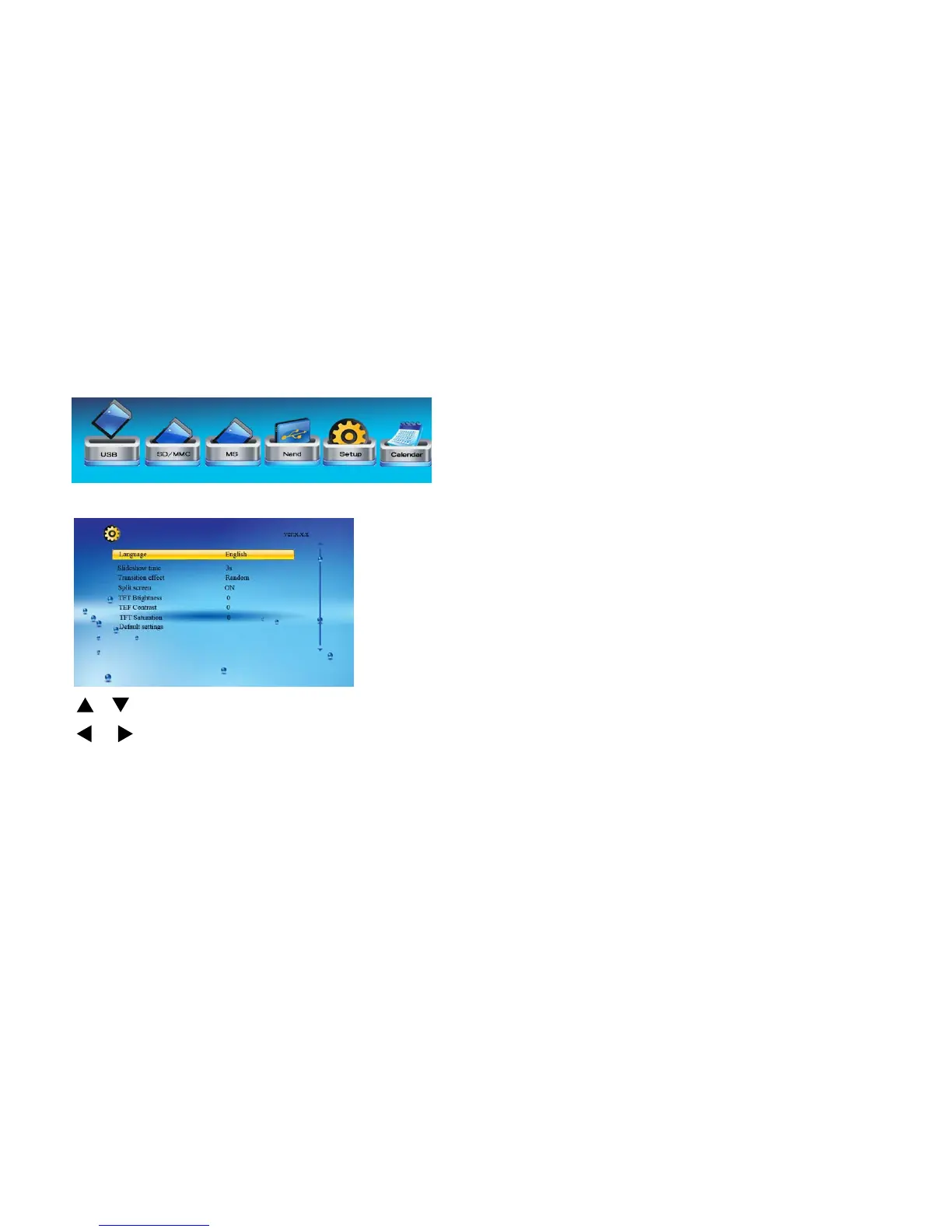
Setup
Select the setup icon from the main menu to setup your frame:
From here you will see the setup options:
[ ][ ] button: Shift items or choose parameters
[
]/[ ] button: change the parameters
[ENTER] button: confirm the setup result
[EXIT] button: back to item list
Note:
Be careful to set your auto on and auto off times in the
correct order.
To display your photos in Shuffle mode you must make this
setting in ‘Slideshow Mode’
12



 To Next Page