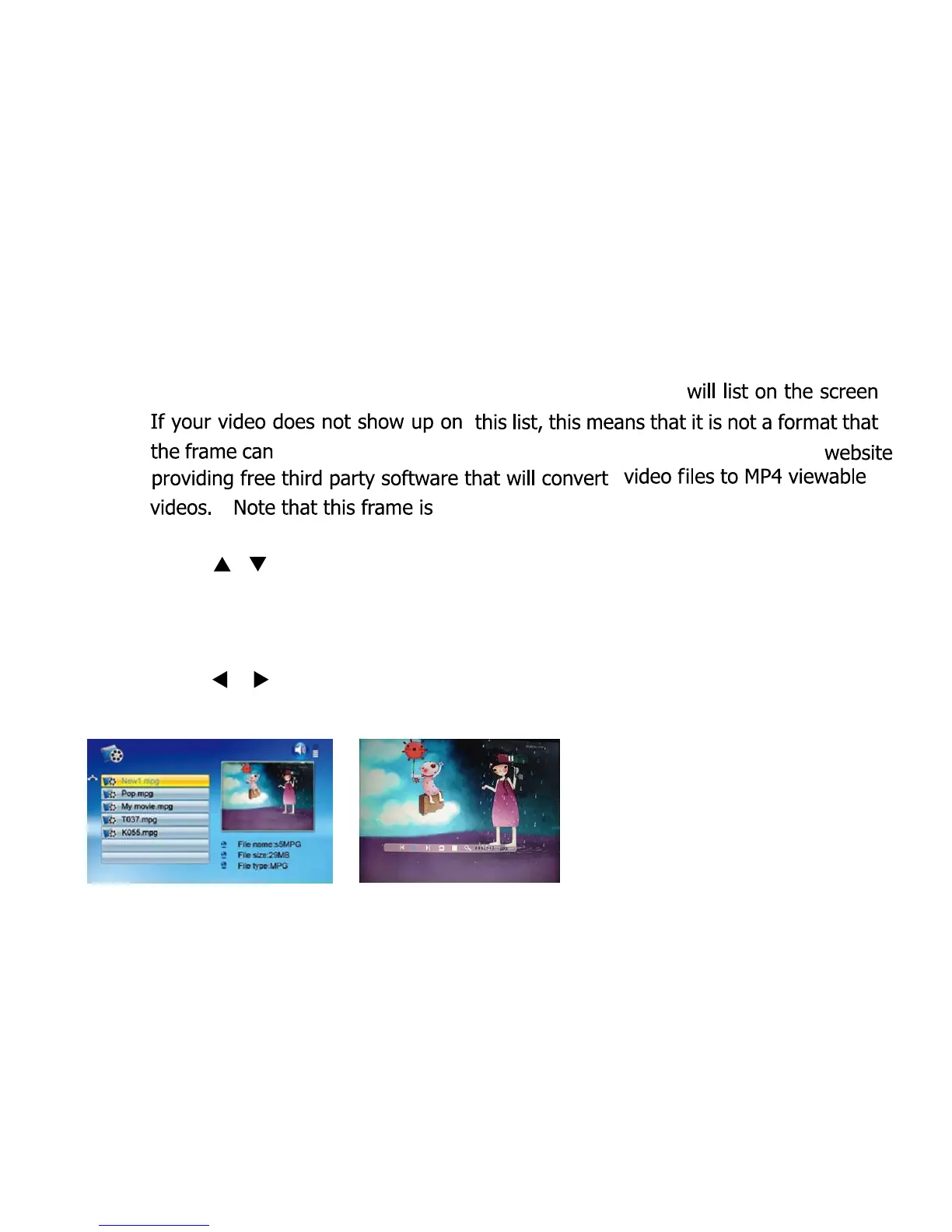
How To View Your Videos
Choose the video icon in the menu and all your movie files
read. Refer to our website FAQ’s where there is a link to a
not ‘HD Ready’ and cannot play HD video.
Press [
][ ] to choose the video you want to view and
press
[ENTER] to play.
Press [MENU] during movie playback and the info bar
appears on the screen.
Press [
]/[ ] and [ENTER] to make selection on the info
bar.
8



 To Next Page