Need help?
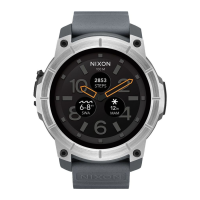
Do you have a question about the NIXON Mission and is the answer not in the manual?
Download and install the Android Wear App from Google Play Store or Apple App Store.
Connect the watch to the charging dock magnetically and plug into a power source.
Follow on-screen instructions to pair your Mission with your phone.
Detailed guide on opening and closing the Mic-Lock for water protection.
Information on Nixon's limited warranty, coverage, and how to maintain it.
 General
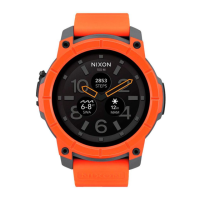
| Processor | Qualcomm Snapdragon Wear 2100 |
|---|---|
| RAM | 512 MB |
| Storage | 4 GB |
| Water Resistance | 10 ATM (100 meters) |
| Battery Life | Up to 24 hours |
| Case Diameter | 48 mm |
| Movement | Digital |
| Strap Material | Silicone |
| Resolution | 400 x 400 |
| Operating System | Android Wear (Wear OS) |
| Connectivity | Wi-Fi, Bluetooth |
| Sensors | Accelerometer, Gyroscope |
| Crystal | Gorilla Glass |
| Functions | Notifications, Activity Tracking, GPS |
| Display | 1.39 inches AMOLED |
| Case Material | Stainless Steel |

 To Next Page