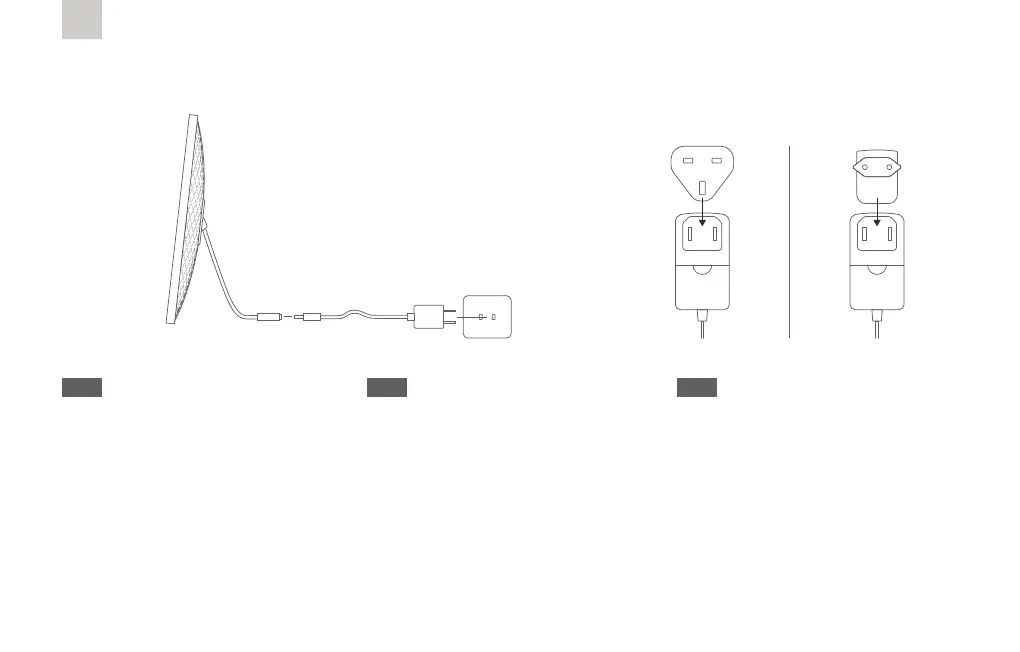
Power on your Frame
1) Plug in your Nixplay frame.
2) Point your remote control at the sensor
of your Nixplay screen to control your
frame. Follow the on-screen instructions.
* For Nixplay Smart Photo Frame (Metal),
your remote control will simply work at
short range.
EN
1) Schließen Sie Ihren Nixplay Rahmen an.
2) Richten Sie die Fernbedienung auf den
Sensor Ihres Nixplay-Bildschirms, um den
Rahmen zu bedienen. Folgen Sie den
Anweisungen auf dem Bildschirm.
* Beim Nixplay Smart Bilderrahmen
(Metall) funktioniert die Fernbedienung
auf kurze Distanz auch ohne sie in eine
bestimmte Richtung zu halten.
DE
1) Collega la tua cornice Nixplay.
2) Punta il telecomando verso il sensore
dello schermo Nixplay per controllare la
cornice. Segui le istruzioni sullo schermo.
* Per la cornice digitale Nixplay (Metal),
il telecomando funziona meglio a breve
distanza.
IT
19
For U.K. & E.U.



 To Next Page