withana dvancedreceiver(e.g:R 80RDC700),thesimplerreceiverwilllimitthe
funct ionalityinthezone.Thetwoheaterssho uldeachbegivenaseparatezone,tobe
abletoexploitthefunctionalityof theadvancedheater.
Applianceswithspecialpatternsofuse(e.g.engineheaters)should eachhavea
separatezone.Nameeachzonefor easyrecognition.
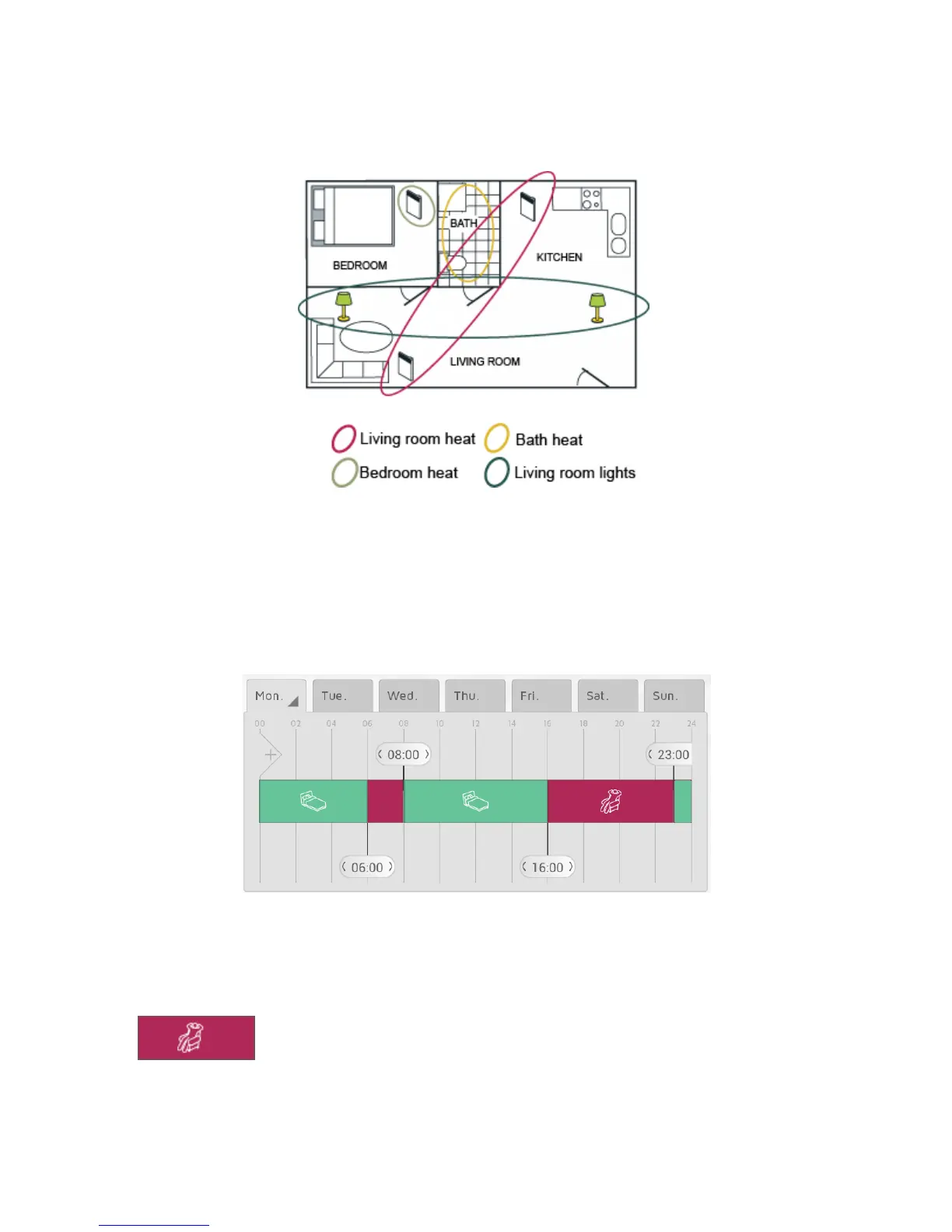
ThisapartmenthasbeendividedintofourZONES,eachnamedforeasyrecognition.Eachreceiver
canonlybeincludedinoneofthezones,sinceitcanonlyfollowoneweeklyprogramatatime.
WHAT IS A WEEKLY PROGRAM?
EachZONEmustbegivena W EEKLYPROGRAM tellingthereceiversinthezonehowto
actduringaweek.Foreachday oftheweekyoucanspecifyperiodsasCOMFORT,
ECO,AWAYorOFF,andthereceiverswillreactaccordingly:
COMFORT
YourpreferredCOMFORTtemperatureis seteither ontheheater,orinNOBØEnergy
ControlAPP,dep endingonyourtypeofreceiver.
ONOFFreceiverswillbeONwhenthezoneisinCOMFORTstatus.



 To Next Page