10
Reset AC Wi-Fi module
Smartphone, pad or other mobile terminals
connect to WIFI or hotspot
Activate the Wi-Fi function of the mobile terminal and connect it to a
wireless router or an access point.
Note:
A wireless router is required for the Wi-Fi function to work. Please purchase
one if you do not already have one
Note: If the device is not connected successfully, please reset the air
conditioner Wi-Fi in the same way.
Method 2:
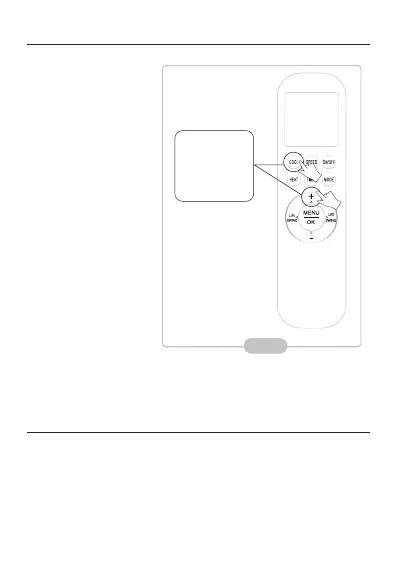
When AC is running, press
“COOL” button and “+”
button together for 3s, hear
“beep” sound for 8 times,
then interval 2s and hear
twice “beep” sounds, reset
successfully, (see Fig.11)
Press “COOL”
button and
“+” button
together
for 3s.
Fig. 11



 To Next Page