EasyManua.ls Logo

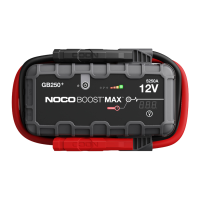
NOCO Genius BOOST MAX GB251+ - User Manual

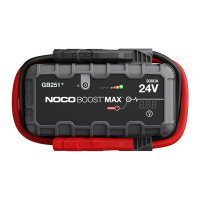
NOCO Genius BOOST MAX GB251+
26 pages
Print Icon
To Next Page IconTo Next Page
Loading...
User Guide & Warranty
DANGER
READ AND UNDERSTAND ALL SAFETY INFORMATION BEFORE USING THIS PRODUCT.
Failure to follow these safety instructions may result in ELECTRICAL SHOCK, EXPLOSION,
FIRE, which may result in a SERIOUS INJURY, DEATH, or PROPERTY DAMAGE.
Electrical Shock. Product is an electrical device that can shock and cause serious injury. Do not cut
power cords. Do not submerge in water or get wet.
Explosion. Unmonitored, incompatible, or damaged batteries can explode if used with product. Do not
leave product unattended while in use. Do not attempt to jump start a damaged or frozen battery. Use
product only with batteries of recommended voltage. Operate product in well ventilated areas.
Fire. Product is an electrical device that emits heat and is capable of causing burns. Do not cover
product. Do not smoke or use any source of electrical spark or fire when operating product. Keep
product away from combustible materials.
Eye Injury. Wear eye protection when operating product. Batteries can explode and cause flying debris.
Battery acid can cause eye and skin irritation. In the case of contamination of eyes or skin, flush aected
area with running clean water and contact poison control immediately.
Explosive Gases. Working in the vicinity of a lead-acid is dangerous. Batteries generate explosive
gases during normal battery operation. To reduce risk of battery explosion, follow all safety information
instructions and those published by the battery manufacturer and manufacturer of any equipment
intended to be used in the vicinity of battery. Review wcautionary markings on these products and
on engine.
For more information and
support visit:

Questions and Answers

  • D
    Debra CarrollSep 8, 2025
    What to do if the NOCO Genius BOOST MAX GB251+ Remote Starter error LED is blinking red with cables connected properly?
    • B
      brandigoodwinSep 8, 2025
      If the error LED is blinking red even with the cables connected properly, have the battery checked by a professional.
  • Z
    Zachary MoralesSep 10, 2025
    What does quadruple (4) flash mean on NOCO Genius Remote Starter?
    • A
      Albert RogersSep 10, 2025
      A quadruple flash indicates an XGC OUT over current, meaning more than 15 amps is being drawn from the XGC OUT port.
  • E
    Evelyn KennedySep 12, 2025
    What does single (1) flash mean on NOCO Genius BOOST MAX GB251+?
    • B
      Bradley FrenchSep 12, 2025
      A single flash indicates that you should remove all loads and reconnect the clamps to the battery.
  • M
    Meghan BentonSep 13, 2025
    What does double (2) flash mean on NOCO Genius BOOST MAX GB251+ Remote Starter?
    • E
      Edward GarciaSep 14, 2025
      A double flash indicates a charge timeout error, meaning the GB251 has been in bulk charge for too long.
  • C
    Christine ThompsonSep 15, 2025
    What does quintuple (5) flash mean on NOCO Genius BOOST MAX GB251+?
    • J
      Jennifer GardnerSep 15, 2025
      A quintuple flash indicates a BMS (Battery Management System) Fault. Power the GB251 off and on again to clear it.
  • D
    Diamond MooreSep 18, 2025
    What to do if the NOCO Genius BOOST MAX GB251+ hot LED flashes then all LEDs turn off?
    • D
      dnashSep 18, 2025
      If the hot LED flashes and then all LEDs turn off, allow the unit to cool and bring it into a cooler environment.

Summary

Important Safety Warnings

Manual Override Mode Precautions

Details risks and warranty voiding associated with Manual Override Mode.

Battery Handling and Personal Safety

Eye protection, clean water, avoiding metal objects during battery work.

General Precautions and Operations

Product Compatibility and Battery Types

Compatible only with 12-volt lead-acid batteries.

How To Use

Charging the GB251 Unit

Procedure for fully charging the GB251 using included chargers.

Connecting to the Vehicle Battery

Steps to properly connect clamps to the vehicle's battery terminals.

Jump Starting Procedure

Steps for jump starting a vehicle, including timeouts and rest periods.

Low Voltage Batteries & Manual Override

Using manual override for batteries below 3-volts, with extreme caution.

Powering USB & 12 V Devices

Connecting and powering USB and 12V devices from the GB251.

Troubleshooting Guide

Error LED Codes and Solutions

Lists error LED states (red, blinking) and their reasons/solutions.

Flash Codes and Solutions

Explains flash patterns (single, double, etc.) and corresponding fixes.

Boost Light Not Activating

Troubleshooting for when the boost light does not come on.

Limited Warranty Information

One Year Limited Warranty Coverage

Defect coverage for one year, repair/replacement terms.

NOCO Genius BOOST MAX GB251+ Specifications

General IconGeneral
Internal BatteryLithium-Ion
IP RatingIP65
CategoryJump Starter
Output Voltage12V
USB Power Input5V/2.1A
USB Power Output5V, 2.1A
Storage Temperature-20°C to +50°C
Charging Temperature0°C to +40°C (32°F to +104°F)
Safety FeaturesSpark-Proof, Reverse Polarity Protection, Over-Current Protection, Over-Charge Protection, Over-Temperature Protection
Included AccessoriesUser Guide

Related product manuals