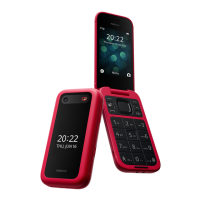
1. LEFT SELECTION KEY: Press to select the options at the
bottom left corner of the screen. The options change
depending on the application/function in use.
2. HEADSET JACK
3. SHORTCUTS
4. CALL KEY: Press to make or answer a call. Press for access to
the most recent, missed, received and dialed calls.
5. CAMERA / FLASH
6. VOLUME
7. SOS KEY: Press for 3 seconds or press 2 times quickly to
call an emergency contact. You will rst need to create the
contact and activate this function to use it.
8. CHARGER DOCK
9. NAVIGATION KEYS:
• Press up/down/left/right on the edge of the circle to
navigate options on the display, or move the cursor.
• CENTER KEY: Press to select a highlighted item on the
screen or to perform the function shown at the bottom
center of the display.
10. RIGHT SELECTION KEY: Press to select the options at the
bottom right corner of the screen. Options change depending
on the application/function in use.
1
3
4
2
9
5
6
7
8
10
11
12



 To Next Page