8 9
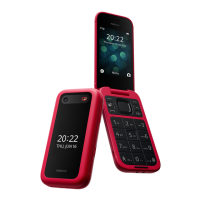
Keypad
Center Key
This is a multi-function key that lets you easily
complete several functions.
• From the Home screen, press to access the
app list
• Press to conrm an option on the screen
Navigation Keys
The edges of the Center key can be used to
navigate through menus and options that are
showing on the screen by simply pressing on
the direction you wish to move in. You can also
complete the following functions from the Home
screen:
• Navigate up: Check your balance
• Navigate left: Access the pre-loaded Apps
(Contacts, Google Maps, Google search engine,
YouTube and Settings)
• Navigate right: Search Contacts
• Navigate down: Access Ringtones & Alerts
YOUR PHONE
Screen
The Home screen displays the current time and date
along with additional information in the Status bar at the
top of the screen. This is always visible and is where you
can nd important information about the status of your
device including:
• Voicemail notications
• SIM status
• Connection strength bars
• Wi-Fi connection
• Battery charge level
The bottom of the Home screen is where you can access
Notices (left) and Camera (right) by pressing the left/
right soft keys located at the top of the keypad. Apps
are accessible by pressing the Center key or the Left
navigation key from the Home screen. Once you leave the
Home screen, the selection options will change.



 To Next Page