Nokia 3100 User Guide 11 Copyright © 2003 Nokia
Install the SIM card
The SIM card and its contacts can easily be damaged by scratches or bending, so
be careful when handling, inserting, or removing the card.
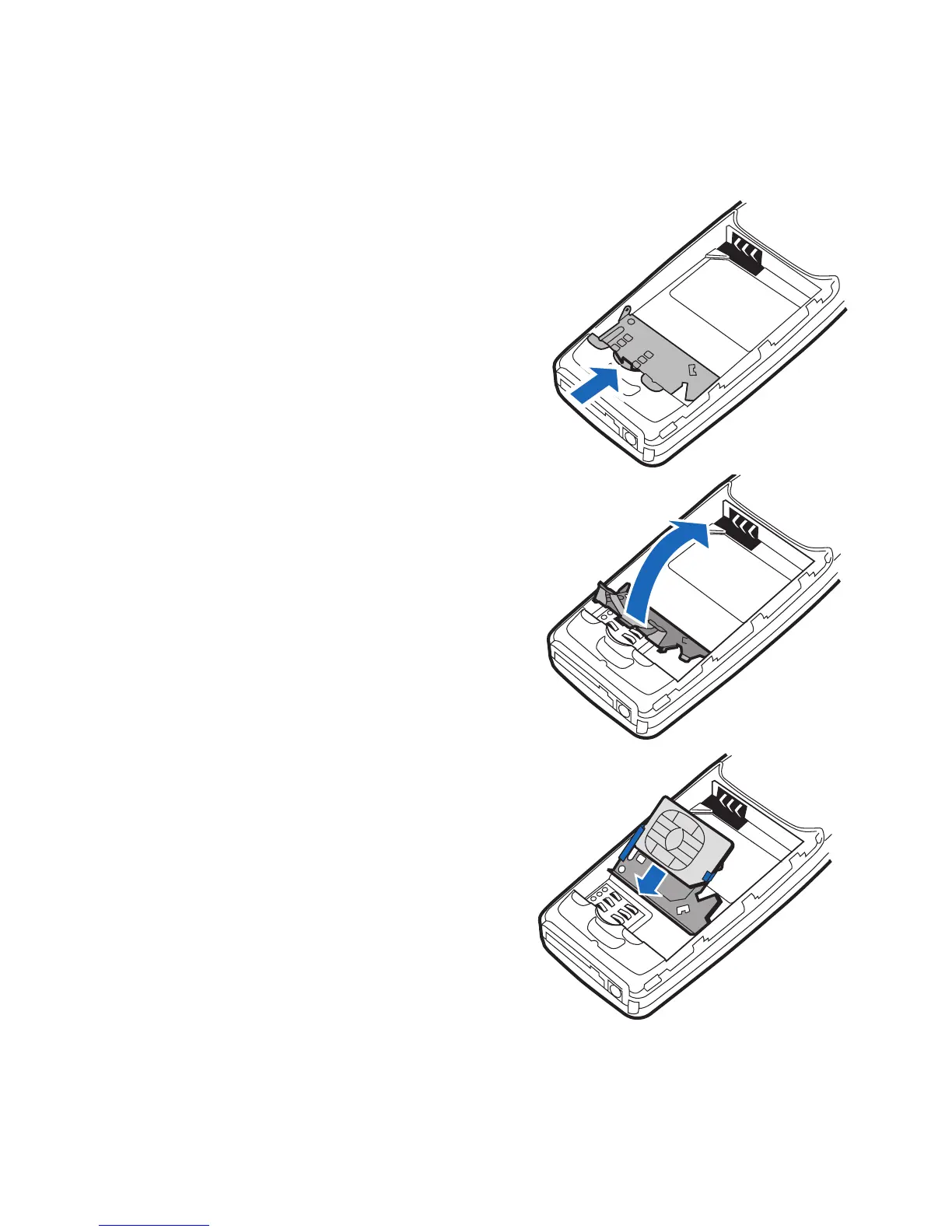
1 Use a fingernail as a lever to unlatch
the metal SIM card holder.
2 Swing the SIM card holder open.
3 Insert the SIM card into the
holder as shown, beveled corner
first, with the gold colored
contacts on the SIM card face up
(away from the phone).








 To Next Page