18 Copyright © 2003 Nokia
About your phone
• CHANGE THE XPRESS-ON™ COVERS
Warning: Before changing covers, ensure the phone is powered off and
disconnected from the charger or any other device. Always store and use
the phone with the covers attached.
Remove the back cover
This procedure is discussed in the section “Remove the back cover and battery” on
page 10. You do not need to remove the battery when changing your phone’s
covers.
Remove the front cover
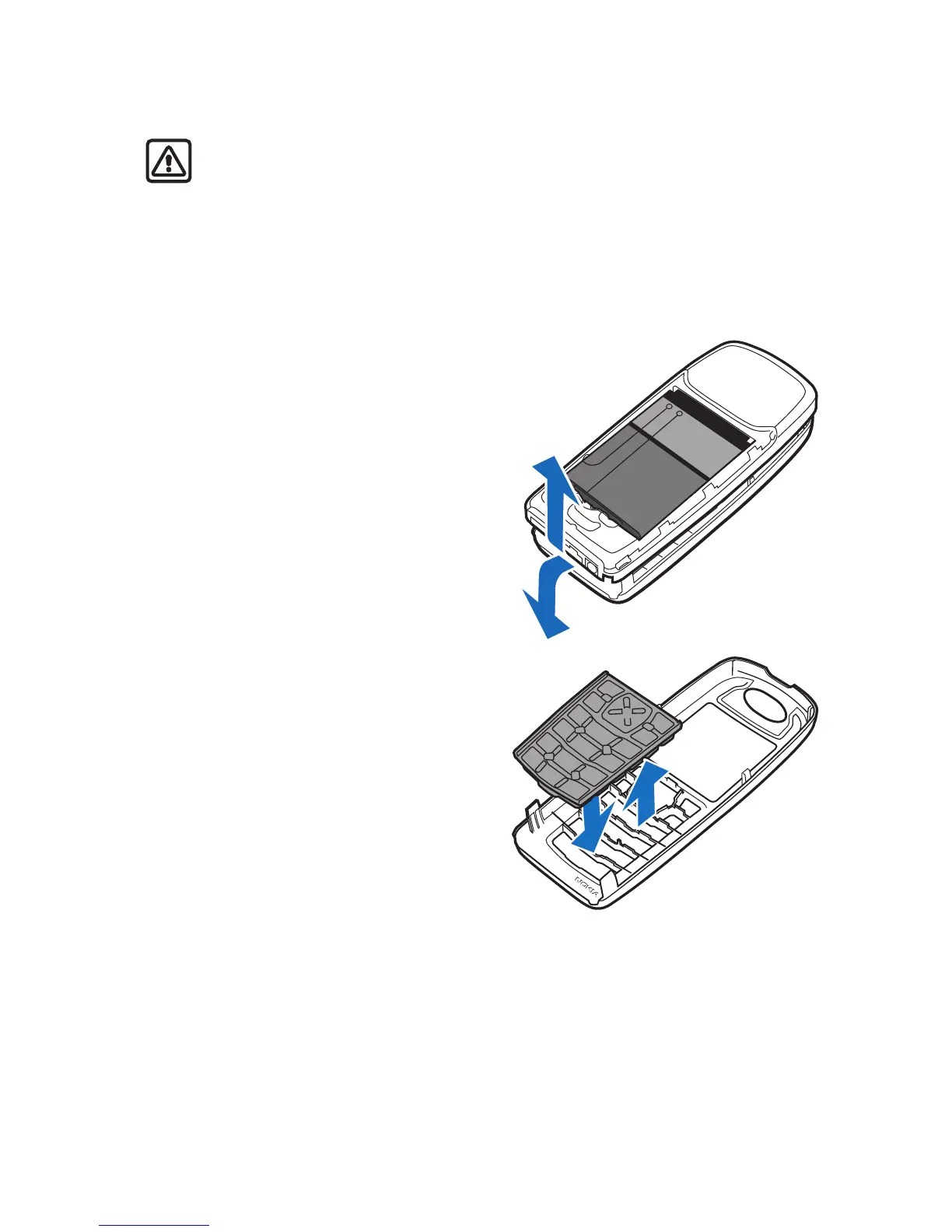
1 Pull the front cover latch on the
bottom of the phone while gently
pulling the top of the front cover
away from the rest of the phone.
Install the key mat and
new front cover
2 Remove the key mat from the old
front cover and place it into the
new front cover as shown.
1
2








 To Next Page