EasyManua.ls Logo

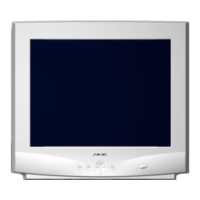
Nokia 446PRO - User Manual

Nokia 446PRO
59 pages
Print Icon
To Next Page IconTo Next Page
Loading...
ZB1680A
02.00
SMY052
When re---ordering manuals, please quote the model name and part number.
Level
SMA241E
xx
Contents
Service
Chassis 446F
Part List
PCB Part List
PCB Layout pictures
Monitor Dismantling
CRTmodule .............
MainBoardmodule ......
1
Nokia Display Products Oy
P. O . B o x 1 4
FIN---24101 Salo, Finland
19” High Resolution Colour Monitor
446PRO
SMY052
SMA241H
1

Table of Contents

Questions and Answers

  • T
    Tyler DavisAug 8, 2025
    Why does my Nokia Monitor picture have color defects and how do I fix it?
    • M
      Matthew SanchezAug 8, 2025
      If you're seeing color defects on your Nokia Monitor, try demagnetizing it. If the issue persists and the monitor hasn't been moved, it could be due to magnetic interference from nearby high-power cables or other monitors (less than 30 cm away). Try repositioning the monitor or the source of interference.
  • A
    Alexander FlemingAug 12, 2025
    Why does my Nokia Monitor have a strong color defect?
    • B
      Brian AlvarezAug 12, 2025
      If your Nokia Monitor's picture has a strong color defect, turn off both the monitor and the computer. Disconnect the signal cable from the computer, then turn the monitor back on. Examine the Red, Green, and Blue color bars. If the colors are pure, the problem isn't with the monitor itself; check the signal cable connectors and the computer. If the menu and color bars are discolored, the monitor is likely damaged.
  • E
    Edward JohnstonAug 16, 2025
    How to fix a blank picture screen on my Nokia Monitor when the power indicator is off?
    • J
      Jerry CarlsonAug 17, 2025
      If the indicator light on the front of your Nokia Monitor isn't on, make sure the power cord is properly connected to both the monitor and the power outlet. If your monitor gets power from the computer, ensure the computer is turned on. Test the power outlet with a desk lamp to confirm it's working. If there's still no power, contact an electrician.
  • T
    Tracy JonesAug 20, 2025
    What to do if the picture on my Nokia Monitor is unstable?
    • K
      Kayla BaileyAug 21, 2025
      If the picture on your Nokia Monitor is unstable, check for nearby electrical devices that emit magnetic fields, such as speakers, other monitors, electric fans, and fluorescent lights. Also, ensure that your computer and video card settings are correctly configured for your monitor.
  • S
    Sandra StrongAug 25, 2025
    What to do if my Nokia Monitor screen is blank but the power indicator is on?
    • E
      Edward WilliamsAug 26, 2025
      If the indicator light on the front of your Nokia Monitor is illuminated but the screen is blank, check that the signal cable connector is securely connected. If it's loose, tighten the screws on the connector.
  • B
    bellmelissaAug 29, 2025
    How to fix a stable but distorted picture on my Nokia Monitor?
    • T
      Timothy RomeroAug 29, 2025
      If the picture on your Nokia Monitor is stable but distorted, your computer may be using timing settings that weren't configured at the factory. Try adjusting the picture characteristics.
  • E
    Erik PerezSep 2, 2025
    Why is my Nokia Monitor picture screen blank?
    • N
      nhannaSep 2, 2025
      Your Nokia Monitor might be in standby mode. Try pressing one of the buttons or moving the mouse. If that doesn't work, unplug the monitor from the power outlet for about a minute. Then, switch off both the monitor and the computer, disconnect the signal cable from the computer, and switch the monitor back on. If the Selftest error menu appears, the monitor is working correctly, and the issue lies elsewhere in your system. Check the signal cable's connection pins and straighten any that are bent using nose pliers.

Nokia 446PRO Specifications

General IconGeneral
BrandNokia
Model446PRO
CategoryMonitor
LanguageEnglish

Related product manuals