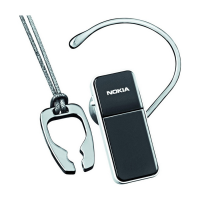
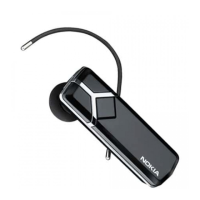
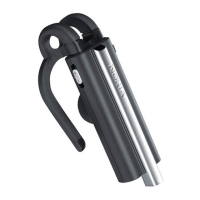
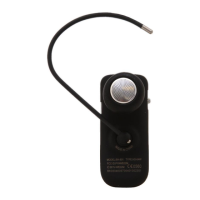
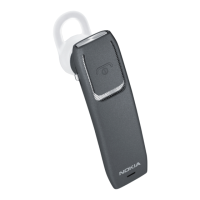
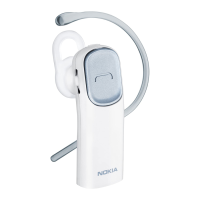
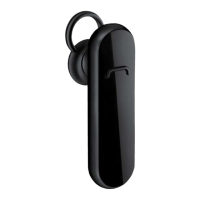
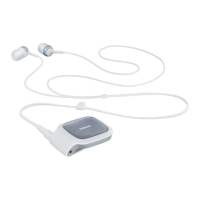
The Nokia Bluetooth Headset BH-702 is a wireless headset designed for hands-free calling with compatible mobile devices. It utilizes Bluetooth wireless technology, allowing users to make and receive calls while on the move without the need for cables.
Function Description:
The headset connects to compatible devices via Bluetooth wireless technology, enabling hands-free communication. It supports making and receiving calls, adjusting call volume, muting the microphone, and switching calls between the headset and the mobile device. The headset features an internal, non-removable rechargeable battery that provides power for operation.
Important Technical Specifications:
- Bluetooth Specification: Compliant with Bluetooth Specification 2.0 + EDR.
- Supported Profiles: Headset Profile 1.1 and Hands-Free Profile 1.5.
- Operating Range: Maximum distance between devices is 10 meters (33 feet). Optimal operating range is shown in dark grey in the provided diagram, while interference from distance and obstructions (light grey) or other electronic devices can affect the connection.
- Battery Type: Internal, non-removable, rechargeable battery.
- Chargers: Intended for use with AC-3, AC-4, and DC-4 chargers.
- Talk Time: Up to 6 hours with a fully charged battery.
- Standby Time: Up to 160 hours with a fully charged battery.
- Charging Time: Up to 2 hours for a full charge.
- Passcode for Pairing: 0000.
- Operating Temperature Range: Optimal battery performance is between 15°C and 25°C (59°F and 77°F).
Usage Features:
- Overview of Parts:
- Earpiece
- Indicator light
- Charger connector
- Volume key
- Microphone
- Earloop
- Multifunction key
- Charging the Battery:
- Connect the charger to a wall outlet.
- Connect the charger cable to the headset's charger connector. The indicator light will be red during charging and turn green when fully charged.
- Disconnect the charger once charging is complete.
- The headset beeps and the indicator light flashes red when battery power is low.
- Switching On/Off:
- To switch on: Press and hold the multifunction key until the headset beeps and the indicator light turns on. The indicator light flashes green slowly when trying to connect to a paired device, and blue slowly when connected and ready for use. If not paired, it automatically enters pairing mode.
- To switch off: Press and hold the multifunction key for at least 5 seconds until the indicator light turns red.
- Pairing the Headset:
- Ensure the mobile device is switched on.
- Switch on the headset. If it hasn't been paired before, it automatically enters pairing mode (indicator light flashes blue quickly). If pairing with a new device after previous pairing, ensure the headset is off, then press and hold the multifunction key until the indicator lights flash blue quickly.
- Activate Bluetooth on the mobile device and search for devices.
- Select "Nokia BH-702" from the list.
- Enter the passcode "0000". Some devices may require a separate connection after pairing. Pairing is only needed once.
- Disconnecting the Headset: Switch off the headset or disconnect it via the mobile device's Bluetooth menu.
- Reconnecting the Headset: Connect via the mobile device's Bluetooth menu, or switch on the headset and press and hold the multifunction key for 2-3 seconds until a short beep is heard. Automatic connection can be set in Nokia devices.
- Placing the Headset on the Ear:
- Attach the earloop by inserting it into the opening.
- Slide the earloop over the ear and gently plug the earpiece into the ear.
- Adjust the earloop length by pushing or pulling it.
- Position the headset so it points towards the mouth.
- To use on the left ear, gently pull the earloop from the headset and insert it from the other side.
- Call Handling:
- Making a call: Use the mobile device normally. The blue indicator light flashes slowly during a call.
- Last number redialing: Press the multifunction key twice when no call is in progress (if supported by the device).
- Voice dialing: Press and hold the multifunction key for 2-3 seconds until the mobile device starts voice dialing (if supported). Not available during a call.
- Answering a call: When receiving a call, the indicator light flashes blue quickly, and a ringing tone is heard. Press the multifunction key or use mobile device keys.
- Rejecting an incoming call: Press the multifunction key twice or use mobile device keys.
- Ending a call: Press the multifunction key or use mobile device keys.
- Adjusting Volume: Press the volume key up or down during a call. Press and hold for quick adjustment.
- Muting/Unmuting Microphone: Use the respective function on the mobile device.
- Switching Call between Headset and Mobile Device: Press and hold the multifunction key for 2-3 seconds, or use the device's function.
- Clearing Settings/Resetting:
- Clear pairing settings: Press and hold the multifunction key and volume key up until the indicator light alternates red, green, and blue twice. The headset then enters pairing mode for about 5 minutes.
- Resetting the headset (if it stops functioning): Plug the charger into the headset while pressing and holding the multifunction key. The headset will switch off. Reconnect to the mobile device to use it. This does not clear headset settings.
Maintenance Features:
- General Care:
- Keep the device dry to prevent corrosion of electronic circuits.
- Avoid dusty or dirty areas to prevent damage to moving parts and electronic components.
- Do not store in hot areas (can shorten battery life, damage plastics).
- Do not store in cold areas (moisture can form inside when returning to normal temperature).
- Do not attempt to open the device.
- Avoid dropping, knocking, or shaking the device.
- Do not use harsh chemicals, cleaning solvents, or strong detergents.
- Do not paint the device (can clog moving parts).
- Battery Care:
- Only use Nokia-approved chargers.
- Unplug the charger when not in use; overcharging can shorten battery lifetime.
- Do not leave a fully charged battery connected to a charger for extended periods.
- Never use damaged chargers.
- Dispose of batteries according to local regulations; do not dispose of as household waste or in fire.
- Troubleshooting (Connection Issues):
- Ensure the headset is charged, switched on, and paired.
- Ensure Bluetooth is activated on the mobile device.
- Ensure the headset is within 10 meters (33 feet) of the device and there are no obstructions (walls, other electronic devices).
Disposal:
The crossed-out wheeled-bin symbol indicates that electrical and electronic products, batteries, and accumulators should be taken to separate collection at the end of their working life in the European Union. Do not dispose of these products as unsorted municipal waste. This is to prevent harm to the environment and human health and to promote sustainable reuse of materials. Collection information is available from retailers, local waste authorities, national producer responsibility organizations, or local Nokia representatives. More information is available at www.nokia.com.

 Need help?

 To Next Page
 General