Get started
13
■ Charge the battery
Your battery has been partially charged at the factory. If the device indicates a low
charge, do the following:
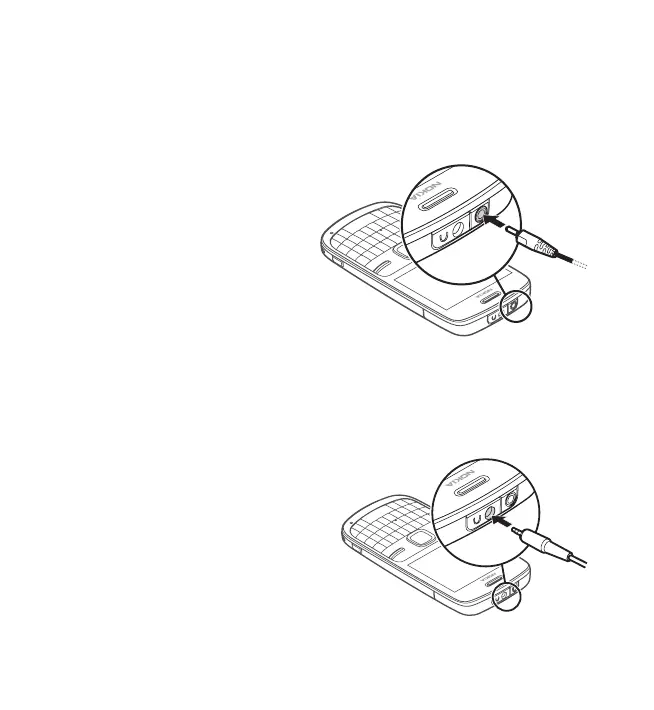
1. Connect the charger to
awallsocket.
2. Connect the charger to
the device.
3. When the device indicates a full
charge, disconnect the charger
from the device, then from the
wall outlet.
You do not need to charge the
battery for a specific length of time,
and you can use the device while it is charging. If the battery is completely
discharged, it may take several minutes before the charging indicator appears
on the display or before any calls can be made.
■ Connect a headset
You can connect a Nokia universal
3.5 mm headset to your device.


 To Next Page