EasyManua.ls Logo

Nokia ONT G-1426G-A - User Manual

Nokia ONT G-1426G-A
3 pages
Print Icon
To Next Page IconTo Next Page
Loading...
© 2023 Nokia. Nokia Confidential Information. Use subject to agreed restrictions on disclosure and use.
If you have received this document in error, do not use or copy this document for any purpose nor disclose its contents to any other person.
CID 213742
3TN-00384-AAAA-TCZZB
Issue 1, November 2023
Nokia ONT G-1426G-A Quick Reference Guide
1. Product Overview
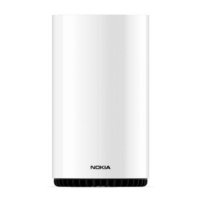
The Nokia ONT G-1426G-A is a
solution for home networking
that is delivered by Gigabit
Passive Optical Network
(GPON). This Nokia indoor ONT
is designed to deliver triple play
services (voice, video, and data)
to residential subscribers.
The Nokia ONT G-1426G-A can
be managed by the Corteca
Home Controller. The Corteca
Console provides an end-to-
end Wi-Fi network view and
allows management of groups
of Wi-Fi networks. The end-user
experience is enhanced by the
service provider’s Wi-Fi
management capabilities in the
cloud and intuitive home user
support using the Nokia WiFi
mobile app.
The Nokia ONT G-1426G-A also supports application containers, that
allow introducing new services, from cybersecurity to entertainment
to productivity.
A. Technical Specifications
Height: 145 mm (5.7 in)
Width: 197 mm (7.8 in)
Depth: 68.8 mm (2.7 in) with base
Weight: 0.46 kg (1.00 lb)
Desktop or wall-mount using an external bracket.
Power consumption:
Standby mode: 6.6 W
Typical mode: 15 W
B. Manufacturer Information
For Products Purchased in EU/EAA Countries
The products are manufactured and imported by Nokia Solutions and
Networks Oy.
Karakaari 7, 02160 Espoo, Finland.
Nokia is a registered trademark of Nokia Corporation.
For Products Purchased in the United States
The products are imported by Nokia of America Corporation.
Offices: https://www.nokia.com/contact-us/offices/#north-
america
Support: https://www.nokia.com/networks/business-support/
Other contacts: https://www.nokia.com/contact-us/
Please contact your Internet Services Provider in case of questions
on the product.
2. Safety Guidelines
ALWAYS READ THE PRODUCT GUIDE BEFORE SET UP OR USE OF THE
PRODUCT. IT IS YOUR RESPONSIBILITY TO FAMILIARIZE YOURSELF
WITH THE PRODUCT GUIDE AND WARNINGS, AND TO USE A PRODUCT
PROPERLY. CONTACT YOUR INTERNET SERVICES PROVIDER FOR
FURTHER QUESTIONS.
Warning - Risk of electric shock or fire
Connect the Product power adaptor or cord to the right supply
voltage (for example, 230V in Europe, Turkey, Ukraine, 120V AC
in US, 230V in Australia and New Zealand, 230V in South Africa, 220V
in Russia, Morocco).
The socket-outlet shall be easily accessible.
Pay attention to the power load of the electrical outlet and possible
extension cord. An overburdened power outlet or damaged cords
and plugs may cause electric shock or fire. Check the power cords
regularly. If you find any damage, replace the cord immediately.
Do not connect the plug into an extension cord, receptacle, or other
outlet unless the plug can be fully inserted with no part of the blades
exposed.
Leave adequate space for heat dissipation to avoid any damage
caused by overheating the Product. Do not cover the Product or its
ventilation holes. Blocking the ventilation holes may cause fire.
Use the power adapter provided with your Product and do not fasten
the power cable to building surfaces. Ensure the cable can move
freely. Do not place heavy objects on the cable.
Do not use the Product outside, and make sure all the connections
are indoors.
Do not install, use, or service this Product during a thunderstorm.
There is a remote risk of electric shock from lightning.
Caution - Potential equipment damage
Follow these recommendations to protect yourself and the Product
from harm:
Do not look directly at the optical port without protection.
Do not insert any sharp object into the openings of a Product.
Do not put the Product near a heat source. Avoid placing the
Product in direct sunlight.
Do not put the Product in damp or wet locations; for example,
near a bathtub, washbowl, kitchen sink or laundry tub, in a wet
Question and Answer IconNeed help?

Do you have a question about the Nokia ONT G-1426G-A and is the answer not in the manual?

Summary

Product Overview

Technical Specifications

Details physical dimensions, weight, and power consumption for the Nokia ONT G-1426G-A.

Manufacturer and Importer Information

Identifies the manufacturers and importers for EU/EAA and US markets.

Safety Guidelines

Electrical Shock and Fire Hazards

Critical warnings regarding electric shock, fire risks, and proper power connections.

Product Damage Prevention

Precautions to prevent physical damage to the ONT and ensure safe operation.

Installation and Compliance

ONT Installation Steps

Step-by-step instructions for connecting and powering on the ONT.

EU Declaration of Conformity

Information on compliance with EU directives and product end-of-life disposal.

FCC Declaration of Conformity

Details on compliance with US FCC rules, including exposure and user information.

Overview

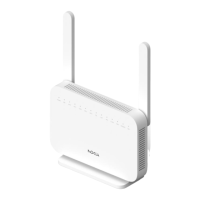
The Nokia ONT G-1426G-A is a Gigabit Passive Optical Network (GPON) indoor Optical Network Terminal (ONT) designed to provide triple-play services—voice, video, and data—to residential subscribers. It serves as a comprehensive home networking solution, integrating advanced management capabilities and user-friendly features.

Function Description:

The primary function of the Nokia ONT G-1426G-A is to act as a gateway for GPON-delivered services within a residential environment. It enables high-speed internet access, supports voice communication, and facilitates video streaming. The device is designed to be managed by the Corteca Home Controller, which offers an end-to-end Wi-Fi network view and allows for the management of groups of Wi-Fi networks. This cloud-based Wi-Fi management capability, combined with the intuitive Nokia WiFi mobile app, enhances the end-user experience by simplifying network control and support.

A notable feature of this ONT is its support for application containers. This functionality allows for the introduction of new services directly on the device, ranging from cybersecurity applications to entertainment and productivity tools, offering a flexible and expandable platform for future enhancements.

Important Technical Specifications:

  • Dimensions:
    • Height: 145 mm (5.7 in)
    • Width: 197 mm (7.8 in)
    • Depth: 68.8 mm (2.7 in) with base
  • Weight: 0.46 kg (1.00 lb)
  • Mounting: Designed for desktop placement or wall-mount using an external bracket.
  • Power Consumption:
    • Standby mode: 6.6 W
    • Typical mode: 15 W
  • Operating Environment:
    • Temperature: -5°C to 45°C (23°F to 113°F)
    • Relative Humidity: 10% to 90%
  • Radio Frequency (for EU/EAA Countries):
    • 2.4GHz: EIRP 100 mW
    • 5.15-5.35GHz: EIRP 200 mW
    • 5.470-5.725GHz: EIRP 1000 mW

Usage Features:

The Nokia ONT G-1426G-A is designed for straightforward installation and operation.

  • Installation Steps:
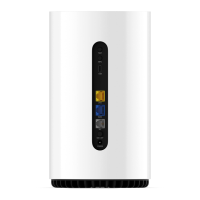
    1. Connect the power cable to the PWR power port on the device.
    2. Connect the power socket to a wall outlet.
    3. Remove the protective cap from the OPTICAL port on the device.
    4. Remove the protective cap from the fiber optic cable.
    5. Connect the optical fiber to the OPTICAL port.
    6. Connect the device to the home router via an Ethernet cable.
    7. Push the ON/OFF button to turn the device "ON".
  • Connectivity: Provides multiple Ethernet ports for connecting to a home router and other wired devices.
  • Wireless Capabilities: Supports Wi-Fi for seamless wireless connectivity within the home.
  • Management: Integrates with the Corteca Home Controller for comprehensive Wi-Fi network management and the Nokia WiFi mobile app for intuitive home user support.
  • Application Support: Features application containers for expanding functionality with new services like cybersecurity, entertainment, and productivity tools.

Maintenance Features and Safety Guidelines:

The device emphasizes user safety and proper maintenance to ensure longevity and optimal performance.
  • Electrical Safety:
    • Always connect the power adapter or cord to the correct supply voltage (e.g., 230V in Europe, 120V AC in US).
    • Ensure the socket-outlet is easily accessible.
    • Regularly check power cords for damage and replace immediately if found.
    • Do not connect plugs into extension cords or outlets unless fully inserted.
    • Avoid overburdening electrical outlets or extension cords to prevent electric shock or fire.
  • Thermal Management:
    • Maintain adequate space for heat dissipation around the product.
    • Do not cover the product or its ventilation holes to prevent overheating and potential fire hazards.
  • Physical Handling:
    • Use only the power adapter provided with the product.
    • Do not fasten the power cable to building surfaces; ensure it can move freely.
    • Avoid placing heavy objects on the cable.
    • Do not use the product outdoors, and ensure all connections are indoors.
    • Do not install, use, or service the product during a thunderstorm due to the risk of electric shock from lightning.
    • Do not place the product on unstable surfaces or supports.
    • Do not place heavy objects on top of the product.
    • Do not spill any liquid on the product.
    • Do not touch the product or its power adapter/cord with wet hands.
  • Environmental Protection:
    • Avoid placing the product near heat sources or in direct sunlight.
    • Do not place the product in damp or wet locations (e.g., near bathtubs, washbasins, kitchen sinks, laundry tubs, or in a wet basement).
    • Keep the product and accessories out of reach of pets to prevent damage or injury.
  • Optical Port Safety: Do not look directly into the optical port without protection.
  • Interference Prevention:
    • Avoid inserting sharp objects into the product's openings.
    • When connecting other electronic devices, use the correct cables and ports to prevent damage.
    • The product complies with Class B of EN 55032 for EMC and is designed for indoor use only.
    • Maintain a minimum distance of 10 cm between users and the product to avoid exposure to electromagnetic fields, especially for individuals with pacemakers or other medical devices.
  • Disposal: In the European Union and European Economic Area, the product is marked with the WEEE symbol, indicating it should not be disposed of with household waste. It must be deposited at appropriate facilities for recovery and recycling to comply with EU and local legislation, preventing negative impacts on the environment and human health from materials like heavy metals or batteries.
  • Troubleshooting: If the product malfunctions or fails to perform as expected, discontinue use immediately.
  • Modifications: Do not make any unauthorized changes or modifications to the product without prior express written approval from Nokia, as this could void the user's authority to operate the device.
  • FCC Compliance: The product complies with FCC radiation exposure limits for an uncontrolled environment and should be installed and operated with a minimum distance of 20 cm between the radiator and the body. It contains no user-serviceable components and must be used with approved antennas only. The product and its antenna(s) must not be co-located or operated in conjunction with any other antenna or transmitter.

Nokia ONT G-1426G-A Specifications

General IconGeneral
BrandNokia
ModelONT G-1426G-A
CategoryGateway
LanguageEnglish

Related product manuals