17
Get started
F
CC
■ Sensor
Select Menu > Settings > Phone > Sensor settings > On to activate the function.
The tap function allows you to quickly mute and reject calls and alarm tones. You
can see the time and indicators for missed calls, and new messages on the
secondary display.
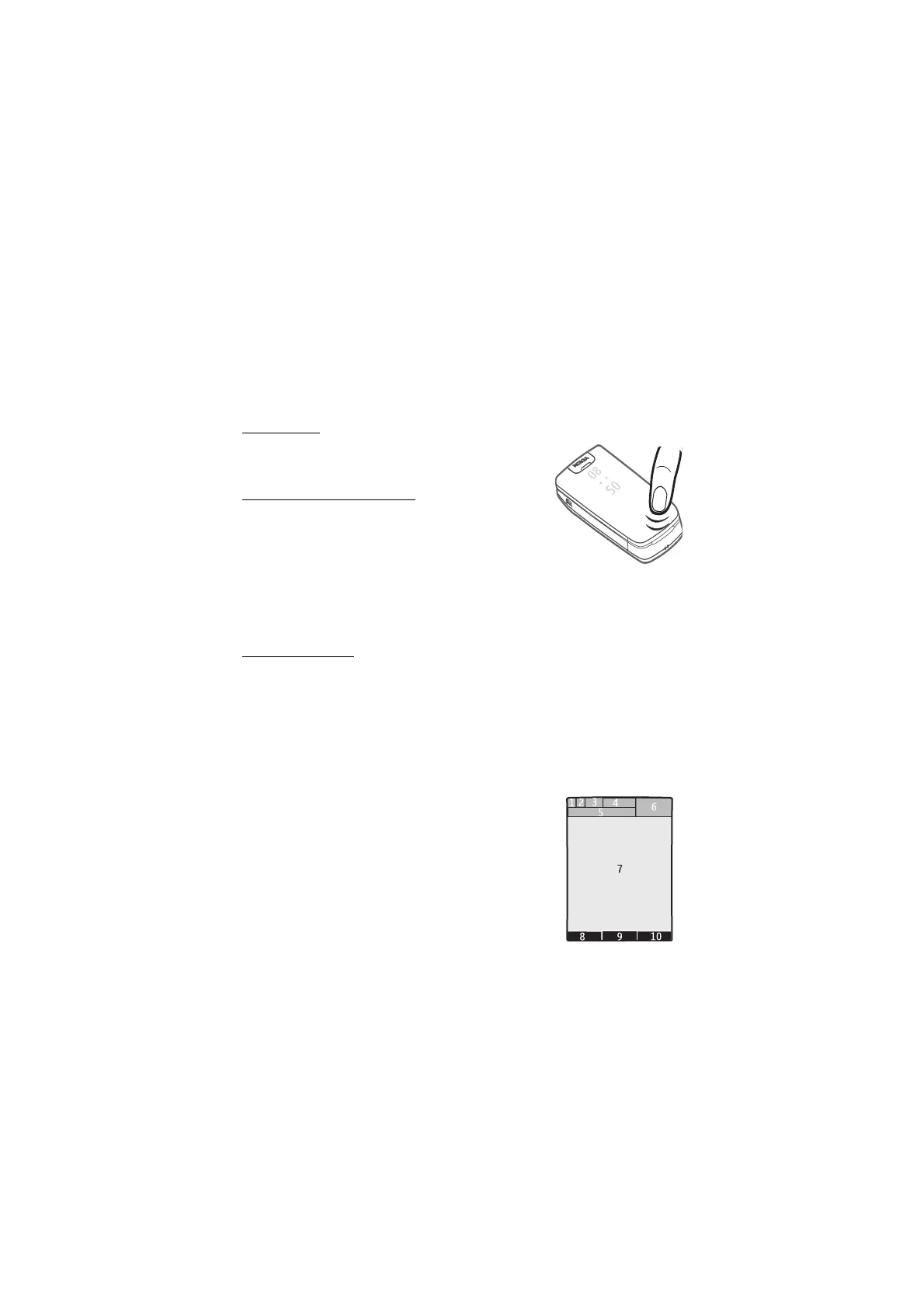
Double-tap
Always double-tap the secondary display with the fold
closed.
Show indicators and time
To display the time, double-tap the secondary, hidden
display. An analogue or digital clock appears, depending
on the selected clock settings. See “Set the time, zone,
and date,” p. 15.
If you have the music player or FM radio open, you must turn them off first. If you
have missed calls or received new messages, you must view them before you see
the time.
Mute and reject
To mute an incoming call or alarm tone, double-tap the secondary display. To
reject the call or snooze the alarm tone, double-tap the display again. Sound is
restored for the next incoming call or alarm tone.
■ Standby mode
The phone is in the standby mode when the phone is ready for use, and you have
not entered any characters.
1. 3G indicator
2. Signal strength of the cellular network
3. Battery charge level
4. Indicators. See “Indicators,” p. 18.
5. The name of the network or the operator logo
6. Clock
7. Display
8. Left selection key. By default, this is Go to that takes
you to a list of shortcuts. See “Left and right selection key,” p. 32



 To Next Page