Need help?
Do you have a question about the Nokia TA-1047 and is the answer not in the manual?
Guide on inserting nano-SIM and memory cards into the device slots.
Instructions for charging the battery and powering on the Nokia X phone.
Details on Specific Absorption Rate (SAR) compliance for European and FCC guidelines.
Contains declarations of conformity and FCC compliance notices for the device.
This document describes the Nokia X, a mobile device designed for communication and various functions.
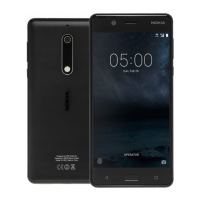
The Nokia X is a mobile phone that supports GSM, WCDMA, and LTE networks, allowing for voice calls, messaging, and mobile data connections. It features a loudspeaker for audio output, a microphone for voice input, and an earpiece for private calls. A headset connector is provided for external audio accessories. The device includes a camera for capturing photos and a flash for illumination in low-light conditions. Power and volume keys offer basic control over the device's functions. The phone is designed to operate with nano-SIM cards for network connectivity and supports memory cards for expanded storage.
To begin using the Nokia X, the back cover must be opened by inserting a fingernail into the seam between the cover and the display and bending it open. If the battery is present, it should be lifted out. Nano-SIM cards are inserted face down into the designated SIM slots. For dual SIM phones, a second SIM card is inserted into the SIM2 slot. A memory card is also inserted face down into its respective slot. It is crucial to use only original nano-SIM cards and compatible memory cards approved for use with this device to prevent damage to the card, the device, or data corruption.
Once the SIM and memory cards are in place, the battery can be charged. A compatible charger should be plugged into a wall outlet, and the cable connected to the phone. The Nokia X supports USB micro-B cables for charging. While charging from a computer via a USB cable is possible, it may take longer. If the battery is completely discharged, the charging indicator may take several minutes to appear. To power on the device, the power key should be pressed and held until the phone vibrates. The device will then guide the user through the initial setup process.
For network connectivity, the device supports 4G networks in both SIM1 and SIM2 slots on dual SIM capable devices. However, if both SIM1 and SIM2 are LTE SIM cards, the primary SIM supports 4G/3G/2G networks, while the secondary SIM is limited to 2G. Users are advised to contact their service provider for more information on their SIM cards.
The device's software includes pre-installed system software and applications that consume a significant portion of memory space. When using the camera's flash, it is important to maintain a safe distance and avoid using it on people or animals at close range. The flash should not be covered while taking a photo.
For data and message transmission, a stable network connection is required. Sending may be delayed until such a connection becomes available. Users should follow separation distance instructions until sending is complete.
The Nokia X is designed to be user-serviceable for SIM and memory card installation. The back cover can be removed to access these components. It is important to handle the device carefully during these operations to avoid damage. Only original nano-SIM cards and approved memory cards should be used to ensure proper function and prevent damage to the device or data.
The device's surface is nickel-free. Certain parts of the device are magnetic, and metallic materials may be attracted to it. To prevent damage to credit cards or other magnetic stripe cards, they should not be placed near the device for extended periods.
For charging, users should utilize the specified chargers (FC0200, FC0201, FC0202, FC0203, FC0211, AD-5WE, AD-5WX, AD-5WU, AD-5WA, AD-5WN) or other compatible chargers approved by HMD Global. Charging time may vary based on device capability.
For troubleshooting and an online user guide, users can visit www.nokia.com/mobile-support. The device also includes an electronic label for certification information, accessible through Settings > System > About phone > Certification.
The device is designed to meet specific guidelines for exposure to radio waves, as set forth by the Council of Europe (CE) and the Federal Communications Commission (FCC). For electronic safety, a separation distance should be maintained with accessories that contain no metal, positioning the handset a minimum distance from the body. Using other accessories may not ensure compliance with RF exposure guidelines.
During general use, the device's operating power is automatically decreased when full power is not needed for a call, which helps minimize interference on the network and reduces SAR values. Device models may have different versions, and component and design changes can occur over time, potentially affecting SAR values.
 General
| Network Technology | GSM / HSPA / LTE |
|---|---|
| Card slot | microSDXC (dedicated slot) |
| Loudspeaker | Yes |
| 3.5mm jack | Yes |
| WLAN | Wi-Fi 802.11 b/g/n, hotspot |
| GPS | Yes, with A-GPS, GLONASS, BDS |
| NFC | No |
| Radio | FM radio |
| USB | microUSB 2.0, USB On-The-Go |
| Expandable Storage | microSD |
| SIM | Dual SIM (Nano-SIM, dual stand-by) |
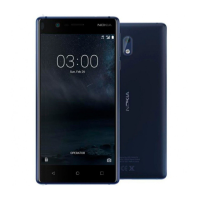
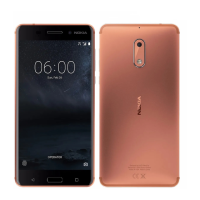
| Colors | Black, Blue, White |
| Status | Available |
| Build | Glass front, plastic back, plastic frame |
| Main Camera Features | LED flash |
| Bluetooth | A2DP, LE |
| Sensors | Accelerometer, proximity, compass |
| Protection | No |


 To Next Page