ENGLISH
19
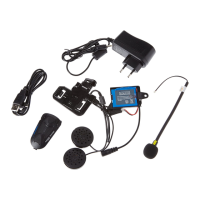
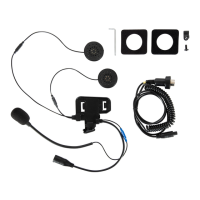
Congratulations on your purchase of a Nolan product of the N-Com line.
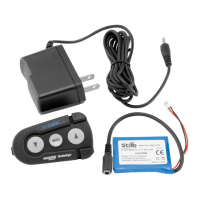
The N-Com Bluetooth Kit system was designed and built according to the latest technologies and the best materials.
Long tests and thorough system development have made it possible to achieve the best audio quality.
The N-Com Bluetooth Kit allows a wireless connection to your own Bluetooth cell phone. The system can be
expanded with the Intercom Wire accessory, which is used to talk in intercom mode with a Nolan N-Com helmet
fitted with a Basic kit.
The system can also be expanded with the Multimedia Wire accessory for connection to multimedia sources such as CD
and MP3 players, satellite navigation systems, etc., equipped with a 3.5 mm audio output generally used for earphone
purposes.
If both helmets are fitted with an N-Com Bluetooth Kit, in addition to the connection with a Bluetooth cell phone, they
can also communicate in a wireless intercom mode.
1. WARNINGS and SAFETY
1.1. Reference standards
1.2. Road safety
1.3. Switching on the system in safe environments
1.4. Appropriate use
1.5. Qualified personnel
1.6. Accessories and batteries
1.7. Disposal
2. CONTENTS OF THE PACKAGING
3. INSTALLATION
3.1. Operating diagram
3.2. System installation procedure
4. BASIC FUNCTIONS
4.1. Switching on the system
4.2. Switching off the system
4.3. Adjusting the volume
4.4. Turning off and turning back on the intercom
mode
5. USING THE SYSTEM WITH A CELL PHONE
5.1. Affiliating N-Com to a Bluetooth cell phone
5.2. Operation of the Handsfree (HF) profile
5.3. Answering a phone call
5.4. Rejecting a phone call (HF profile only)
5.5. Making a phone call
5.6. Vocal calls and advanced functions
6. N-COM BLUETOOTH AS INTERCOM
6.1. Intercom via cable
6.2. Intercom via Bluetooth
6.2.1. Affiliating two Bluetooth Kits
6.2.2. Using the Bluetooth intercom
7. USING THE SYSTEM WITH OTHER AUDIO
DEVICES
7.1. Connection with Multimedia Wire
7.2. “Mute” function
8. SUMMARY TABLE OF CONTROLS
9. BATTERY
9.1. Battery installation
9.2. Warnings on the use of rechargeable batteries
9.3. Charging the battery
9.4. Discharged battery signal
10. MAINTENANCE
11. THE N-COM RANGE OF PRODUCTS
11.1. Basic kit
11.2. Intercom kit
11.3. Bluetooth kit
11.4. Mobile wire
11.5. Multimedia wire
11.6. Intercom wire
11.7. The N-Com modular communication systems
12. LIMITED WARRANTY
12.1. Warranty coverage
12.2. Exclusions and limitations of the coverage
12.3. Validity of this limited warranty
12.4. Procedure for the forwarding of claims
13. WARRANTY REGISTRATION FORM
TABLE OF CONTENTS



 To Next Page