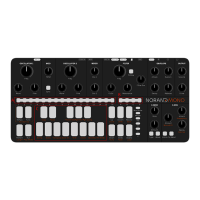
Settings cheat sheet
Swing : Set the swing amount from none to max (16 values) with a [SEQ]
key.
Scale : Set root note with [NOTE] keys, and scale with the [SEQ] keys.
1 Chromatic (default)
2 Major
3 Melodic minor
4 Harmonic minor
5 Arabic
6 Dorian
7 Aeolian
8 Phrygian
9 Gypsy
10 Mixolidian
11 Romanian minor
12 Gypsy minor
13 japanese
14 Spanish
15 blues
Transpose : Set transpose with [NOTE] keys for semi-tone transposition
and [UP]/[DOWN] key for octave transposition.
Beat div : Change the beat division of the current pattern with a [SEQ] key,
from 1 step per beat to 16.
MIDI/Clock : Set MIDI channel with [SEQ] key, and clock source with [PAGE]
key.
1 USB 2 MIDI 3 CV
Pot Mode : Sets potentiometer mode.
1 Jump 2 Passthru 3 Relative
Bend Rg : Sets pitch bend range from 1 to 16 semitones with [SEQ] key.
CV2 Src : Sets the CV2 output source.
1 Osc1 freq
2 Osc2 freq
3 Cuto
4 Envelope
5 Output level
6 Clock out
Clock/Trig in : In the CV2 source settings, page A and B are used to set the
clock input behaviour. Default is Clock input (A), B transforms the input into
a trigger input.
Param Snd : Enable/Disable CC parameter send.
Mod note mode
In Mod Note mode, the keyboard no longer act as chromatic,
each of the 8 bottom mini keyboard [NOTE] keys has its own
set of parameters, its own timbre in a way.
Each project has 5 pages of Mod notes, scroll with [UP] or
[DOWN] key. When the mode is activated, both [UP] and
[DOWN] key LED are on.
To edit one of the moded note, hold a mini-keyboard key and
set its parameter. You can then add steps of the selected
moded note, or play live and record it.


 To Next Page