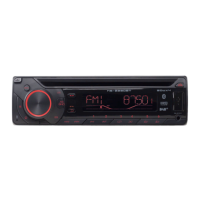
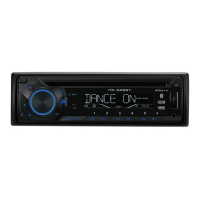
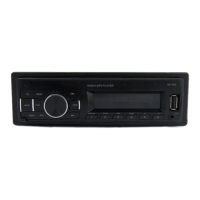
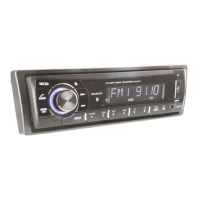
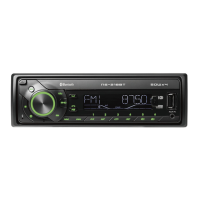
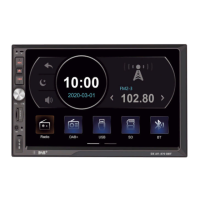
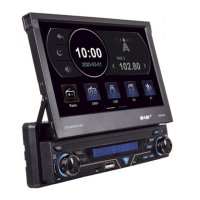
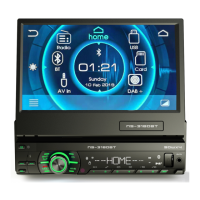
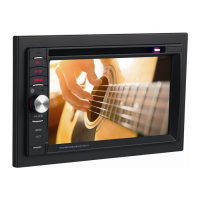
The device is a car audio system, model DX-AR-6213DBT, supporting DAB+/BT/USB/SD/MP3 playback and external audio input. It is designed for in-car use with a 12V DC power supply.
Control Panel Overview
The control panel features a central volume dial (C) which also functions as an audio adjustment and PTY function button. To the left of the dial are the hang up button/previous track/search (A) and the power switch/mode switch (B). To the right are the pick up button/next track/search (E) and the clock button (D). Below the dial are several numbered buttons (1-6) with additional functions:
- 1/► (P): Pause/Button number 1
- 2/INT (O): Playback navigation/Button number 2
- 3/RPT (N): Single title repeat play/Button number 3
- 4/RDM (M): Shuffle play/Button number 4
- 5/-10 (L): Go back 10 tracks/Button number 5
- 6/+10 (K): Go forward 10 tracks/Button number 6
Other buttons include the mute button (Q), reset key (R), and band switch/automatic station lock (S). The display screen (F) shows radio frequency and playback information. Connectivity options include a USB interface (G), auxiliary input jack (H), and Micro SD card slot (I). A Bluetooth microphone (J) is also integrated.
Basic Operation
Power and Mode Selection:
Press the power switch (B) to turn the device on or off. Once on, press the MOD button (B) to cycle through modes: USB, SD, AUX IN, and BT. If no USB or SD card is connected, the unit will skip to the next available function.
Volume and Audio Adjustment:
Rotate the volume dial (C) clockwise to increase volume and counterclockwise to decrease it. The volume range is 0-43, with a default of 20. Press the volume dial (C) to access automatic audio tuning settings such as BASS, TRE, BAL, FAD, EQ, LOUD, DX/LOC, STERO/MONO, CLOCK 12/24, and AREA EUR/USA. Rotate the dial to adjust these tone modes. In radio broadcast mode, hold the volume dial (C) to enter the AF ON / TA OFF / TAVOL 25 / REG OFF / EON OFF / SEL PTY function selection mode.
Clock Setting:
Hold the clock button (D) to display the time. It will clear automatically after 5 seconds. Hold it again for 2 seconds to enter clock setting mode. Rotate the volume dial to adjust minutes (clockwise) and hours (counterclockwise). The time will be confirmed automatically after 5 seconds.
Track Navigation and Search:
- Previous Track/Search (A): In radio mode, press to scan backwards incrementally. Hold to scan automatically. In MP3 mode, press and hold to skip forward one track, and keep holding to fast reverse.
- Next Track/Search (E): In radio mode, press to scan forwards incrementally. Hold to scan automatically. In MP3 mode, press and hold to skip forward one track, and keep holding to fast forward.
- Go forward 10 tracks (K): In MP3 mode, press to skip 10 tracks forward.
- Go back 10 tracks (L): In MP3 mode, press to skip 10 tracks backward.
Playback Functions (MP3 Mode):
- Shuffle Play (M): Press to activate random playback. Press again to resume normal order.
- Single Title Repeat Play (N): Press to repeat a single track. Press again to cancel.
- Playback Navigation (O): Press to navigate between MP3 songs, automatically skipping to the next song for 10 seconds. Press again to resume sequential playback.
- Pause (P): Press to pause playback. Press again to resume.
Mute and Reset:
- Mute (Q): Press to mute the sound. Press again to reactivate.
- Reset (R): If the system malfunctions, press this button to reset the unit. The main unit will restart after reset.
Band Switch/Automatic Station Lock (S):
In radio or DAB mode, press briefly to switch between FM1-FM2-FM3 or DAB1-DAB2-DAB3 bands. Hold to automatically search for and store radio stations in preset buttons 1-6. Up to 6 stations can be stored per band, totaling 18 stations. In music playback mode, hold this button to select music by numbers. Use the volume dial and previous/next buttons to choose tracks, then press SEL to confirm.
Bluetooth Operation
Pairing:
- Turn on the car radio.
- Activate Bluetooth on your mobile phone, keep it within 3 meters of the device, and start searching for Bluetooth devices.
- Select "CAR BT" from the pairing list. Enter the default pairing code "0000". Bluetooth pairing will activate automatically.
Calling:
- Making a Call: Once connected, press the MODE button to switch to BT mode, then press and hold "5/►►-1" to call the first number in your phone's call history.
- Receiving a Call: When an incoming call is received, press "5/►►♪" to answer. Press "1/◄◄" on the panel to hang up.
- Call Transfer: During a conversation, press and hold "5►►丶/" to transfer audio between the device and your mobile phone.
Music Mode (A2DP):
The device supports A2DP (Advanced Audio Distribution Profile), allowing stereo audio signal transmission from compatible mobile phones. Non-compatible phones will transmit mono audio.
DAB Radio Operation
Antenna Connection:
Connect the DAB antenna correctly according to the wiring diagram.
Searching and Storing Stations:
Press the mode switch button to enter DAB mode. The system will automatically search and store stations upon first activation in DAB mode. If not the first time, press and hold the "BND/AMS" button to search. The first active broadcast station will play after the search.
Listening to Stations:
Valid stations are stored in three bands (DAB1, DAB2, DAB3), totaling 18 stations. If more than 18 stations are found, use the "Previous" and "Next" buttons to listen.
Radio Data System (RDS)
The RDS function displays digital data transmitted over FM radio frequencies, such as station names, program information, and text messages. Press and hold the volume control for a few seconds to access RDS display options, then use the volume dial to adjust settings.
RDS Functions:
- AFOFF-AFON: Automatically tunes to the strongest frequency.
- REG Function: In any mode, press "VOL/SEL/PTY" to enter "REG OFF", then use the volume dial to enable/disable regional selection.
- TA Function: In any mode, press "VOL/SEL/PTY" to enter "TA OFF", then use the volume dial to enable/disable "TA ON" (automatic traffic information playback).
- EON Function: In any mode, press "VOL/SEL/PTY" to enter "EON", then use the volume dial to display/hide information for other radio stations.
- PTY Function: Allows direct selection of stations broadcasting specific program types: NEWS, AFFAIRS, INFO, SPORT, EDUCATE, DRAMA, CULTURE, SCIENCE, VARIED, POP M, ROCK M, EASY M, LIGHT M-CLASS, OTHERS M, WEATHER, FINANCE, CHILD, SOCIAL, RELIGION, PHONE IN, TRAVEL, LEISURE-JAZZ-COUNTRY-NATION. M, OLDIES-FOLK M, DOC, TEST.
Installation
Installing the Main Unit:
- Install the hook on the dashboard and bend its parts.
- Connect the power and speaker lines, and fix the stator to the car.
- Insert the antenna plug, push the main unit onto the hooks, and tighten the stator nut.
Uninstalling the Main Unit:
Insert the two keys into the gaps on the left and right sides, allowing them to grip the main unit. Gently push to release the unit from the hook, then remove connection lines and disconnect the antenna plug.
Technical Specifications
FM/DAB Tuner:
- Tuning range (FM): 87.5 MHz-108 MHz
- Tuning range (DAB): 174 MHz-240 MHz
MP3 Player:
- Frequency response: 100 Hz - 10k Hz
- Channel separation: ≥ 30dB
Bluetooth Tuner:
- Frequency range: 2402~2480MHz
- Radio frequency max output power: -1.35dBm
General Information:
- Tension: 12V DC
- Loudspeaker impedance: 4-8 ohms
- Max output power: 4x 45 W
Safety Instructions
- Read all safety precautions before use and keep them for future reference.
- Use the device as described in the manual. The manufacturer is not liable for incorrect handling or misuse.
- Failure to follow instructions may result in electric shock, fire, or personal injury.
- This device is for domestic use only; do not use it commercially.
- Use only manufacturer-recommended accessories to avoid damage or injury.
- CHOKING HAZARD: Keep packaging material out of reach of children.
- The device can be used by children aged 8 and older, and by persons with reduced physical, sensory, or mental capabilities, or lack of experience/knowledge, if supervised or instructed on safe use and understood risks. Children must not play with the device. Cleaning and maintenance should not be performed by unsupervised children.
- Do not use in potentially explosive environments (flammable liquids, gases, dust).
- Do not use near open flames or sparks.
- Remove any ignition sources when using.
- Keep the unit dry; do not immerse in water or other liquids.
- Do not expose to water drips or splashes.
- Do not use in humid, inclement weather, or damp locations.
- Do not place liquid-filled objects (e.g., vases) on the unit.
- Do not cover with newspapers, cloths, curtains, etc.
- Do not expose directly to sunlight or intense heat.
- If damaged, return to manufacturer or service for repair/replacement.
- Do not modify wiring yourself. If connections don't match, consult a qualified technician.
- Before connecting, ensure the unit and components are undamaged.
- Verify the voltage on the specification plate matches your vehicle's voltage.
- Do not disassemble yourself; only qualified personnel should perform disassembly, repair, or inspection.
- Use only in vehicles with a 12V DC supply. Do not connect to other systems (e.g., 6V DC or 24V DC).
- Local laws may restrict use while driving; always follow applicable laws and highway code.
- Do not be distracted while driving; lack of concentration can cause accidents. You are responsible for the vehicle.
- Do not use in unsafe driving conditions (bad weather, dangerous roads, dense traffic).
- Maintain a suitable volume level. Excessive volume can prevent hearing surrounding noises, leading to accidents.
- Prolonged exposure to high volumes (especially with headphones) can damage hearing. Avoid excessively high volume or prolonged use.
Maintenance
Cleaning the Unit:
Wipe dirt off the control panel with a dry silicone or soft cloth. Failure to do so may damage the screen or unit.
Cleaning the Connector:
Wipe dirt off the unit's connector and faceplate using a cotton swab or cloth.

 Need help?
 General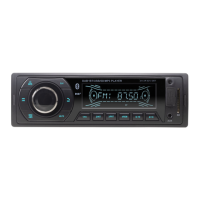

 To Next Page