48
OTHER INSTRUCTIONS
Press the
button to open the panel.
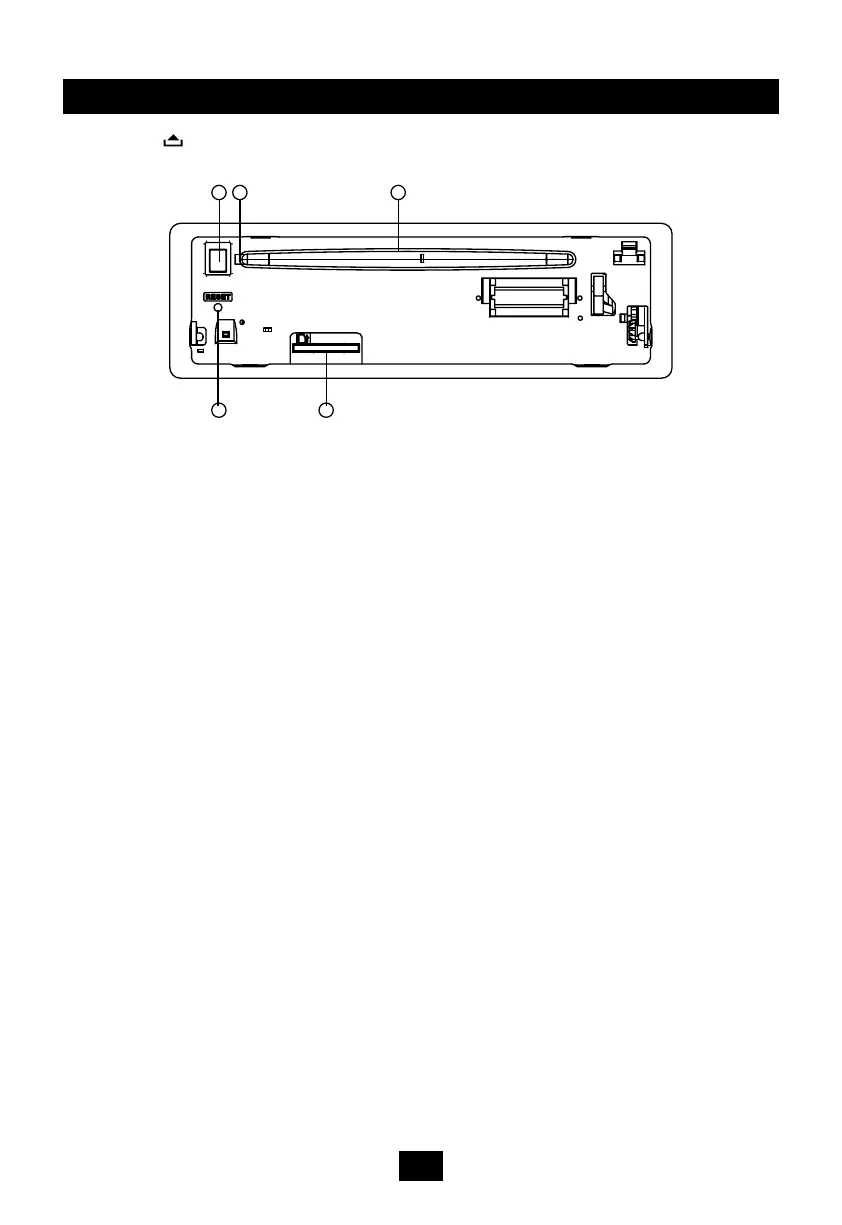
1. SD/MMC card slot
2. Disc eject
3. Reset hole
Note: Pressing the RESET hole will erase
the clock setting and stored stations.
4. Panel status indicator
Lights up when you ip the panel down;
Twinkles when you remove the panel.
5. Disc slot, insert the disc.
1
3
4
2
5


 To Next Page