56
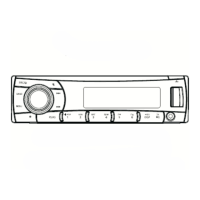
At all mode, press and hold [DISP] button to
enter system setup. Press [ ] or [ ]
button to select options, rotate the knob to
adjust.
AF ON/OFF mode
Rotate the knob to choose alternative
frequency on or off.
REG ON/OFF mode
Rotate the knob to choose REG on or off.
DX/LO (RADIO mode)
Rotate the knob to choose radio local or
distant at RADIO mode.
• LO: Only stations with strong signal can be
received.
• DX: Stations with strong and weak signals
can be received.
STEREO/MONO mode
Rotate the knob to choose FM stereo or mono.
SCROLL: ON/OFF
For track information that is longer than the
display panel:
When SCROLL is ON, the LCD will display
ID3 TAG information cyclely, e.g: TRACK-
>FOLDER->FILE->ALBUM->TITLE->ARTIST-
>TRACK->...
When SCROLL is OFF, the LCD will display
one of the ID3 TAG information, the default
is TRACK, but user can adjust it to other ID3
TAG information by press [DISP] button.
MENU FUNCTION
BEEP: ON/OFF
Rotate the knob to choose button beep sound
ON or OFF.
12/24H
Rotate the knob to choose time format: 12 or
24 hour.
COLOR mode
Rotate the knob to choose button light red or
blue.
WOOF ON/OFF
Rotate the knob to choose Sub-woofer on or
off.
CLOCK
Press the knob to enter clock setting mode,
rotate the knob to set clock, press [ ] or
[ ] button to select hour or minute, press
and hold the knob to conrm.


 To Next Page