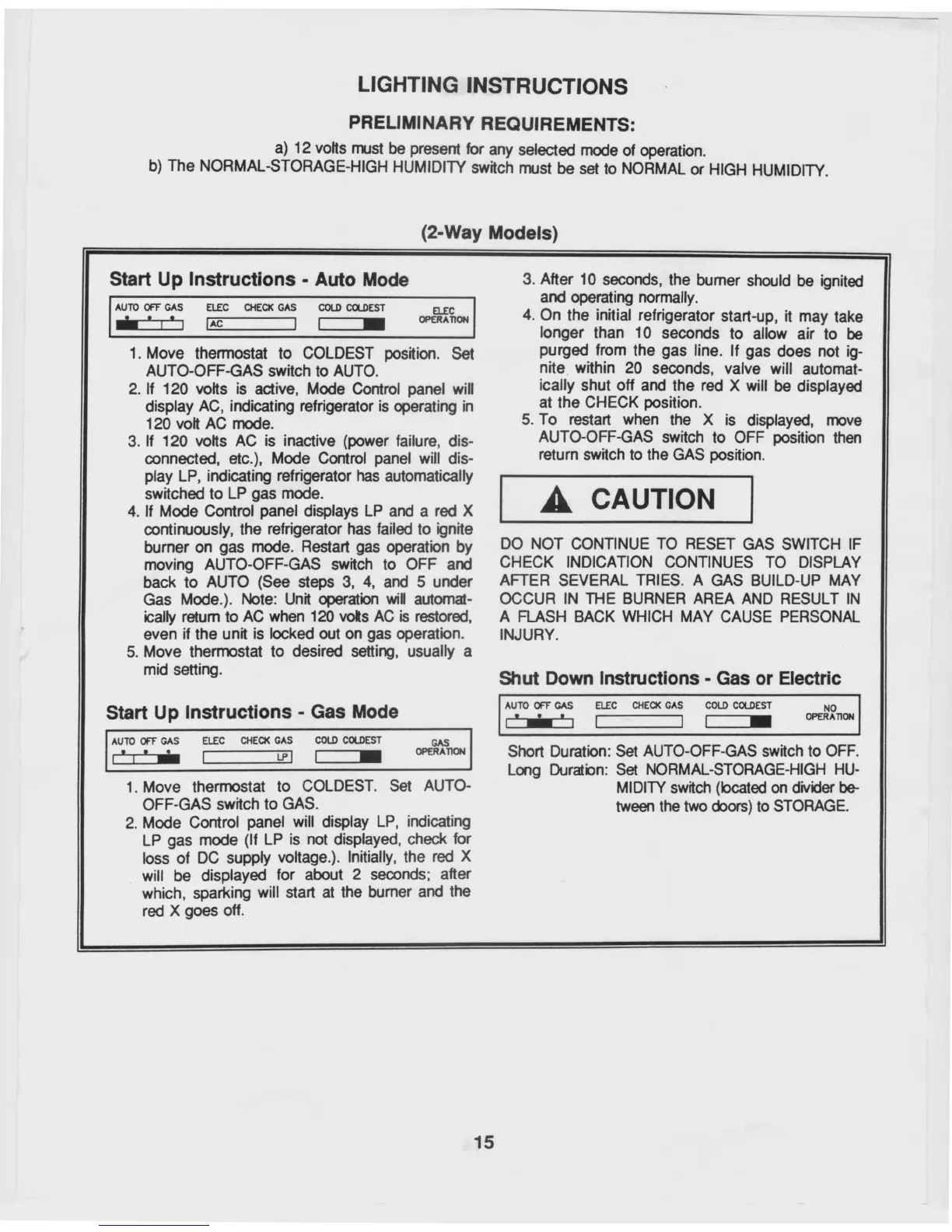
IAC
1
AUTO OFF GAS
IP
1
I
ELEC CHECK GAS
COLD COLDEST
ELEC
OPERATION
1.
Move thermostat to COLDEST position. Set
AUTO-OFF-GAS switch to AUTO.
2.
If 120 volts is active, Mode Control panel will
display AC, indicating refrigerator is operating in
120 volt AC mode.
3.
If 120 volts AC is inactive (power failure, dis-
connected, etc.), Mode Control panel will dis-
play LP, indicating refrigerator has automatically
switched to LP gas mode.
4.
If Mode Control panel displays LP and a red X
continuously, the refrigerator has failed to ignite
burner on gas mode. Restart gas operation
by
DO NOT CONTINUE TO RESET GAS SWITCH IF
moving AUTO-OFF-GAS switch to OFF and CHECK INDICATION CONTINUES TO DISPLAY
back to AUTO (See steps 3, 4, and 5 under AFTER SEVERAL TRIES. A GAS BUILD-UP MAY
Gas Mode.). Note: Unit operation will automat-
OCCUR IN THE BURNER AREA AND RESULT IN
ically return to AC when 120 volts AC is restored, A FLASH BACK WHICH MAY CAUSE PERSONAL
even if the unit is locked out on gas operation.
INJURY.
5.
Move thermostat to desired setting, usually a
mid setting.
Shut Down Instructions - Gas or Electric
Start Up Instructions - Auto Mode
3.
After 10 seconds, the burner should be ignited
and operating normally.
4.
On the initial refrigerator start-up, it may take
longer than 10 seconds to allow air to be
purged from the gas line. If gas does not ig-
nite within 20 seconds, valve will automat-
ically shut off and the red X will be displayed
at the CHECK position.
5.
To restart when the X is displayed, move
AUTO-OFF-GAS switch to OFF position then
return switch to the GAS position.
A
CAUTION
AUTO OFF GAS
I
ELEC CHECK GAS
COLD COLDEST
u.
I
MEIN
GAS
OPERATION
AUTO OFF GAS
E
t
a
k
=
t
ELEC CHECK GAS
COLD COLDEST
NO
OPERATION
LIGHTING INSTRUCTIONS
PRELIMINARY REQUIREMENTS:
a) 12 volts must be present for any selected mode of operation.
b) The NORMAL-STORAGE-HIGH HUMIDITY switch must be set to NORMAL or HIGH HUMIDITY.
(2-Way Models)
Start Up Instructions - Gas Mode
1.
Move thermostat to COLDEST. Set AUTO-
OFF-GAS switch to GAS.
2.
Mode Control panel will display LP, indicating
LP gas mode (If LP is not displayed, check for
loss of DC supply voltage.). Initially, the red X
will be displayed for about 2 seconds; after
which, sparking will start at the burner and the
red X goes off.
Short Duration: Set AUTO-OFF-GAS switch to OFF.
Long Duration: Set NORMAL-STORAGE-HIGH HU-
MIDITY switch (located on divider be-
tween the two doors) to STORAGE.
15



 To Next Page