EasyManua.ls Logo

NordicTrack NTEL71320C.0 - User Manual

NordicTrack NTEL71320C.0
36 pages
Print Icon
To Next Page IconTo Next Page
Loading...
USER’S MANUAL
Model No. NTEL71320C.0
Serial No.
Write the serial number in the space
above for reference.
nordictrack.ca
CAUTION
Read all precautions and
instructions in this manual before
using this equipment. Keep this
manual for future reference.
Serial
Number
Decal
To register your product and
activate your warranty today,
go to iconservice.ca.
Call toll-free 1-888-936-4266
Mon.–Fri. 7:30 a.m.–4:30 p.m. ET
(excluding holidays)
or email us at
customerservice@iconcanada.ca
Please do not contact the store.
REGISTER YOUR
PRODUCT
CUSTOMER SERVICE
Question and Answer IconNeed help?

Do you have a question about the NordicTrack NTEL71320C.0 and is the answer not in the manual?

Overview

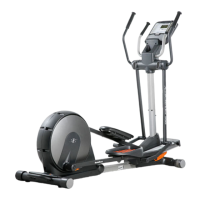
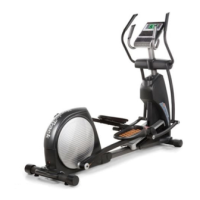
This document describes the NordicTrack FreeStride Trainer FS10i elliptical, a fitness equipment designed for home use. It provides detailed information on assembly, operation, maintenance, and safety precautions.

Function Description

The NordicTrack FreeStride Trainer FS10i is a revolutionary elliptical designed to provide an effective and enjoyable home workout experience. It offers an impressive selection of features, including adjustable resistance and incline, to target various muscle groups and fitness goals. The console features wireless technology, allowing connection to iFIT for access to a large and varied workout library, personalized workouts, and workout tracking. Users can engage in manual mode, featured workouts, or create their own map-based workouts. The elliptical also supports heart rate monitoring with compatible Bluetooth Smart heart rate monitors and includes a fan for comfort during exercise.

Important Technical Specifications

  • Model No.: NTEL71320C.0
  • User Weight Capacity: Not to exceed 375 lbs. (170 kg)
  • Dimensions:
    • Length: 4 ft. 11 in. (150 cm)
    • Width: 2 ft. 6 in. (76 cm)
  • Power Requirement: Nominal 120-volt circuit, grounded.
  • Wireless Technology: Bluetooth® and Wi-Fi (802.11b/g/n router with SSID broadcast enabled).
  • Heart Rate Monitoring: Compatible with all Bluetooth Smart heart rate monitors.
  • Frame Warranty: Ten (10) years from the date of purchase.
  • Parts Warranty: Two (2) years from the date of purchase.
  • Labor Warranty: One (1) year from the date of purchase.
  • IC ID: 3673A-425339 (for console transmitter/receiver).

Usage Features

  • Console: Advanced console with a touch screen display.
    • Power On: Turn on by touching the screen or pressing any button.
    • Touch Screen Operation: Supports touch, slide, and flick gestures. Keyboard for text input.
    • Manual Mode: Allows manual adjustment of pedal resistance and frame incline using numbered buttons or increase/decrease buttons.
    • Featured Workouts: Pre-programmed workouts that automatically control resistance and incline. These change periodically and can be saved as favorites. Requires wireless network connection.
    • Draw-Your-Own-Map Workouts: Users can create custom workouts by drawing routes on a map, with elevation and distance statistics displayed.
    • iFIT Workouts: Access to a large library of iFIT workouts, including immersive video workouts with coaches. Requires iFIT account login and wireless network connection. Workouts can be scheduled on a calendar or marked as favorites.
    • Workout Feedback: Continuous display of exercise feedback, with multiple display modes and options to view statistics or charts.
    • Volume Adjustment: Buttons to increase or decrease console volume.
    • Fan: Multiple speed settings, including an auto mode that adjusts fan speed based on pedaling speed.
  • Heart Rate Monitoring: Compatible with Bluetooth Smart heart rate monitors for continuous heart rate tracking.
  • Leveling: Adjustable leveling feet to stabilize the elliptical on uneven surfaces.
  • Portability: Designed to be moved by two persons, using the handle and wheels.
  • Optional Tablet Holder: An optional accessory (sold separately) to securely hold a tablet during exercise.

Maintenance Features

  • Regular Inspection: All parts should be inspected and properly tightened each time the elliptical is used.
  • Part Replacement: Worn parts should be replaced immediately using only manufacturer-supplied parts.
  • Cleaning: Use a damp cloth and a small amount of mild soap. Avoid liquids near the console and direct sunlight.
  • Console Troubleshooting:
    • Power Issues: Ensure power cord is plugged in and power switch is in the reset position.
    • Connectivity Issues: For problems with wireless network or iFIT, refer to support.iFIT.com.
    • Console Freezing/Not Responding: Reset to factory default settings (requires two people). Locate the reset opening, press the button with a bent paper clip, and have a second person plug in the power cord and press the power switch.
    • Firmware Updates: Regularly check for and install firmware updates via the wireless network. Do not turn off power during updates.
  • Incline System Troubleshooting:
    • Incline Adjustment Issues: Refer to console settings for calibration.
    • Incline Calibration: The incline system can be calibrated through the console settings, automatically moving the frame through its full range of motion. Keep pets and feet away during calibration.
  • Drive Belt Adjustment: If pedals slip, the drive belt may need adjustment. This involves removing an access cover and tightening a locknut.
  • Reed Switch Adjustment: If the console does not display correct feedback, the reed switch may need adjustment. This involves loosening screws, sliding the reed switch, and ensuring alignment with the magnet.

Important Precautions and Warnings

  • Safety: Read all precautions and instructions before use. Keep children under 16 and pets away.
  • Health: Consult a health care provider before starting any exercise program, especially for persons over 35 or during pregnancy.
  • Placement: Use on a level surface with adequate clearance (4 ft. front, 6 ft. rear, 2 ft. sides). Place a mat underneath to protect the floor.
  • Electrical Safety: Plug into a grounded circuit. Do not modify the power cord or use an adapter with an improper receptacle. Do not use an extension cord. Unplug when not in use and before cleaning.
  • Operation: Do not operate if the power cord or plug is damaged. Pedals continue to spin after stopping; reduce speed in a controlled manner. Hold handlebars when mounting/dismounting.
  • Clothing: Wear appropriate athletic shoes and avoid loose clothing.
  • Posture: Keep your back straight; do not arch your back.
  • Over-exercising: Stop immediately if you feel faint, short of breath, or experience pain.
  • Freewheel: The elliptical does not have a freewheel; pedals will continue to move until the flywheel stops.
  • Power Off: Press the power switch to the off position and unplug the power cord after each use to prevent premature wear of electrical components.

NordicTrack NTEL71320C.0 Specifications

General IconGeneral
BrandNordicTrack
ModelNTEL71320C.0
CategoryElliptical Trainer
LanguageEnglish

Related product manuals