EN - 9 -
Economy mode
How would it be used?
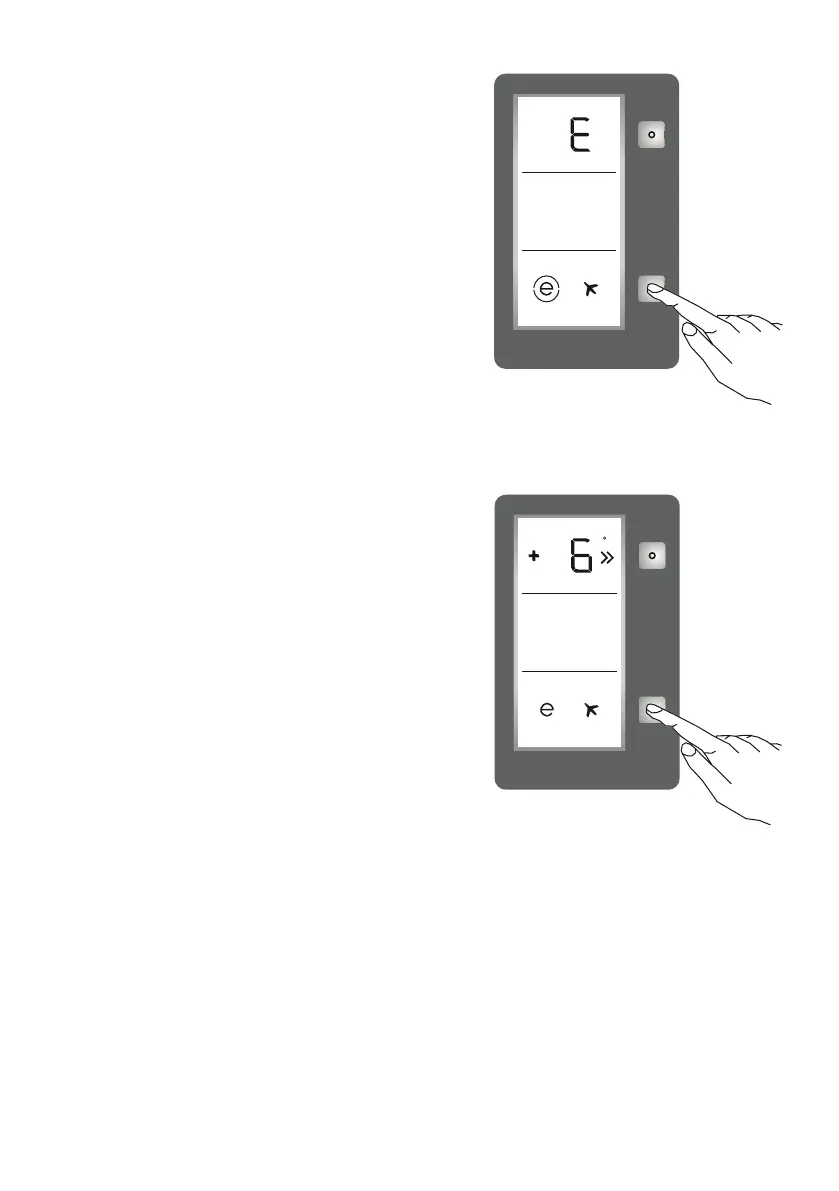
• Push the “Mode Button” until a circle appears
around economy symbol.
• If no button is pressed for 1 second, the mode will
be set. The circle will blink 3 times and the buzzer
will sound twice.
• The Temperature segment will show “E”.
• The circle of the Economy Symbol and E will
illuminate until the mode nishes.
During this mode:
• Temperature may be adjusted. When economy
mode will be cancelled, the selected setting values
will remain.
• Super Cool mode can be selected after cancelling the economy mode. The selected
mode is activated.
• To cancel, press the mode button.
Screen saver mode
How to use?
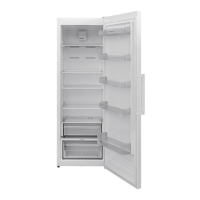
• This mode will be activated when you press the
mode button for 5 seconds.
• If no button is pressed within 5 seconds when the
mode is active, the lights of the control panel will
go out.
• If you press any button when lights of control
panel are off, the current settings will appear on
the screen, you can then make an adjustment as
required.
• If you do not cancel the screen saver mode or
press any button within 5 seconds, the control
panel will go off again.
• To cancel screen saver mode, press the mode button for 5 seconds again.
• When screen saver mode is active, you can also activate child lock.
• If you do not press any button for 5 seconds after activating child lock, the lights of the
control panel will go off. Then, you can view the previous settings and that child lock is
active by pressing any button. You can cancel child lock as described in the instructions
for that mode.
c


 To Next Page