EasyManua.ls Logo

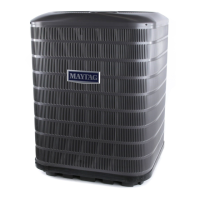
Nordyne iQDrive Split System Heat Pump - User Manual

Nordyne iQDrive Split System Heat Pump
28 pages
Print Icon
To Next Page IconTo Next Page
Loading...
Installation Instructions
Split System Heat Pump
The iQ Drive heat pump operates as part of a larger intercommunicating system which provides temperature, air fl ow, and
humidity control for a residence or other similarly sized building. This system includes this outdoor unit, the dedicated iQ
controller (thermostat), and an iQ system-compatible indoor unit, typically an air handler with electric strip heat or a gas
furnace. The system will function only if these components are matched and intended for use within this system. A complete
list of compatible equipment by model and serial number is available in NORDYNE document 709031, iQ Field Wiring
Installation Instruction. Accessory equipment which may be used with this system includes humidifi ers, electric or electronic
air cleaners, and U/V (ultraviolet) sterilizing lamps.
Refer to the System Operation section below for a complete description of how to use the various features of the system.
In addition to providing the means for operation, the controller also serves as the means for initial system confi guration and
setup, and it provides a considerable amount of information for troubleshooting the system and diagnosing problems.
OTHER REFERENCE DOCUMENTS
Installation instruction documents for indoor equipment (furnace or air handler, optional humidifi er, etc.)
iQ Field Wiring Installation Instruction, document 709031, provided in the iQ thermostat/controller kit
iQ Thermostat/Controller User’s Manual, document 709063, provided in the iQ thermostat/controller kit
local wiring and building codes
Nordyne Application Guideline for Refrigerant Lines Over 75 Feet document 044B-0600
iQ Zone System Zone Thermostat User’s Manual
iQ Zone System Installation Instructions

Table of Contents

Question and Answer IconNeed help?

Do you have a question about the Nordyne iQDrive Split System Heat Pump and is the answer not in the manual?

Summary

Installation Instructions

iQDrive Split System Heat Pump Overview

Explains the heat pump system, its components, and compatible equipment for residential use.

Other Reference Documents

Lists additional documentation required for installation and operation of the iQ system.

Preparation and Mounting

Slab Mounting Procedures

Guidelines for installing the outdoor unit on a concrete slab for proper drainage and stability.

Roof Mounting Considerations

Recommendations for roof mounting to prevent structural overload and noise transmission.

Electrical Connections

Electrical Power Wiring

Details on complying with codes for outdoor unit power wiring, including wire sizing and connection points.

Control Circuit Wiring

Instructions for connecting 24 VAC control power and communication bus wiring between system components.

iQ Zone Control Wiring

Steps for connecting the Airzone control board to the iQ communication bus for zoning systems.

Recheck Wiring

Emphasizes verifying correct routing and secure connections for all power and control wiring.

Refrigerant Line Connections

Line Design and Routing

Guidance on direct routing, insulation, support, and material for refrigerant lines.

Brazing Techniques

Safety precautions and methods for brazing refrigerant line connections using appropriate alloys.

System Evacuation

Step-by-step instructions for evacuating the system to remove non-condensables and water vapor.

Refrigerant Charging

Methods for charging the system with refrigerant, including preferred weighing and sub-cooling techniques.

Alternate Charging Procedures

Procedures for charging based on subcooling in cooling and heating modes when outdoor temps vary.

System Setup Using the iQ Controller

Controller General Functions and Navigation

Overview of the controller's role in configuration, service tests, and diagnostics, with navigation basics.

Installer Settings and System Configuration

Accessing and configuring system parameters like configuration, accessories, and service tests.

Specific Configuration Settings

Details on defrost, dealer info, heat off delay, altitude adjust, and accessories configuration.

Controller Configuration and Service Information

Service Tests Menu

Accessing tests like Charge Mode, Furnace Tests, and Run Tests for diagnostics and operational checks.

Service Information Screens

Accessing detailed system data like fault status, communication, temperature, and zoning information.

Minimum Heat Pump Operating Temperature

Setting the outdoor temperature below which backup heat engages instead of the heat pump.

Controller Settings and Operation Details

Date, Time, and Schedule Settings

Configuring date, time, and program schedule usage for optimal system operation and energy savings.

Humidity and Dehumidification Control

Setting humidity setpoints and managing the system's dehumidification capabilities.

Smart Recovery and Zone Control

Configuring smart recovery and managing zone control settings for iQ Zone systems.

System Operation and Zone Control

System Operation Quick Start

A summary of initial steps for operating the heat pump system in cooling, heating, or fan modes.

Zone Control System Management

How zone control is enabled by default and how to manually disable it if needed.

System Startup, Checkout, and Troubleshooting

Initial Installation and Wiring Checks

Sequence of tasks for installing hardware, wiring, and performing initial checks before system startup.

Communication and Refrigerant System Testing

Verifying communication links and testing the refrigerant system after charge adjustment.

Fault Status and Final Configuration

Reviewing fault logs, confirming system configuration, and checking zone setup for iQ Zone systems.

System Diagnosis and Troubleshooting

Controller and Outdoor Unit Diagnostics

Diagnosing issues with the controller, inverter, and outdoor interface board using LEDs and fault messages.

Common Troubleshooting Scenarios

Addressing frequent problems like delayed compressor start/stop, fan operation, and unit response to temperature.

Maintenance and Diagrams

Routine Maintenance Procedures

Regular checks for filters, condensate lines, outdoor coils, and annual service by a technician.

Unit Envelope Dimensions Diagram

Diagram showing the physical dimensions and clearance requirements for the outdoor unit.

Summary

Installation Instructions

iQDrive Split System Heat Pump Overview

Explains the heat pump system, its components, and compatible equipment for residential use.

Other Reference Documents

Lists additional documentation required for installation and operation of the iQ system.

Preparation and Mounting

Slab Mounting Procedures

Guidelines for installing the outdoor unit on a concrete slab for proper drainage and stability.

Roof Mounting Considerations

Recommendations for roof mounting to prevent structural overload and noise transmission.

Electrical Connections

Electrical Power Wiring

Details on complying with codes for outdoor unit power wiring, including wire sizing and connection points.

Control Circuit Wiring

Instructions for connecting 24 VAC control power and communication bus wiring between system components.

iQ Zone Control Wiring

Steps for connecting the Airzone control board to the iQ communication bus for zoning systems.

Recheck Wiring

Emphasizes verifying correct routing and secure connections for all power and control wiring.

Refrigerant Line Connections

Line Design and Routing

Guidance on direct routing, insulation, support, and material for refrigerant lines.

Brazing Techniques

Safety precautions and methods for brazing refrigerant line connections using appropriate alloys.

System Evacuation

Step-by-step instructions for evacuating the system to remove non-condensables and water vapor.

Refrigerant Charging

Methods for charging the system with refrigerant, including preferred weighing and sub-cooling techniques.

Alternate Charging Procedures

Procedures for charging based on subcooling in cooling and heating modes when outdoor temps vary.

System Setup Using the iQ Controller

Controller General Functions and Navigation

Overview of the controller's role in configuration, service tests, and diagnostics, with navigation basics.

Installer Settings and System Configuration

Accessing and configuring system parameters like configuration, accessories, and service tests.

Specific Configuration Settings

Details on defrost, dealer info, heat off delay, altitude adjust, and accessories configuration.

Controller Configuration and Service Information

Service Tests Menu

Accessing tests like Charge Mode, Furnace Tests, and Run Tests for diagnostics and operational checks.

Service Information Screens

Accessing detailed system data like fault status, communication, temperature, and zoning information.

Minimum Heat Pump Operating Temperature

Setting the outdoor temperature below which backup heat engages instead of the heat pump.

Controller Settings and Operation Details

Date, Time, and Schedule Settings

Configuring date, time, and program schedule usage for optimal system operation and energy savings.

Humidity and Dehumidification Control

Setting humidity setpoints and managing the system's dehumidification capabilities.

Smart Recovery and Zone Control

Configuring smart recovery and managing zone control settings for iQ Zone systems.

System Operation and Zone Control

System Operation Quick Start

A summary of initial steps for operating the heat pump system in cooling, heating, or fan modes.

Zone Control System Management

How zone control is enabled by default and how to manually disable it if needed.

System Startup, Checkout, and Troubleshooting

Initial Installation and Wiring Checks

Sequence of tasks for installing hardware, wiring, and performing initial checks before system startup.

Communication and Refrigerant System Testing

Verifying communication links and testing the refrigerant system after charge adjustment.

Fault Status and Final Configuration

Reviewing fault logs, confirming system configuration, and checking zone setup for iQ Zone systems.

System Diagnosis and Troubleshooting

Controller and Outdoor Unit Diagnostics

Diagnosing issues with the controller, inverter, and outdoor interface board using LEDs and fault messages.

Common Troubleshooting Scenarios

Addressing frequent problems like delayed compressor start/stop, fan operation, and unit response to temperature.

Maintenance and Diagrams

Routine Maintenance Procedures

Regular checks for filters, condensate lines, outdoor coils, and annual service by a technician.

Unit Envelope Dimensions Diagram

Diagram showing the physical dimensions and clearance requirements for the outdoor unit.

Overview

The iQDrive Split System Heat Pump is an integral part of a larger interconnected system designed to provide comprehensive temperature, airflow, and humidity control for residential or similarly sized buildings. This system comprises the outdoor unit, a dedicated iQ controller (thermostat), and an iQ system-compatible indoor unit, which can be either an air handler with electric strip heat or a gas furnace. For proper functionality, all these components must be matched and intended for use within this specific system. Compatible accessory equipment includes humidifiers, electric or electronic air cleaners, and UV sterilizing lamps.

Function Description:

The iQDrive heat pump system is designed to efficiently heat and cool a building while also managing humidity levels. Its core function is to maintain a comfortable indoor environment by controlling the operation of the outdoor unit, indoor unit, and any connected accessories. The system operates based on settings configured through the iQ controller, which acts as the central interface for users and installers.

In cooling mode, the heat pump functions as an air conditioner, removing heat from the indoor space and expelling it outdoors. In heating mode, it extracts heat from the outdoor air and transfers it indoors. When outdoor temperatures are too low for efficient heat pump operation, the system can automatically switch to auxiliary heat (electric strip heat or gas furnace) to meet the heating demand. The iQ controller allows for precise control over these operations, including setting desired temperatures, fan speeds, and humidity levels.

The system also incorporates advanced features such as demand defrost, which triggers a defrost cycle when the outdoor coil temperature drops below a certain threshold, or after a maximum operating time, to prevent frost buildup and maintain heating efficiency. The controller provides detailed information about system status, including fault conditions, temperatures, and communication data, which is crucial for diagnosis and troubleshooting.

Usage Features:

The iQDrive system offers a user-friendly interface through its iQ controller, enabling both homeowners and installers to manage its various functions.

General Operation:

The Main Screen of the iQ controller prominently displays room temperature and the current operating mode (e.g., COOL or HEAT). Users can navigate through menus using arrow keys to access different settings. For iQ Zone systems, the Main Screen also shows "ZONE CNTL" under the operating mode.

Installer Settings:

Installers use a dedicated "INSTALLER SETTINGS" menu for initial system configuration and setup. This includes:

  • System Configuration: Automatically detects system components (outdoor unit, indoor unit type) and allows manual confirmation or adjustment of settings like heat type, number of stages, staging differentials, and furnace input rate/rise. It's crucial to ensure communication links (INDOOR UNIT and OUTDOOR UNIT) show "OK."
  • Accessories: Allows installers to set maintenance alerts for air filters, humidifiers, UV lamps, and air cleaners based on operating hours or calendar time.
  • Defrost Configuration: Adjusts the defrost termination temperature (default 75°F) and coil defrost delta T (default 6°F), which determine when defrost cycles end and begin, respectively.
  • Heat Off Delay: For systems with G6 gas furnaces, this sets the duration the indoor blower remains on after the furnace flame extinguishes (default 120 seconds).
  • Altitude Adjust: For iQ modulating gas furnaces, this setting allows input of the installation altitude.
  • Service Tests: Provides access to various operational tests for diagnostic troubleshooting during installation startup, including:
    • CHARGE MODE: Runs the system at a fixed speed for checking and adjusting refrigerant charge in either heating or cooling mode. The screen backlight blinks red to indicate service mode.
    • FURNACE TESTS: Runs the furnace at selected fire levels to confirm proper operation.
    • AIR COND RUN TESTS / HEAT PUMP RUN TESTS: Runs the unit at fixed speeds (MIN, INTERMED, MAX) for testing. For heat pumps, a "DEFROST NOW" option allows forcing a defrost cycle.
    • DISCRETE OUTPUTS: Allows manual operation of relay-driven outputs like the humidifier, reversing valve, EXV, and crankcase heater for diagnostic purposes.

Service Information Screens:

These screens provide detailed operational data and diagnostic information:

  • FAULT STATUS: Displays active faults and a history of previous faults with time and date stamps.
  • COMPRESSOR STATUS: Confirms the configured unit size and shows the state of the low pressure switch.
  • OUTDOOR/INDOOR FAN STATUS: Logs any fan error codes.
  • FURNACE STATUS: Provides information specific to the furnace.
  • TEMPERATURE STATUS: Lists all temperatures measured by the iQ system, including room temperature and supply duct temperature (for iQ Zone systems).
  • CLEAR FAULT HISTORY: Allows clearing of logged faults.
  • CALIBRATION DATA: For Panasonic blowers, allows recalibration if significant changes to ducting or damper usage have occurred.
  • COMMUNICATION DATA: Indicates the status of communication with all iQ bus elements, showing "OK" or "BAD" for each.
  • DEFROST STATUS: Provides detailed information on in-progress defrost cycles and conditions that trigger them.
  • ZONING DATA / ZONE MODULE STATUS: For iQ Zone systems, shows active zones, weighting, and module status, essential for confirming proper setup.
  • CAPACITY CONTROL: Displays target and actual speeds for the compressor, outdoor fan, and indoor blower, along with system status messages.

Other Configuration Entries (Homeowner/Installer):

  • Minimum Heat Pump Operating Temperature: Sets the outdoor temperature below which the heat pump will not operate, and backup heat takes over (default 12°F).
  • Auto Changeover Time: Sets the delay between cooling and heating operations in AUTO mode (default 60 minutes).
  • Date and Time: Configures the system's date and time, which is used for fault logging.
  • Program Schedule vs. Nonprogrammable: Allows selection of programmable schedules (2 or 4 events/day) or non-programmable operation.
  • Dehumidification: Enables or disables dehumidification (default ON). When enabled, the system adjusts blower speed and capacity to remove moisture.
  • Humidity Settings: Sets desired humidify (30-45%) and dehumidify (35-70%) setpoints.
  • Smart Recovery: When enabled, the system adjusts the setpoint in advance of a schedule change to reach the desired temperature by the scheduled time.
  • Zone Control: For iQ Zone systems, allows enabling or disabling zone control. Temperature setpoints are managed at local zone thermostats.

Maintenance Features:

Regular maintenance is crucial for optimal system performance and longevity.

  • Air Filter Inspection: Inspect monthly and clean or replace at the start of each heating and cooling season, or when visible dirt accumulates.
  • Indoor Coil Cleaning: If the indoor coil needs cleaning, a qualified service technician should be contacted.
  • Condensate Disposal Line Inspection: At the beginning of the cooling season, ensure the condensate disposal line from the indoor coil is not obstructed.
  • Outdoor Unit Coil Cleaning: Remove leaves, grass clippings, and debris from the outdoor unit coil. Care should be taken not to damage the aluminum fins. Dirt can be cleared with a water hose directed through the discharge fan grille toward the outside of the unit.
  • Annual Professional Inspection: A yearly inspection by a qualified service technician is recommended to ensure the system is performing at its optimal level.

Safety Precautions:

  • Electrical Power Disconnection: Always disconnect all electrical power at the main circuit box before servicing the outdoor unit or furnace/air handler to prevent electric shock.
  • Inverter Voltage Bleed Down: After removing line power, wait at least 60 seconds for inverter voltage to bleed down before touching any inverter parts or wiring.
  • Refrigerant Handling: Refrigerant charge adjustments should only be performed by a qualified, EPA certified technician due to the high pressure of liquid and gaseous refrigerant.

The iQDrive system is designed for comprehensive climate control, with detailed configuration and diagnostic capabilities accessible through its iQ controller, making it a versatile and efficient solution for modern buildings.

Nordyne iQDrive Split System Heat Pump Specifications

General IconGeneral
RefrigerantR-410A
StagesVariable Speed
SEER RatingUp to 20
HSPF RatingUp to 10
Cooling Capacity (BTU/h)18, 000 - 60, 000
Heating Capacity (BTU/h)18, 000 - 60, 000
EfficiencyUp to 20 SEER
CompressorInverter-Driven
Warranty10-Year Limited Warranty

Related product manuals