38
Air Handler
Chapter4.–Installation
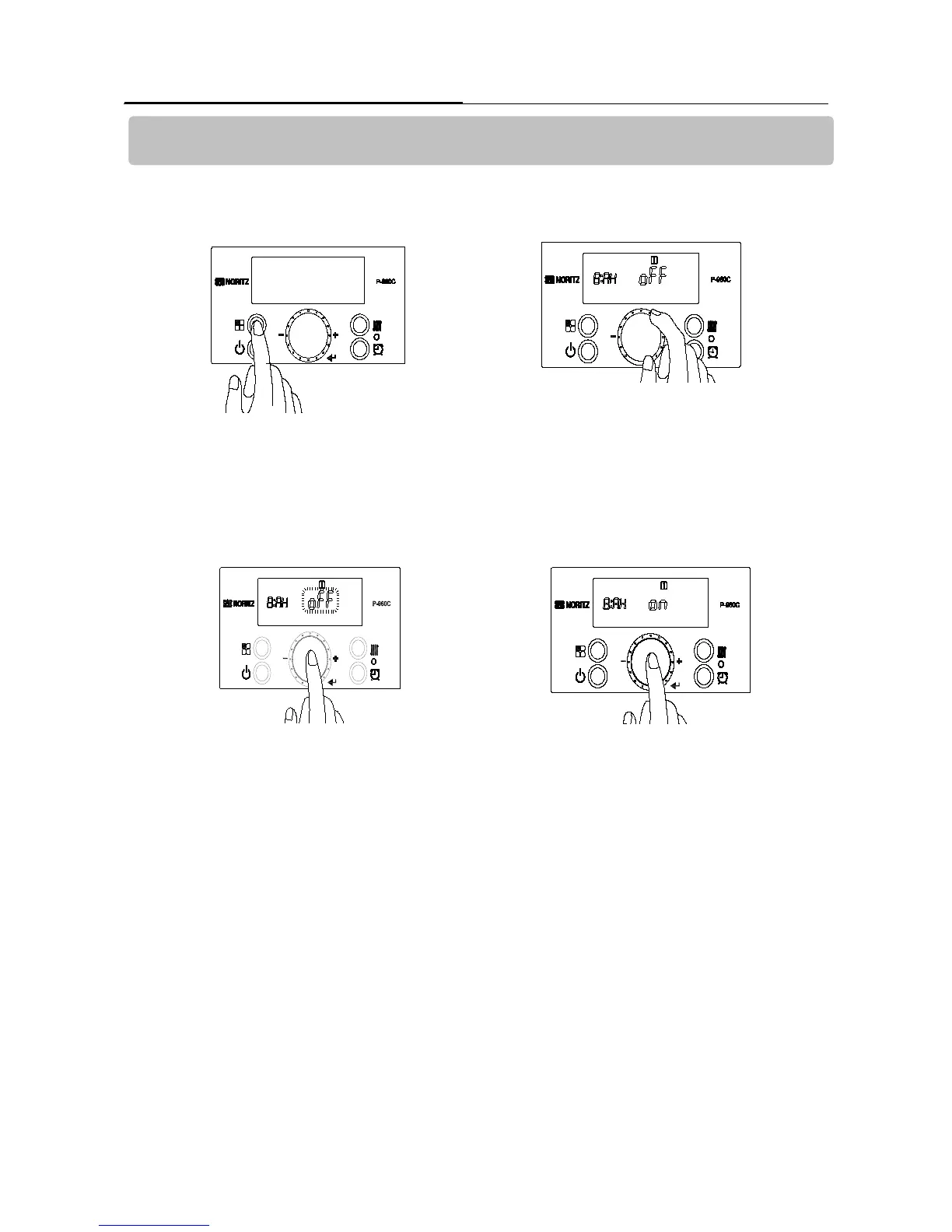
1. Turn off the power to the control panel.
Press and hold the ‘Function Button’ for approximately
5 seconds to get into the ‘Installer Mode’.
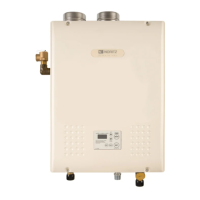
2.Turn the ‘Dial Button’ clockwise to 8:AH.
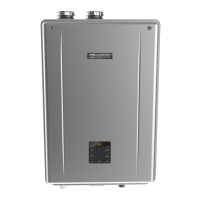
4. Press the ‘Dial Button’ to save the setting.
If you would like to move to next function in the ‘Installer
Mode’, turn the ‘Dial Button’ clockwise or to exit ‘Installer
Mode’ press the ‘Function Button’.
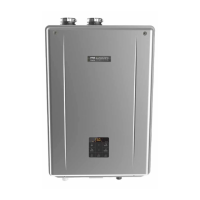
3. Press the ‘Dial Button’ so ‘oFF’ is blinking.
Then turn the ‘Dial Button’ clockwise so ‘on’
is blinking.
How to activate the Air Handler Terminal.


 To Next Page