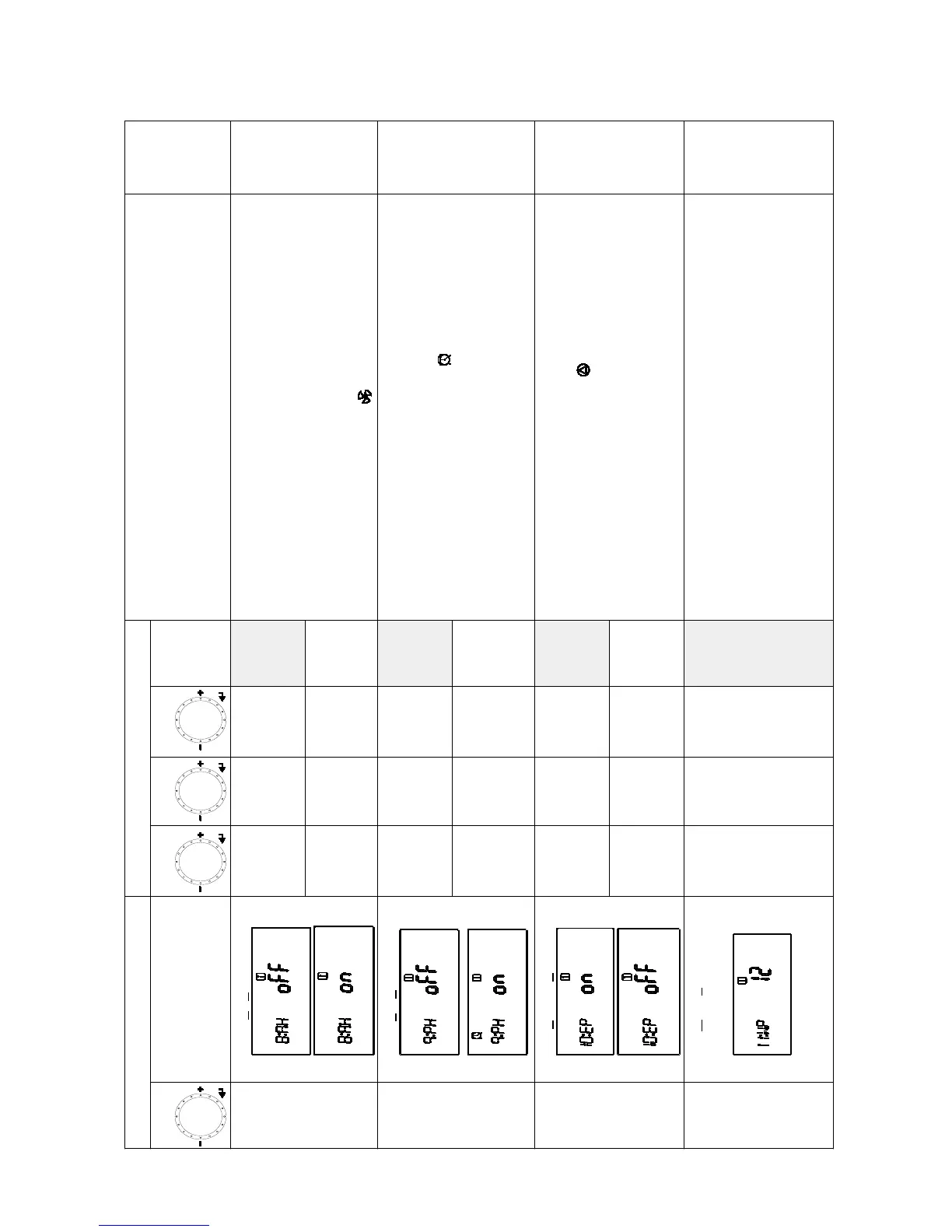
Primary Display Secondary Display
Function Description
Reference
Page(s)
Function
Function Name
Step 1 Step 2 Step 3
Default
4:Od
(Skipped
if 2:TR is
oFF)
Outdoor Temp
A.HI
23 - 110°F
(-5 - 43°C)
Default
70°F
(21°C)
The Combi Boiler will automatically use the Outdoor Temperature Settings
and the Heating Application to adjust the set temperature of the unit for the
most comfortable and economical heating temperature.
• A.HI (Outdoor High Temperature Setting)
This should be set at the highest average outdoor temperature in which the
customer would like the heating system to continue to heat the home.
• b.noH (Warm Weather Shutdown Temperature Setting)
- When ‘on’ the unit will go into energy saving mode and automatically stop
heating when the outdoor temperature is 5°F (3°C) over the A.HI set point.
- When ‘oFF’ the unit will continue to heat at the lowest temperature setting
even if the outdoor temperature is greater that A.HI set point.
• C.Lo (Outdoor Low Temperature Setting)
This should be set at the lowest average outdoor temperature during the
winter season. (not the lowest possible outdoor temperature)
• When the Warm Weather Cutoff is on the icon will ash on the control
panel.
Pages
42- 44
b.noH
on Default
oFF
C.Lo
-4 - 61°F
(-20 - 16°C)
Default
20°F
(-6.5°C)
5:bS
(Skipped
if 2:TR is
oFF)
Boost Timing
oFF Default
The setting is to increase the set temperature of the unit on cold start ups if
the actual room temperature doesn't reach the thermostat set temperature
quick enough, the Boost time function will increase the set temperature of the
Combi Boiler 10°F (5.5°C) after the selected Boost time setting has passed.
Example :
Room thermostat set at 72°F, Combi Boiler set temp at 140°F, and Boost time function
set to 30 min. If the room temperature does not reach 72°F within 30 min then the
Combi Boiler will increase it's set temp from 140°F to 150°F
1 - 120 min
6:Vt
Vent Material
PVC Default
Vent Material function is used to limit the maximum exhaust temperature for
the vent material used. For safety reasons the Combi Boiler operation will
stop if the exhaust temperature exceeded maximum allowable temperature for
the venting material.
• PVC maximum exhaust temperature is 149°F (65°C)
• CPVC and PP maximum exhaust temperature is 200°F (93°C)
Page 15
CPVC
Primary Display Secondary Display
Function Description
Reference
Page(s)
Function
Function Name
Step 1 Step 2 Step 3
Default
8:AH
Air Handler
oFF Default
This function needs to be turned ‘on’ if an Air Handler is being used as a
heating type.
• When heating side is running the fan and pump for the Air Handler will be on.
• If the DWH side is running the fan and pump for the Air Handler will be off.
• If this is not set to ‘on’ the Air Handler fan will be running with no hot supply
water from the Combi Boiler and blow cold air into the home while the DHW
side is running.
• When the Air Handle is operating, the icon will display on the control panel.
Pages
37- 38
on
9:PH
Pre-Heating
oFF Default
This function is used to preheat the internal DHW plate heat exchanger during
selected times set.
• After turning on this function the timer will need to be set.
• When Pre Heating function is activated the icon will be displayed on the
control panel.
Pages
18 - 19
in Owne’s
Guide
on
10:EP
External Pump
oFF Default
This setting can activate or deactivate the terminals in the Combi Boiler for an
External Pump (secondary pump) on the circuit board.
• When the External Pump is activated the icon will display on the control
panel.
Pages
35 - 36
on
11:WP
Water Pressure
12 - 26 PSI
Default
This function is to control the water pressure on the heating side of the Combi
Boiler. This will insure there is enough water inside the Combi Boiler to
operate correctly.
• The Auto Feeder will ll the system within 10 minutes. When the pressure
of the system is over 2 PSI of Water Pressure Setting the Auto Feeder will
close and water will stop lling the Combi Boiler.
• Water Relling Pressure: Set Valve - 4 PSI (0.002 BAR)
• Water Relling Stop Pressure: Set Valve + 2 PSI (0.001 BAR)
Select
&
Enter
Select
&
Enter
Select
&
Enter
Select
&
Enter


 To Next Page