18 6/23, 171606 ©2023 Norlake, Inc. All rights reserved.
Sensor Service Instructions
The temperature sensor cannot be repaired. Using the measurements in Char A on the next page, you can determine
if they are functioning correctly. If the sensors are found out of tolerance, they should be replaced.
As mentioned above, the temperature sensor changes electrical resistance in response to temperature changes.
Disconnect the sensor from the controller, check the temperature at the sensor location, then check and record the
resistance through the temperature sensor.
Procedures to check temperature sensor tolerance with ice water:
1) Use a cup of water with well-stirred ice. The water should be distilled and at an even 32 F.
2) Submerge the room temperature sensor (T
AIR
) into the water while the LogiTemp® Plus controller is normally
operating. Check the display for the value. If the sensor shows 32°F, it is working properly.
3) Press the up or down buttons until the display shows the name of one of the variables. When the display shows
tSC(T
SUC
), which is the suction temperature, press the “ENTER” button to show the digit value. Submerge the sensor
into the water. Check the display for the value. If the sensor shows 32°F, it is working properly.
4) Press the down button until the display shows tCL, which is the coil temperature T
COIL
, press the “ENTER” button to
show the digit value. Submerge the sensor into the water. Check the display for the value. If the sensor shows 32°F,
it is working properly.
Compare the temperature and resistance in Chart A on the next page.
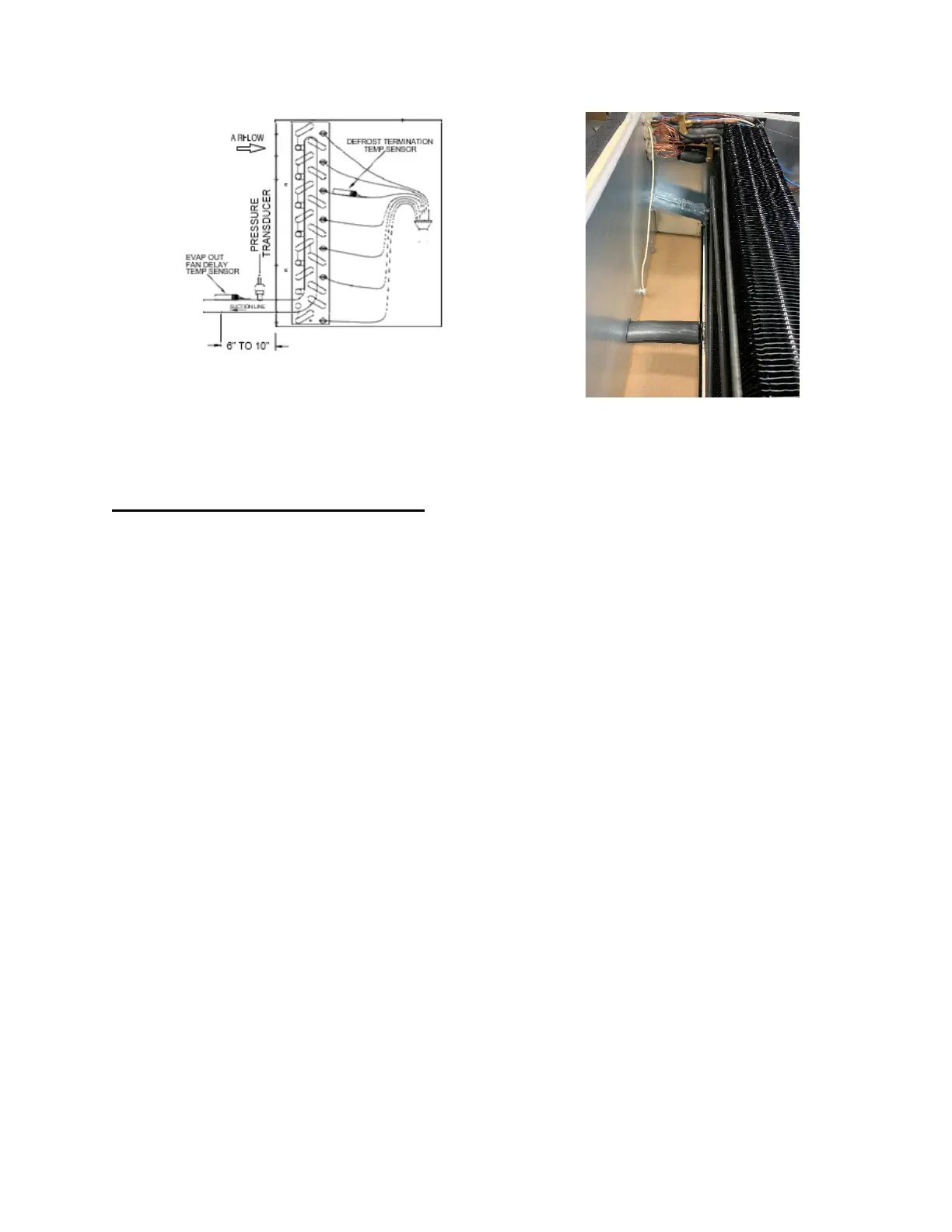
Figure 3: Sensor Locations



 To Next Page