2 6-050212 X2
Features and Programming Guide
1
KEYPAD DEFAULTS
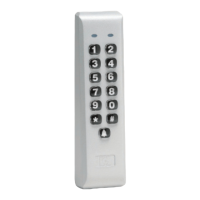
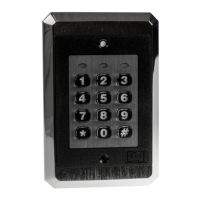
Door ♦ Gard keypads are designed for easy installation in a
minimum amount of time. The following default settings are
factory programmed:
Master Code (user 1): 1234
Main Relay Time: 5 seconds
Auxiliary Output Time: 5 seconds
Panic Output: Output 4
Keypad Active Output: Off
REX Triggers: Main Relay
Keypress Feedback: On
LED – Normal State Red
LED - Relay Energized Green
Auto-Entry Off
If you must change the default settings or additional functions
are desired, please refer to the Programming Options Chart
after you are familiar with the Programming section.
2
TESTING THE KEYPAD
1. Connect the positive (+) lead of your power supply to
the terminal strip (TS1) V+ input.
2. Connect the negative (-) lead of your power supply to
the terminal strip (TS1) V- input.
3. Turn on your power supply.
4. Press 7890#123456 ✱. If all 12 keypresses are
verifi ed, the keypad enters self-test mode.
The yellow LED fl ashes/sounder beeps 3 times, then
turns on solid for 3 seconds.
Note: Self-test mode can be used to troubleshoot a
keypad in the fi eld. If you do not get the continuous
light, the memory has been corrupted and should
be re-programmed with the default command (see
option #19).
5. Enter the master code (default = 1234) followed by the
✱ key and the relay energizes. Refer to programming
section to program your keypad.
NOTE:
You can program your keypad in your shop or at the
installation site. Programmed information is stored
in non-volatile memory so it won’t be lost if power is
removed.
PROGRAMMING
1. Enter programming mode Indicator
1
Press 99 # (master code) ✱ Flash/Beep Slowly
2. To Change master code
2
Press 1 # (new master code) ✱ Flash/Beep Fast
Press (new master code) ✱ Flash/Beep Slowly
If you must change the Main Relay
time, see option 2 on the
Programming Options chart.
3. To Add/change second code
Press 2 # (new user code) ✱ Flash/Beep Fast
Press (new user code) ✱ Flash/Beep Slowly
4. To Add/change third code
Press 3 # (new user code) ✱ Flash/Beep Fast
Press (new user code) ✱ Flash/Beep Slowly
5. Up to 120 codes may be added
in this fashion
6. Exit programming mode
Press ✱ Off
NOTE:
● Door ♦ Gard keypads are factory programmed with a
master code of 1234.
●
1
Indicator refers to either the yellow LED or
sounder.
●
2
The master code is always stored in user location
1.
● The master code allows access to programming mode
and activates the main relay.
● By default (auto-entry is off), all codes must be
followed by the ✱ key.
● Codes may be from 1-6 digits in length, and digits
may be repeated.
● If you forgot the master code or it is not working,
momentarily push SW1, (see wiring diagram for
location) to enter programming mode and go to option
#19 on the Programming Options chart to default
keypad.
● If the yellow LED lights solid or sounder is on steady
while in programming mode, an error has occurred.
Press ✱ to clear (yellow LED should start fl ashing)
and start over from step 2 or 3 above.



 To Next Page
 Loading...