EasyManua.ls Logo

Nortek IEI 232e Standalone - User Manual

Nortek IEI 232e Standalone
24 pages
Print Icon
To Next Page IconTo Next Page
Loading...
IEI 232e Standalone
TM
Keypad Installation/
Programming Manual
Contents
Section 1: Features and Product Description
1.1 Features
1.2 Product Description
Section 2: U.L. Requirements
Section 3: Specifications
Section 4: Mounting
Section 5: Wiring
5.1 Wire Harness Configuration
5.2 Wiring the 232e Keypad to a Maglock (Fail-Safe)
5.3 Wiring the 232e Keypad to an Electric Strike
(Fail-Secure)
5.4 Shunting a Normally Closed Zone
5.5 Wiring Remote Trigger as Request to Exit (REX)
Button and Door Contacts
5.6 Installing the Plug-On Relay Board
5.7 Wiring the Standalone Access Control Relays
Section 6: Testing the Keypad
Section 7: Programming
7.1 Programming Main Relay Time
7.2 Programming Users
7.3 Programming Keypad Options
Section 8: Troubleshooting
Section 9: Programming Mode Loopback
Section 10: Warranty
Manual Revision Date: 05/16/03 Firmware Version: 1.0b
Document # 6054004, Rev. 2.1 1

Questions and Answers

  • D
    dellisAug 1, 2025
    What to do if no LEDs are lit on my Nortek IEI 232e Standalone?
    • M
      Michael CunninghamAug 1, 2025
      If no LEDs are lit on your Nortek Keypad, it indicates that power is not reaching the keypad. Here's what you can do: 1. Use a voltmeter to check the voltage at the keypad on the red and black wires. 2. If there's no voltage, check the power supply. 3. If the power supply has no voltage, contact the power supply manufacturer. 4. If the power supply has voltage, but the keypad doesn't, check for breaks in the wires and test the wire run for continuity. 5. To confirm the keypad's functionality, power it with a 12-Volt Battery.
  • D
    deanseanAug 9, 2025
    What to do if the Nortek Keypad master code does not work?
    • G
      Gary CarpenterAug 9, 2025
      If the master code on your Nortek Keypad isn't working, you should perform the programming mode loopback and reset the master code using the programming command.
  • M
    millerjessicaAug 15, 2025
    What to do if Nortek IEI 232e Standalone Keypad LEDs are rapidly cycling and the keypad is not working?
    • J
      jensencarlAug 16, 2025
      If the LEDs on your Nortek Keypad are rapidly cycling from left to right and the keypad has lost all operation, it indicates an over-voltage situation. To resolve this, lower the voltage to between 12-24V.
  • S
    Sara AshleyAug 25, 2025
    How to fix Nortek IEI 232e Standalone Keypad LEDs slowly cycling with backlighting off?
    • R
      Rachel TranAug 25, 2025
      If the LEDs on your Nortek Keypad are slowly cycling from right to left and the backlighting is off, this is due to under-voltage. To fix this, raise the voltage to between 12-24V.

Summary

Features and Product Description

Keypad Features List

Lists the key features of the 232e keypad, including flush mount, programmable, and user capacity.

232 e Keypad Product Overview

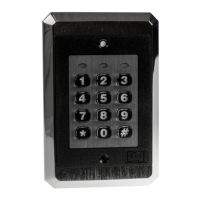
Describes the 232e Keypad's design, application flexibility, and ease of installation for access control.

Specifications and UL Requirements

232 e Keypad Technical Specifications

Details voltage, current, environment, dimensions, and contact ratings for the keypad's components.

UL Compliance and Tamper Switch Installation

Outlines U.L. requirements, including the need for a U.L. Listed tamper switch and wiring standards.

Keypad Mounting Procedures

Flush Mounting and Height Guidelines

Explains flush mounting using a single-gang box or directly to the wall, including optimal mounting height.

Wiring the 232 e Keypad

Wire Harness Pinout and Configuration

Details the pinout, wire colors, and signal names for the 232e keypad wire harness.

Maglock and Electric Strike Wiring

Provides instructions for wiring the keypad to Maglock (Fail-Safe) and Electric Strike (Fail-Secure) devices.

Shunting Normally Closed Zones

Explains how to connect the keypad to shunt a normally closed zone using specific wires.

REX Button and Door Contacts Wiring

Details wiring for Request to Exit (REX) button and door contacts with the keypad.

Plug-On Relay Board Installation

Covers installing the plug-on relay board for alarm shunt, propped door, and forced door relays.

Access Control Relays Wiring Guide

Details wiring for alarm shunt, propped door, and forced door relays using the accessory relay board.

Keypad Operation and Programming

Keypad Self-Test Procedure

Describes the steps to perform a keypad self-test to ensure proper operation after installation.

Programming Main Relay Time

Details how to program the main relay time, specifying the command and allowed time range.

Programming User and Master Codes

Explains programming master, supervisor, and user codes, including adding, deleting, and enabling/disabling.

Configuring Keypad Options

Covers enabling/disabling keypad options like audio feedback, auto-entry, error lockout, and illumination.

Keypad Parameters and Resets

Details changing error lockout, resetting defaults, and erasing users with specific commands.

Troubleshooting and Support

Troubleshooting Common Keypad Issues

Provides solutions for common problems like LED behavior, master code failure, and no power indication.

Programming Mode Recovery

Programming Mode Loopback Reset

Explains the loopback procedure to reset the master code if it is not working or forgotten.

Product Warranty Information

IEI e Series Keypad Warranty

Details the warranty periods for IEI products, specifically mentioning the 5-year warranty for 'e' Series Keypads.

Nortek IEI 232e Standalone Specifications

General IconGeneral
BrandNortek
ModelIEI 232e Standalone
CategoryKeypad
LanguageEnglish

Related product manuals